
One of 30+ Extension
WordPress Social Login
WordPress Social Login by DiviFlash lets visitors sign in or register on your Divi site with their Google, Facebook, X or GitHub account. One click replaces a new username and password, so more visitors finish signing up and come back to sign in.
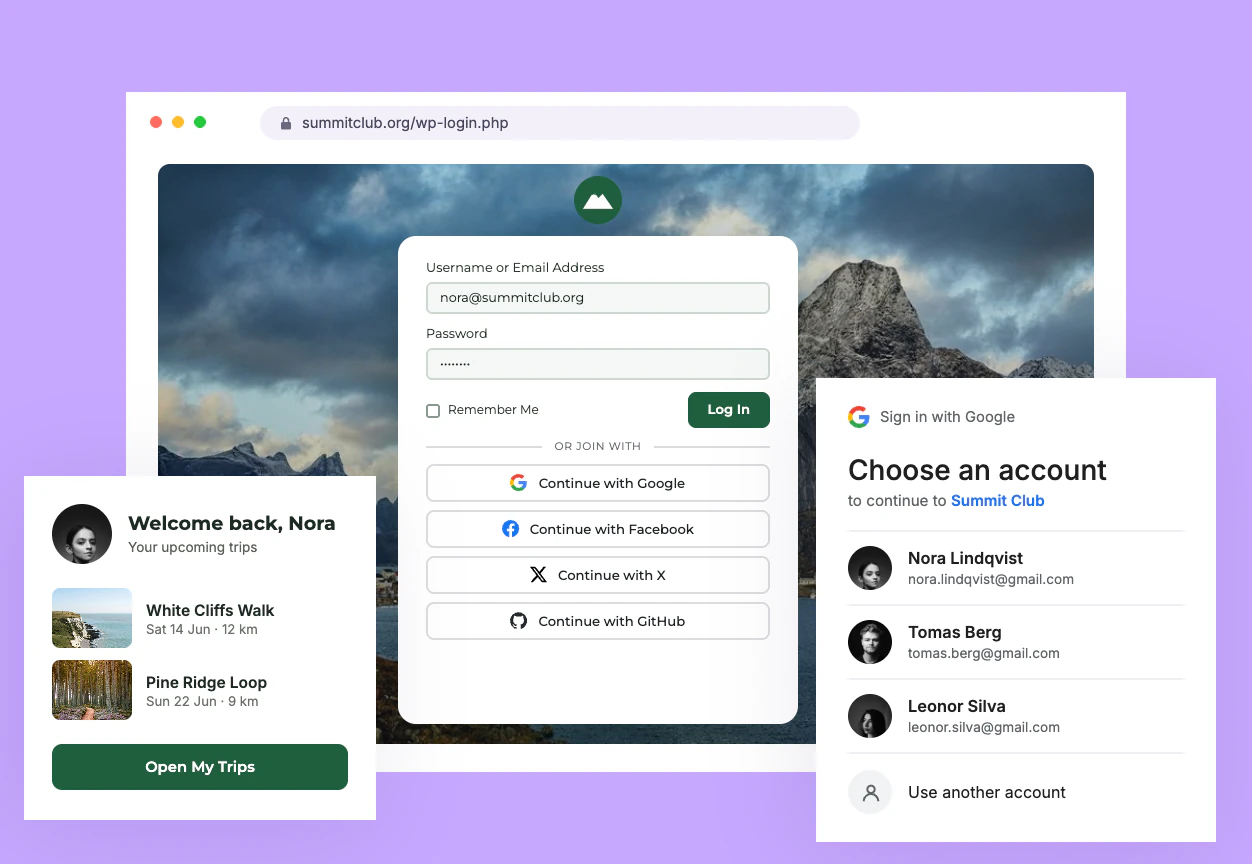
Four Sign-In Providers
Switch on Google, Facebook, X, GitHub or all four, so most visitors find an account they already use, right on your login screen.
Off-Site Password Entry
Visitors type their password on the provider's own sign-in page, so your site never sees or stores their Google, Facebook, X or GitHub password.
Login Buttons Anywhere
Add the buttons to the WordPress login and registration screens, or place them on any page with a shortcode inside a Divi module.
Add Google, Facebook, X and GitHub Login to Your Divi Site
Offer Sign-In With Accounts Visitors Already Use
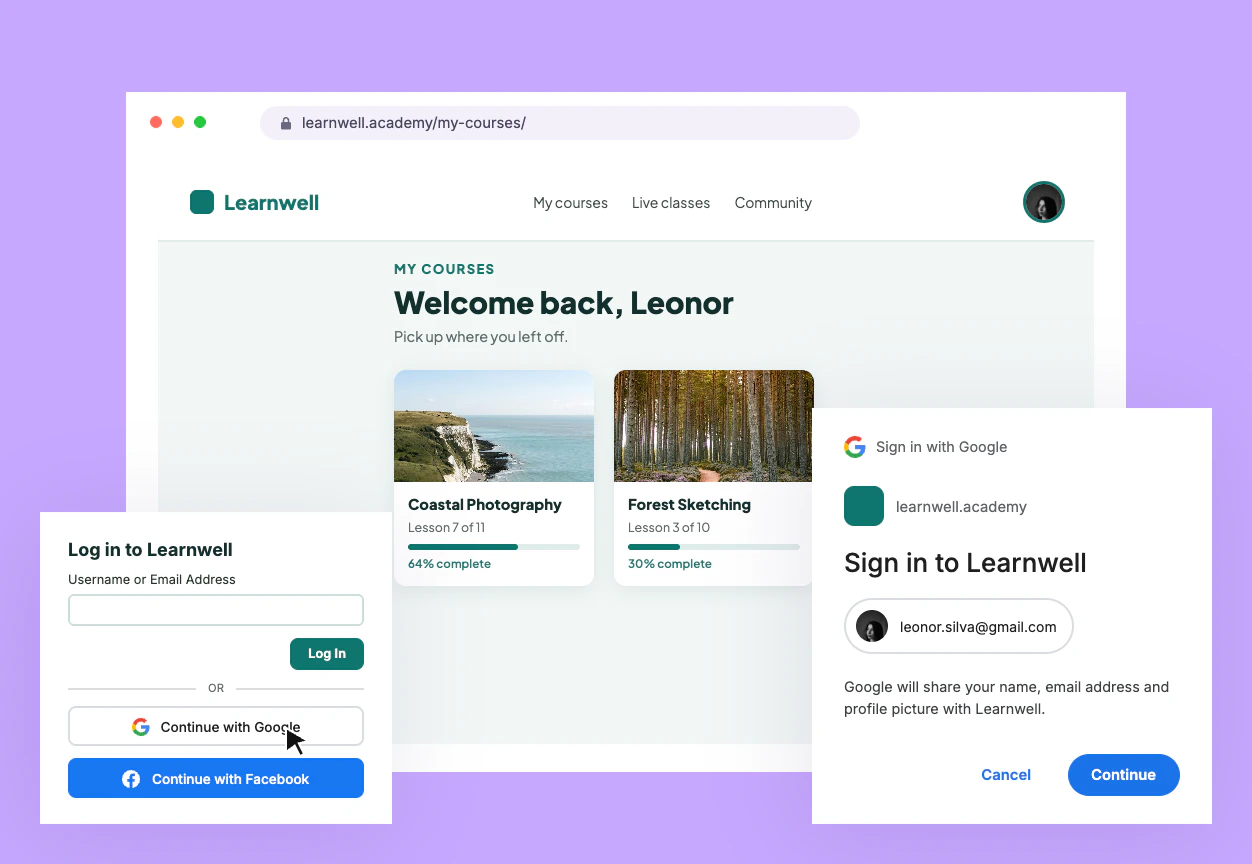
Let returning members sign in with the Google, Facebook, X or GitHub account they already use.
Visitors click a button, approve on the provider's page, and come back to your site signed in.
Register new visitors in the same click, as long as their provider shares an email address.
Send members to the page they came for after login, and new members to a welcome page.
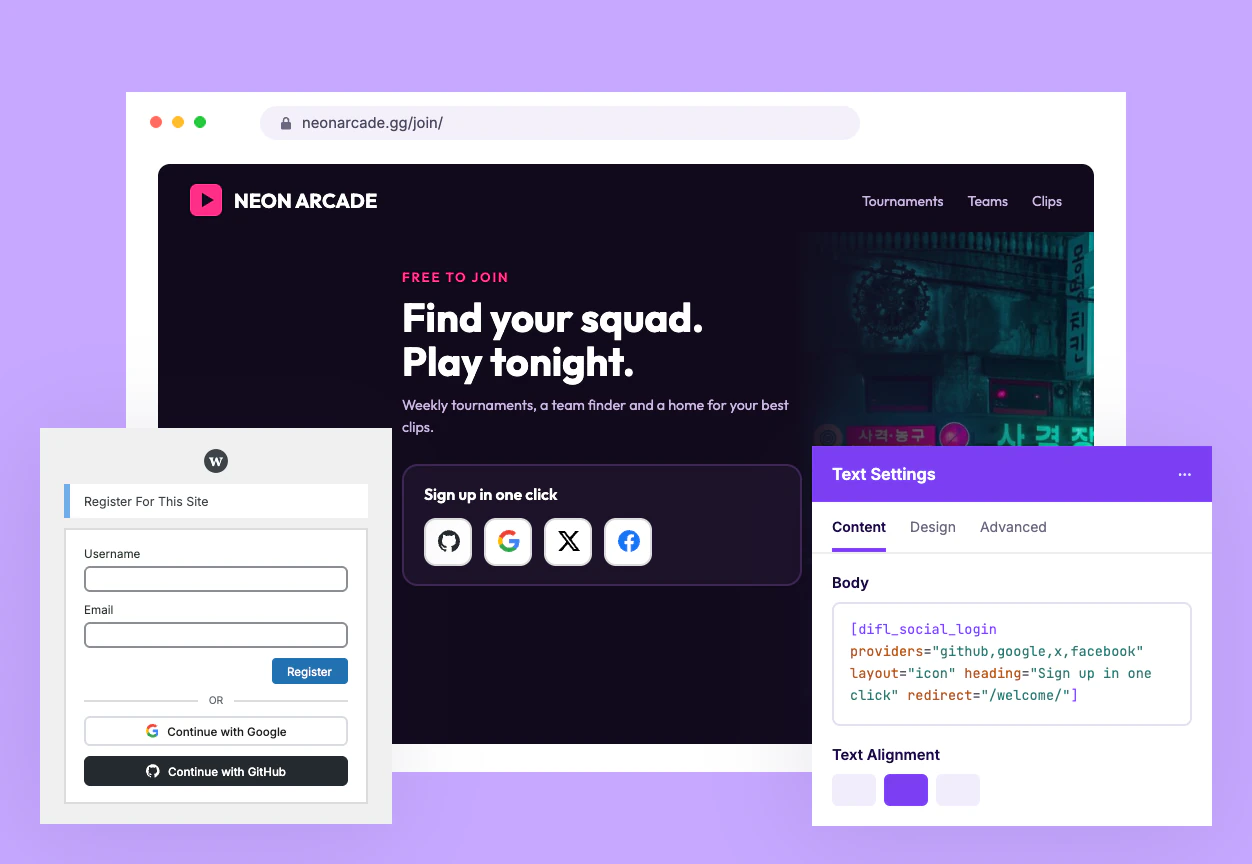
Place the Buttons Anywhere on Your Site
Add the buttons to the WordPress login screen, where returning members already sign in every day.
Show them on the WordPress registration screen, so new visitors can skip the long sign-up form.
Drop the shortcode into any Divi module that supports shortcodes to add sign-in to any page.
Pick which providers each shortcode shows, in your order, with its own heading and redirect page.
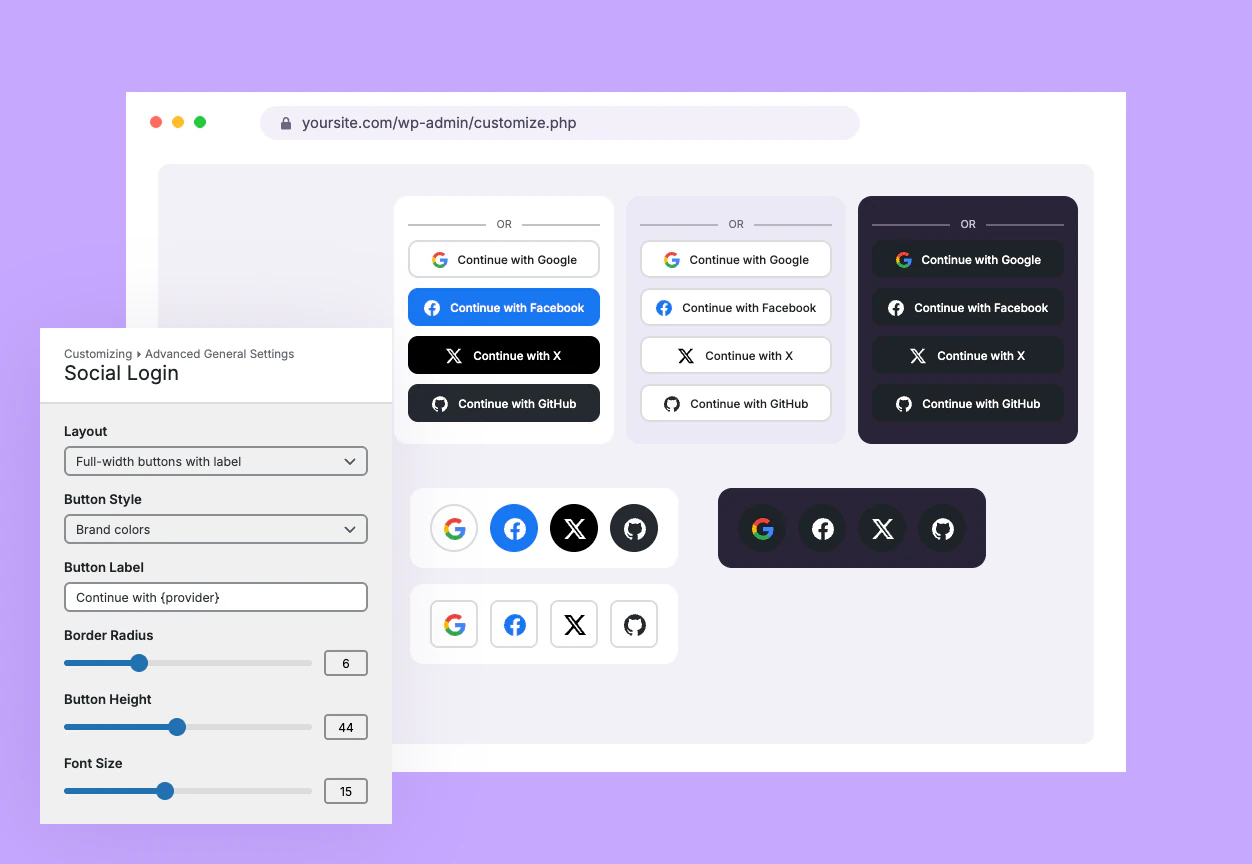
Match the Buttons to Your Brand
Choose full-width buttons with labels, or a compact row of provider icons for tight spaces.
Use each provider's brand colors, or switch to a light or dark style that fits your theme.
Write your own label, like "Continue with Google", and the provider name fills in for each button.
Adjust corner rounding, spacing, height and font size until the buttons match the rest of your site.
Decide Who Can Register and Sign In
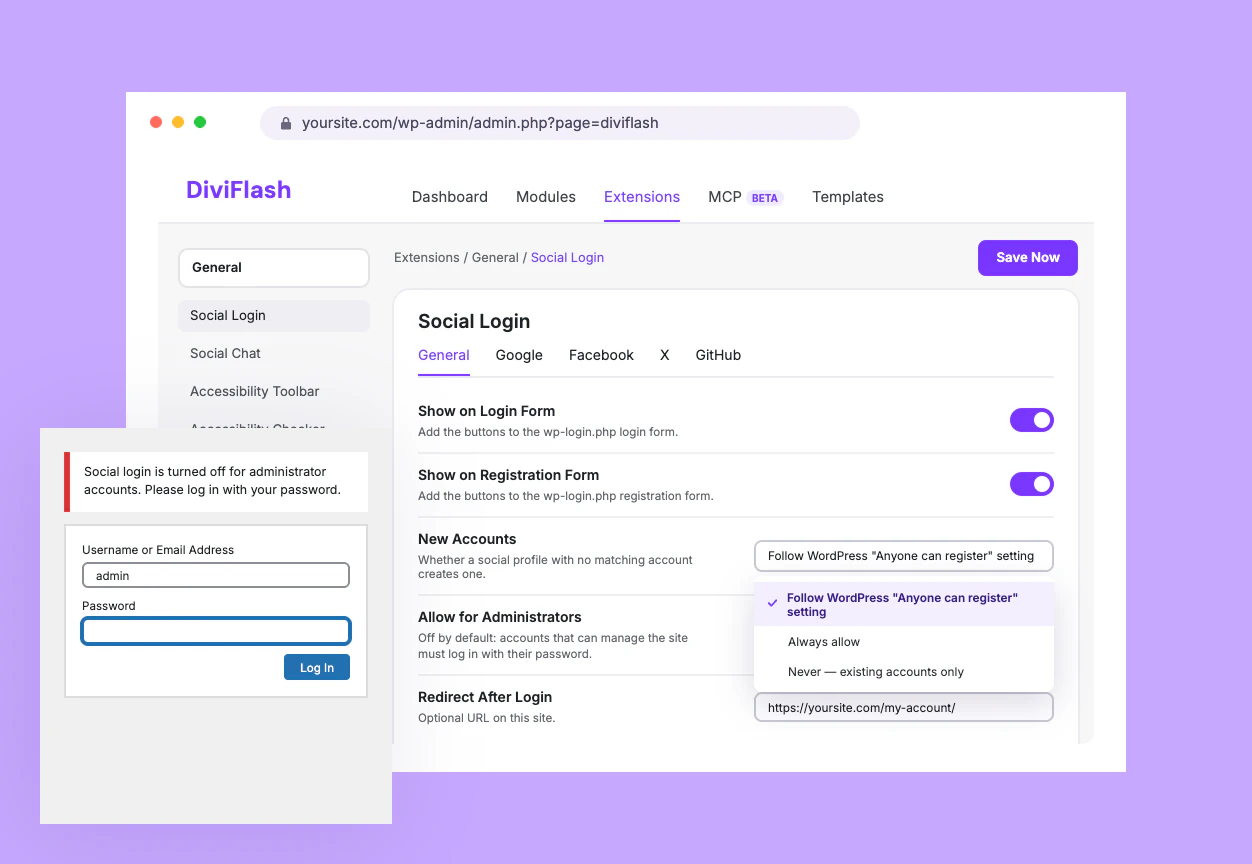
Follow your WordPress registration setting, or allow social sign-up even when standard registration is closed.
Limit social sign-in to existing members, so no new accounts are created through the buttons.
Keep administrators on their WordPress password by default, so your dashboard stays fully protected.
Show each provider's button only once it's switched on and connected, so no button fails.
Connect Each Provider With Its Own App
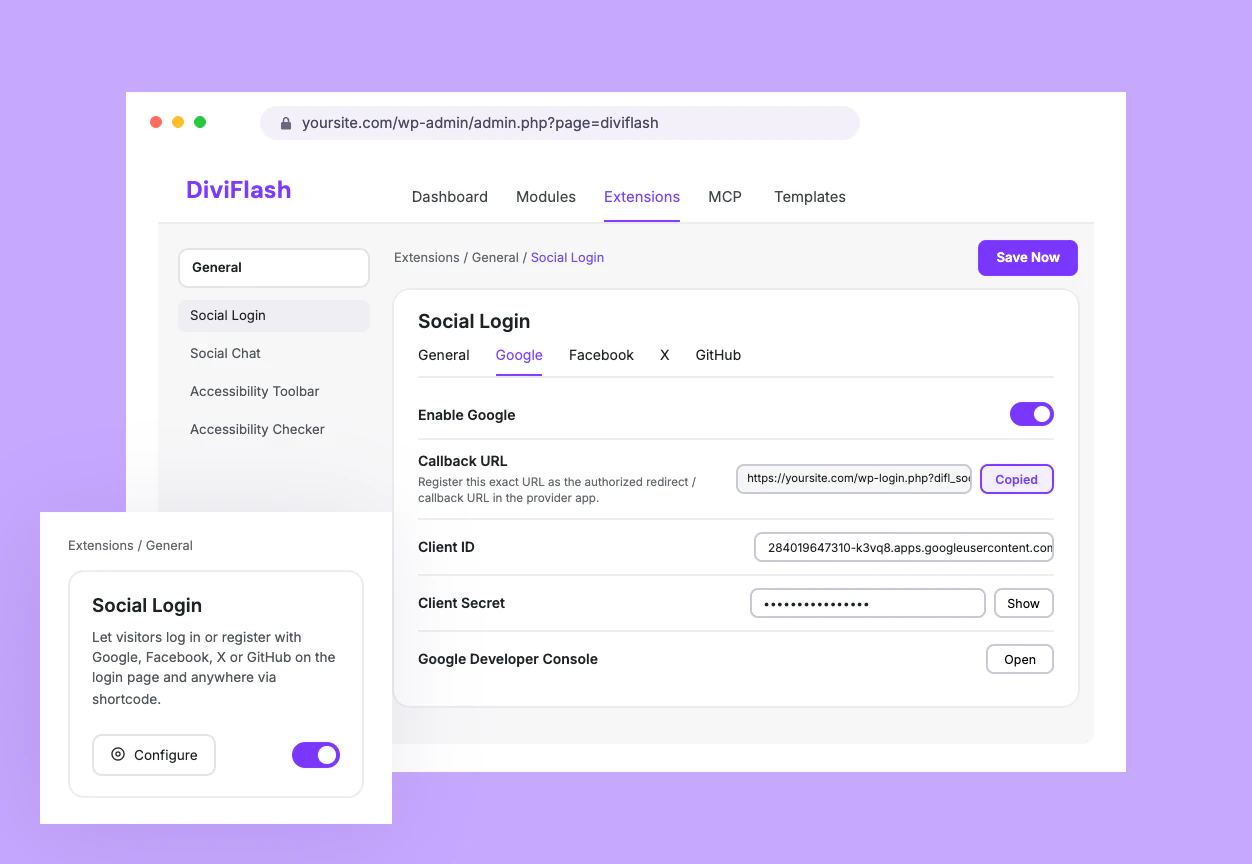
Create an app in Google Cloud Console, Meta for Developers, X Developer Portal or GitHub Developer Settings.
Copy the exact callback URL with one click, so redirect errors don't hold up your launch.
Paste each provider's Client ID and Client Secret, switch it on, and save to go live.
Run Social Login on any site served over HTTPS, the one hosting requirement every provider shares.
DiviFlash Social Login vs the Default WordPress Login: What Changes?
The default WordPress login asks every visitor for a username and password. DiviFlash Social Login keeps that form and adds Google, Facebook, X and GitHub sign-in, so visitors use an account they already have.
| Feature | DiviFlash Social Login | Default WordPress Login |
|---|---|---|
| Ways to sign in | Google, Facebook, X or GitHub, plus username and password | Username or email and password |
| Joining the site | One click with a social account, when allowed | Registration form, then set a password |
| Passwords to remember | Their existing social account | One more password for your site |
| Where sign-in appears | Login screen, registration screen and any page by shortcode | Login and registration screens |
| New account rules | Follow WordPress, always allow, or existing members only | Anyone can register, on or off |
| Administrator sign-in | WordPress password by default, social sign-in optional | WordPress password |
| Setup | One OAuth app per provider and an HTTPS site | Built in |
| Username and password login | Stays available | Available |
Ready to Turn More Visitors Into Signed-In Members?
Helpful Resources

DOCUMENTATION
DiviFlash Social Login Overview

VIDEO
How to Use DiviFlash Social Login? (Coming Soon)
Trusted by Over 100,000 Users Worldwide
Join them and build with confidence.
DiviFlash plugins are a default install for all my Divi websites.
DiviFlash plugins are a default install for all my Divi websites. The plugins are well coded, constantly added with new functionality, and the support is responsive and helpful. Very pleased with my purchase.

A powerful tool AND a responsive support team
Divi Flash is not only a powerful tool for to easily level up any Divi website, but it's also backed by an extremely responsive team. Any time I've reached out to them with questions or potential bugs they've been VERY prompt to respond and get it sorted. Not all plugin developers are this dedicated to their users. Divi Flash is an easy 5 star recommendation!

The plugin saves time and works perfectly.
We are a Divi agency and like to use the DiviFlash plugin to extend the functionality of the Divi modules. The plugin saves time and works perfectly.
The price is absolutely fair. Thanks to the DiviFlash team for this great plugin!

A Swift Resolution with Competent Support
We bought the plugin and immediately started to beautify our website with the modules. Unfortunately, after a short time there was a problem and we had a white screen of death. We then contacted Diviflash support and they were able to help us competently. In this case, it was due to insufficient memory for the website. Once we had increased this, everything worked perfectly again. Many thanks again for the quick and competent help.

They respond in a short time and…
They respond in a short time and provide all kinds of support to solve the problem. I have had 2 problems so far and they solved them both in a short time

It is a very useful and well made product
We purchased the Divi Flash membership about a month ago and it has quickly become our go to plugin for Divi. We have used quite a few of their modules on various client builds and have not been disappointed.
We have not had any reason to contact support but from what I see from other user's comments, we wont be disappointed with that either.
It is a very useful and well made product and we're happy to recommend it to others wishing to extend Divi's capabilities in a short space of time.
DiviFlash is a must if you use Divi
DiviFlash is a must if you use Divi on any of your WordPress sites. This plugin adds a ton of functionality to Divi without requiring multiple plugin add ons or separate plugins. I bought this plugin in 2021, and I can't imagine using Divi without it at this point.
I rarely have issues with bugs or conflicts. DiviFlash provides around 50 additional modules, and they're constantly adding more. My favorites to use include the advanced tab and hover box modules, but I'm looking forward to some things that are releasing soon.
Customer service is always responsive and helpful any time that I have had to contact them, which has maybe been 3 times since I bought this. Definitely buy the plugin!

A Thankful Perspective on DiviFlash Modules
DiviFlash modules add to my arsenal exactly that functions that I need for my sites. Settings are straightforward and let me tune all aspects of my design. Thank you, guys! You have some stuff to make better but I'm sure that you keep working. 🙂
Praises for Divi Flash Features and Support Team
Great features and an awesome support team!🍀🙏💚 I’m super happy with the Divi Flash, the advanced image gallery advanced was exactly what I was looking for, it saved me so much time and did the job without writing a single line of code. And for sure thank you so much for the great support team who helped me immediately to solve the issues I was having on my website, so glad I’m using your product.
Great product. Great support.
The product itself does everything that it claims to do, while being compatible with DIVI. The support team has also been very helpful to this day.
A Positive First Experience with Modules and Support
This is the first time I have purchased DIVI FLASH. The wide variety of modules is very attractive. When I started using it and was not sure how to use it, I contacted support and they responded quickly and were able to solve the problem right away. I was a little worried because it was my first time using the plug-ins, but the generous support made me feel at ease. Thank you very much.
DiviFlash is a feature rich all-in-one website enhancement Plugin for WordPress Sites
The product is feature rich, the team behind Divi Flash is committed to product enhancements, adding new modules, fixing issues and keeping it updated. Support is great as well. Its a great investment.

Good plugins with a lot possibilities
Good plugins with a lot possibilities to personalize a website done with divi! and the new chat option to talk with the team is working fine!

The support was very good and fast
The support was very good and fast. My questions were answered kindly and my problem was resolved quickly. Thank you very much!

30-Day Money-Back Guarantee—Shop with Confidence
If DiviFlash doesn’t meet your expectations, we’ll provide a full refund—no questions asked.
Frequently Asked Questions
Everything you need to know about WordPress Social Login by DiviFlash before you connect your first provider.
What Is WordPress Social Login by DiviFlash?
Is WordPress Social Login a One-Click Setup?
Which Sign-In Providers Does DiviFlash Social Login Support?
Where Do the Social Login Buttons Appear?
How Do I Add Social Login Buttons to a Divi Page?
Do Visitors Type Their Password on My Site?
Who Can Create an Account With DiviFlash Social Login?
Can Every Visitor Register With X?
Can Administrators Use Social Login?
How Do I Connect Google, Facebook, X or GitHub?
How Do I Fix a redirect_uri Mismatch Error?
How Do I Customize the Social Login Buttons?
Where Do Visitors Go After Signing In?
What Happens to My Social Login Settings If I Uninstall DiviFlash?


Start Building Your Dream Website with DiviFlash Today!