
One of 20+ Extension
Divi Cookie Consent
Divi Cookie Consent adds a GDPR- and CCPA-style cookie banner to your Divi 5 site and holds back tracking scripts and embeds until visitors agree. Design the banner in the Visual Builder with the Cookie Banner module, and keep a record of every choice on your own server.
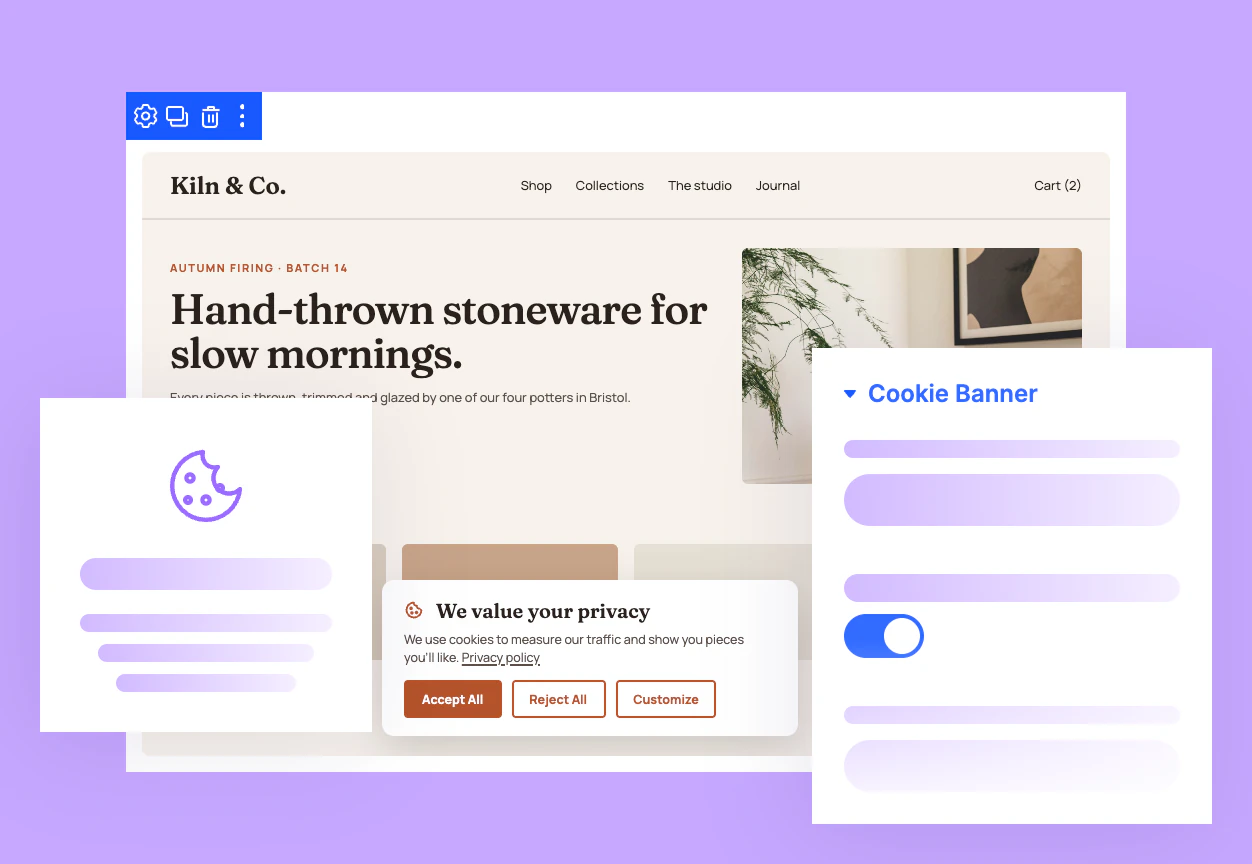
Blocks Before Consent
Keep analytics tags, ad pixels, and social embeds switched off until visitors allow their cookie category, then load them instantly on the same page.
Designed in Divi
Build the banner with the Cookie Banner module in the Divi Visual Builder, using Divi's own fonts, colors, borders, spacing, and animation controls.
Proof of Consent
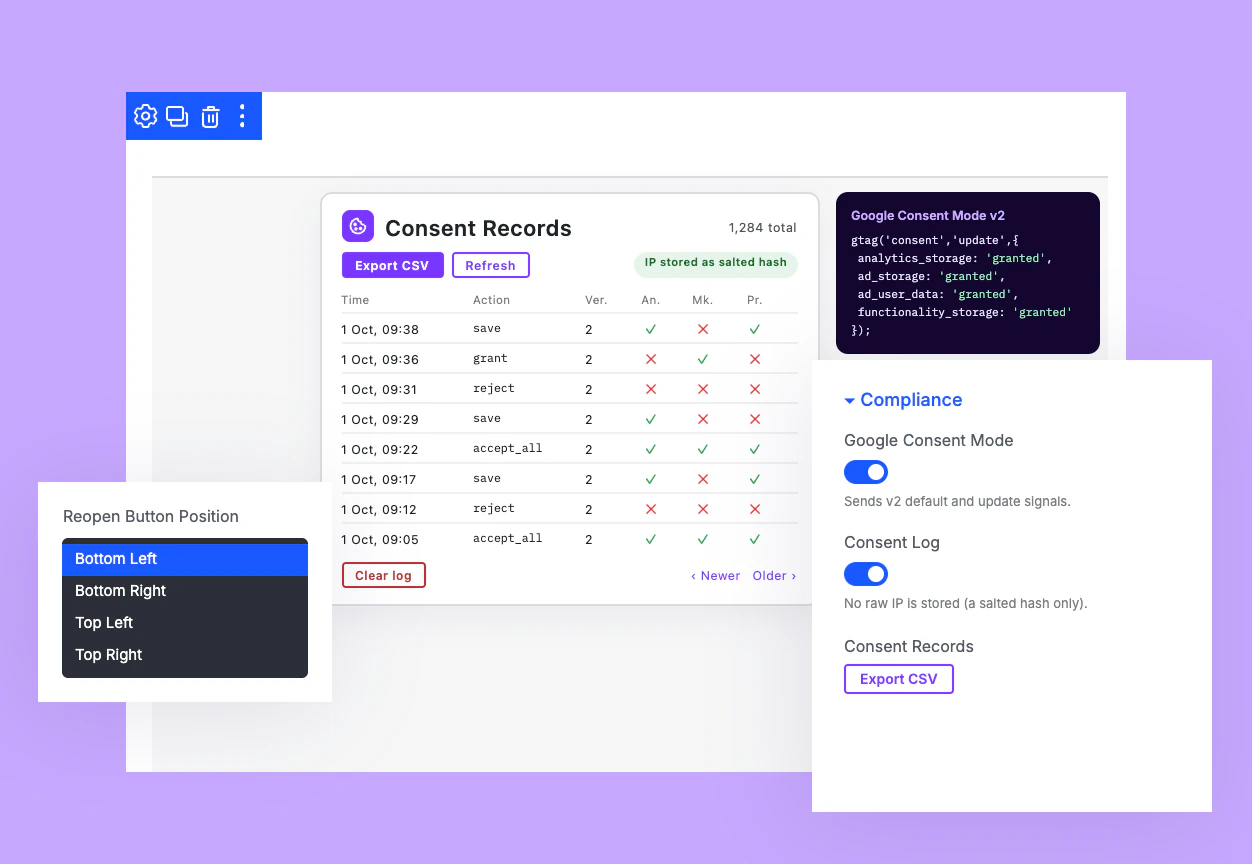
Log every accept, reject, or custom choice with a consent ID and hashed IP, then export the full record to CSV whenever you need proof.
Build a Divi Cookie Banner That Earns Consent and Still Fits Your Design
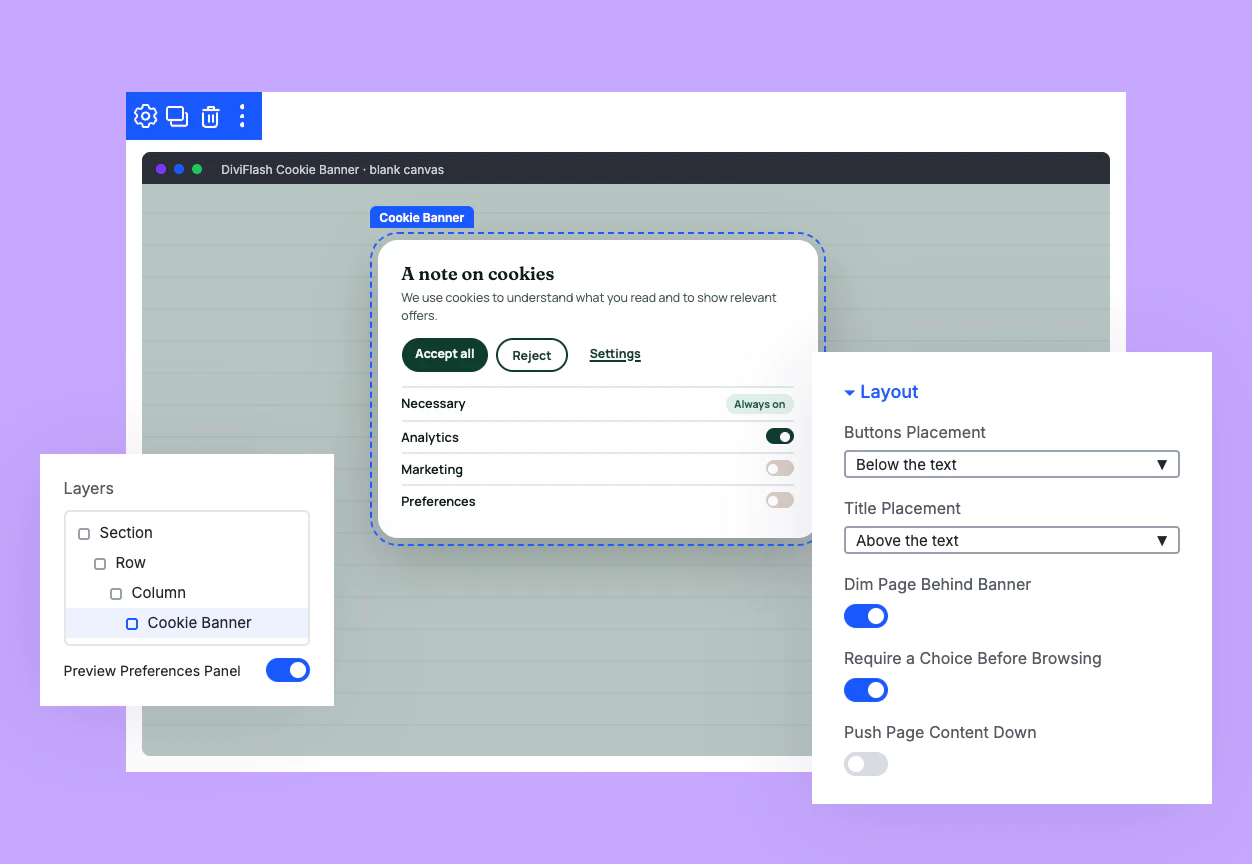
Fit the Cookie Banner to Any Page Layout
Place the banner as a bottom bar, top bar, corner card, or centered modal.
Show categories as switches or checkboxes, in a stacked list or one inline row.
Lock scrolling until visitors choose, with a dimmed page behind a centered banner.
Hold Back Scripts and Embeds Until Consent
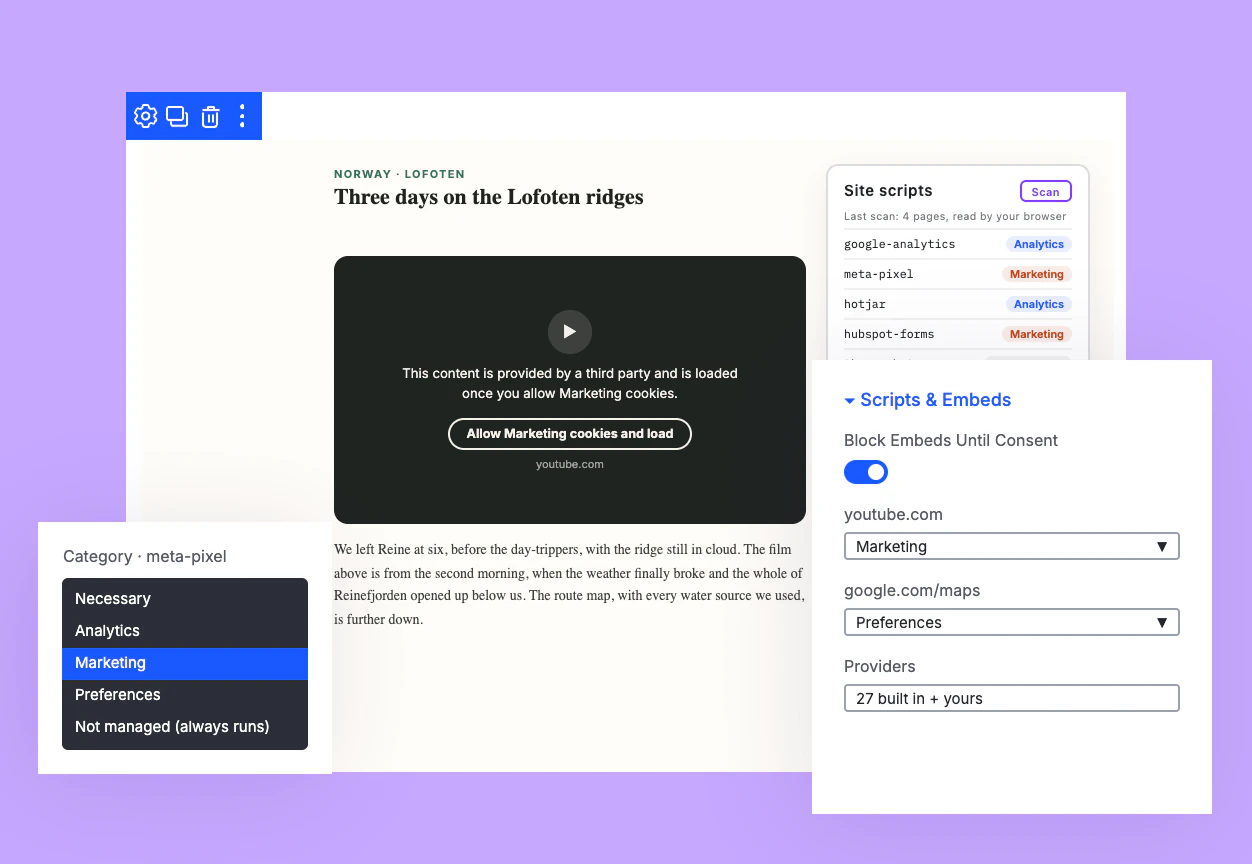
Scan your site's WordPress scripts and assign each one to a consent category.
Swap YouTube, Vimeo, and Google Maps embeds for a placeholder with a one-click Allow button.
Add any embed provider beyond the 27 built-in hosts and assign it a category.
Give Visitors Real Choice Over Their Cookies
Offer Accept All, Reject All, and Customize so visitors decide in one click or in detail.
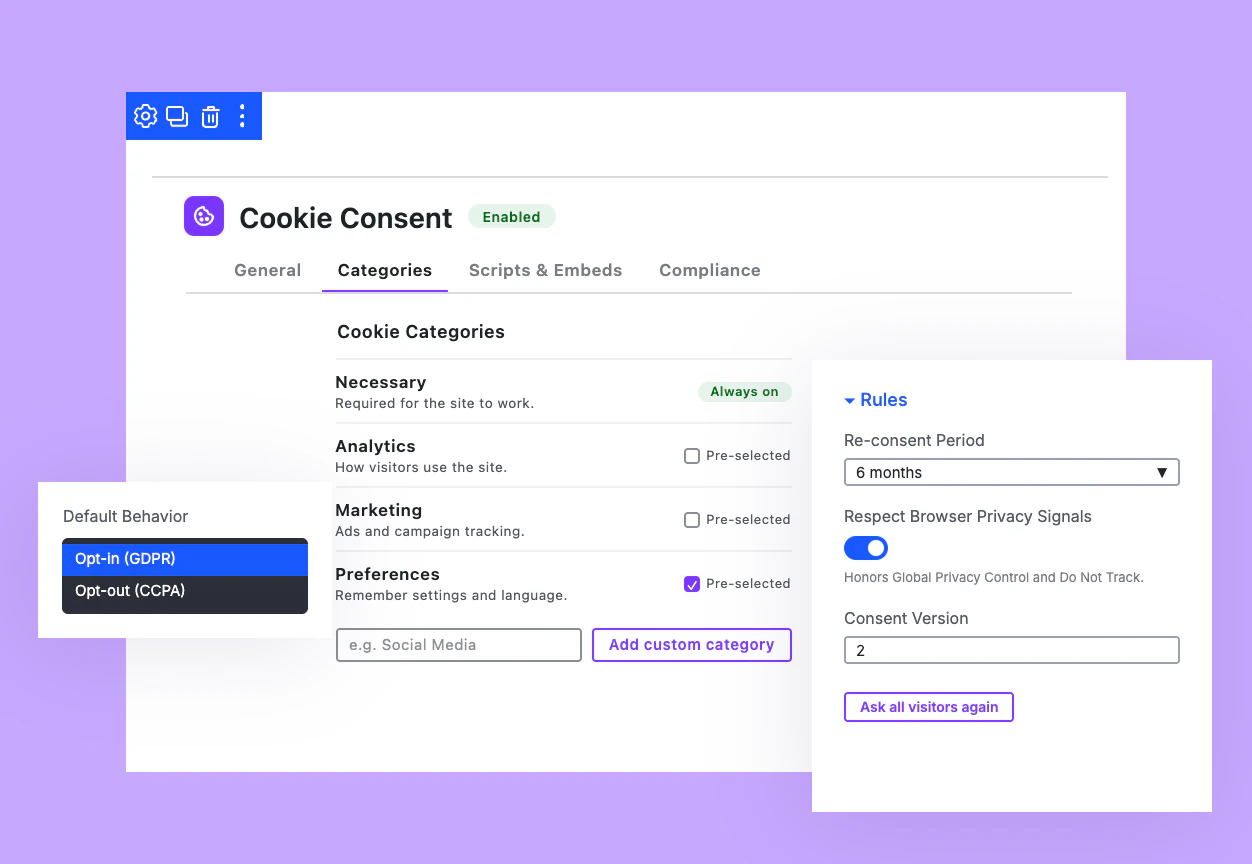
Rename the four built-in categories or add your own, like Social Media or Video.
Let visitors reopen their preferences from a floating button or your own footer link.
Keep Google Tags and Consent in Sync
Send Google Consent Mode v2 defaults and updates mapped from your four built-in categories.
Give visitors with Global Privacy Control or Do Not Track necessary-only cookies automatically.
Ask every visitor to choose again after a policy change with one click.
Free Ready-to-Use Cookie Banner Layouts to Get Started
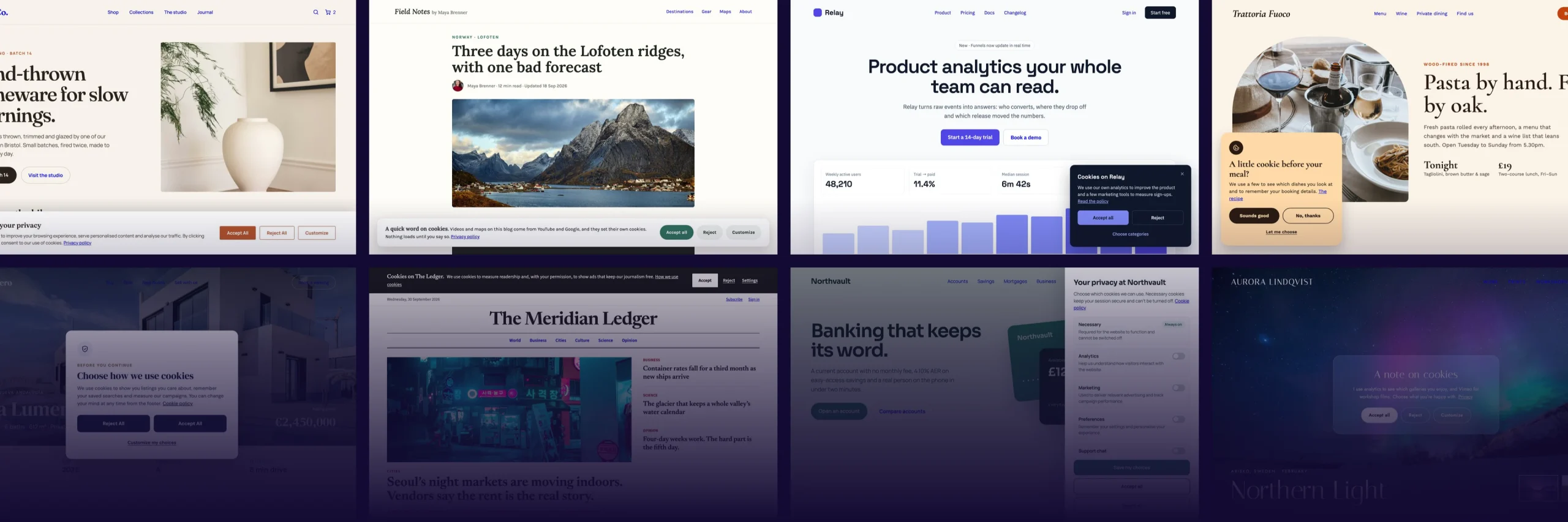
Skip building from scratch. Our pre-made Cookie Banner layouts are fully customizable, responsive on every device, and ready to use in your Divi 5 banner. Pick a layout, add your policy link, and your banner is live in minutes, saving time from the first click.
DiviFlash Cookie Consent vs a Divi-Built Cookie Notice: Which Actually Records Consent?
A notice built from a Divi Section and Button shows a message, while trackers keep running behind it. DiviFlash Cookie Consent holds those trackers back until visitors choose and keeps a record of each decision.
| Feature | DiviFlash Cookie Consent | Cookie Notice Built With Divi Modules |
|---|---|---|
| Design tools | Divi Visual Builder with the Cookie Banner module | Divi Visual Builder with standard modules |
| Visitor choice | Accept all, reject, or choose by category | One button that closes the notice |
| Tracking scripts | Held back until the matching category is allowed | Run as the page loads |
| YouTube, Maps, and social embeds | Placeholder with a one-click Allow button | Load as the page loads |
| Remembering the choice | Consent cookie, re-asked every 3, 6, or 12 months | Custom code needed |
| Google Consent Mode v2 | Built in and mapped to your categories | Custom code needed |
| Proof of consent | Server-side log with CSV export | Separate tool needed |
| Changing a choice later | Floating reopen button or any custom link | Custom code needed |
Ready to Collect Real Consent Without Leaving the Divi Builder?
Helpful Resources

DOCUMENTATION
Divi Cookie Consent Extension Overview.

VIDEO
How to use Divi Image Effects Extension? (Coming Soon)
Trusted by Over 100,000 Users Worldwide
Join them and build with confidence.
DiviFlash plugins are a default install for all my Divi websites.
DiviFlash plugins are a default install for all my Divi websites. The plugins are well coded, constantly added with new functionality, and the support is responsive and helpful. Very pleased with my purchase.

A powerful tool AND a responsive support team
Divi Flash is not only a powerful tool for to easily level up any Divi website, but it's also backed by an extremely responsive team. Any time I've reached out to them with questions or potential bugs they've been VERY prompt to respond and get it sorted. Not all plugin developers are this dedicated to their users. Divi Flash is an easy 5 star recommendation!

The plugin saves time and works perfectly.
We are a Divi agency and like to use the DiviFlash plugin to extend the functionality of the Divi modules. The plugin saves time and works perfectly.
The price is absolutely fair. Thanks to the DiviFlash team for this great plugin!

A Swift Resolution with Competent Support
We bought the plugin and immediately started to beautify our website with the modules. Unfortunately, after a short time there was a problem and we had a white screen of death. We then contacted Diviflash support and they were able to help us competently. In this case, it was due to insufficient memory for the website. Once we had increased this, everything worked perfectly again. Many thanks again for the quick and competent help.

They respond in a short time and…
They respond in a short time and provide all kinds of support to solve the problem. I have had 2 problems so far and they solved them both in a short time

It is a very useful and well made product
We purchased the Divi Flash membership about a month ago and it has quickly become our go to plugin for Divi. We have used quite a few of their modules on various client builds and have not been disappointed.
We have not had any reason to contact support but from what I see from other user's comments, we wont be disappointed with that either.
It is a very useful and well made product and we're happy to recommend it to others wishing to extend Divi's capabilities in a short space of time.
DiviFlash is a must if you use Divi
DiviFlash is a must if you use Divi on any of your WordPress sites. This plugin adds a ton of functionality to Divi without requiring multiple plugin add ons or separate plugins. I bought this plugin in 2021, and I can't imagine using Divi without it at this point.
I rarely have issues with bugs or conflicts. DiviFlash provides around 50 additional modules, and they're constantly adding more. My favorites to use include the advanced tab and hover box modules, but I'm looking forward to some things that are releasing soon.
Customer service is always responsive and helpful any time that I have had to contact them, which has maybe been 3 times since I bought this. Definitely buy the plugin!

A Thankful Perspective on DiviFlash Modules
DiviFlash modules add to my arsenal exactly that functions that I need for my sites. Settings are straightforward and let me tune all aspects of my design. Thank you, guys! You have some stuff to make better but I'm sure that you keep working. 🙂
Praises for Divi Flash Features and Support Team
Great features and an awesome support team!🍀🙏💚 I’m super happy with the Divi Flash, the advanced image gallery advanced was exactly what I was looking for, it saved me so much time and did the job without writing a single line of code. And for sure thank you so much for the great support team who helped me immediately to solve the issues I was having on my website, so glad I’m using your product.
Great product. Great support.
The product itself does everything that it claims to do, while being compatible with DIVI. The support team has also been very helpful to this day.
A Positive First Experience with Modules and Support
This is the first time I have purchased DIVI FLASH. The wide variety of modules is very attractive. When I started using it and was not sure how to use it, I contacted support and they responded quickly and were able to solve the problem right away. I was a little worried because it was my first time using the plug-ins, but the generous support made me feel at ease. Thank you very much.
DiviFlash is a feature rich all-in-one website enhancement Plugin for WordPress Sites
The product is feature rich, the team behind Divi Flash is committed to product enhancements, adding new modules, fixing issues and keeping it updated. Support is great as well. Its a great investment.

Good plugins with a lot possibilities
Good plugins with a lot possibilities to personalize a website done with divi! and the new chat option to talk with the team is working fine!

The support was very good and fast
The support was very good and fast. My questions were answered kindly and my problem was resolved quickly. Thank you very much!

30-Day Money-Back Guarantee—Shop with Confidence
If DiviFlash doesn’t meet your expectations, we’ll provide a full refund—no questions asked.
Frequently Asked Questions
Everything you need to know about Divi Cookie Consent before you get started.
What Is Divi Cookie Consent?
How Do Cookie Consent and the Cookie Banner Module Work Together?
Does Divi Cookie Consent Make My Site GDPR Compliant?
Why Use Divi Cookie Consent Instead of a Separate Cookie Plugin?
Which Divi Version Does Divi Cookie Consent Support?
How Do I Set Up Divi Cookie Consent?
Which Scripts Can Divi Cookie Consent Block?
Which Embeds Does Divi Cookie Consent Hold Back?
How Does Google Consent Mode v2 Work With Divi Cookie Consent?
What Does the Consent Log Store?
How Do Visitors Change Their Cookie Choice Later?
How Do I Add My Cookie Policy to the Banner?
Where Does the Cookie Banner Show?
How Does Divi Cookie Consent Work With Page Caching?


Start Building Your Dream Website with DiviFlash Today!