
One of 30+ Extensions
Divi Glassmorphism Effects
Divi Glassmorphism Effects turn any Divi 5 section, row, column or module into a frosted glass panel, with 21 styles to choose from. The background behind each panel blurs and tints while your text, images and buttons stay sharp.
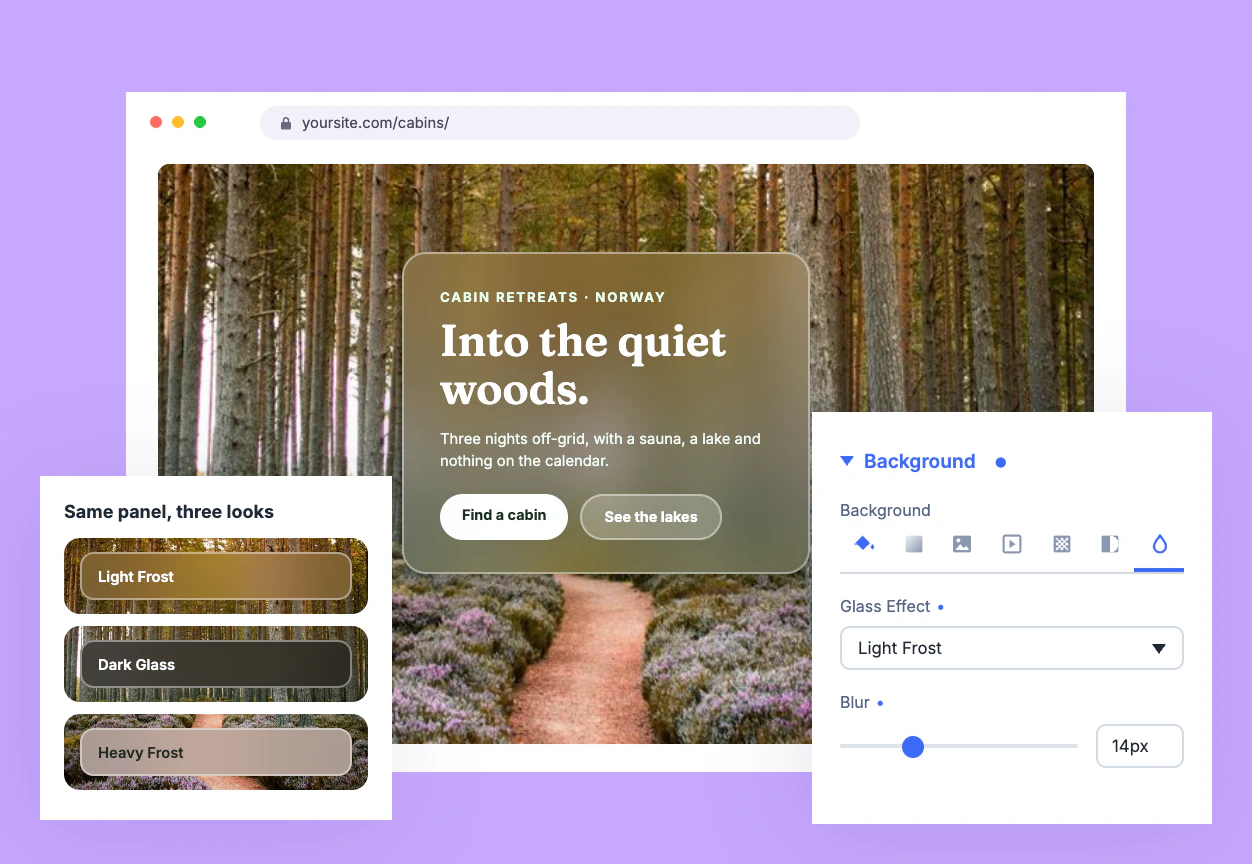
21 Glass Effects
Choose from six Frost, five Glass and ten Motion and Pattern effects, from all-round Light Frost to Dark Glass for light text on busy backgrounds.
Content Stays Sharp
Glass blurs and tints only what sits behind the element, so headings, images and buttons inside the panel stay crisp and easy to read.
No New Module
Switch the extension on and a Glass tab appears in the Background settings of every section, row, column and supported module you already have.
Add Frosted Glass to Any Divi 5 Section, Row, Column or Module
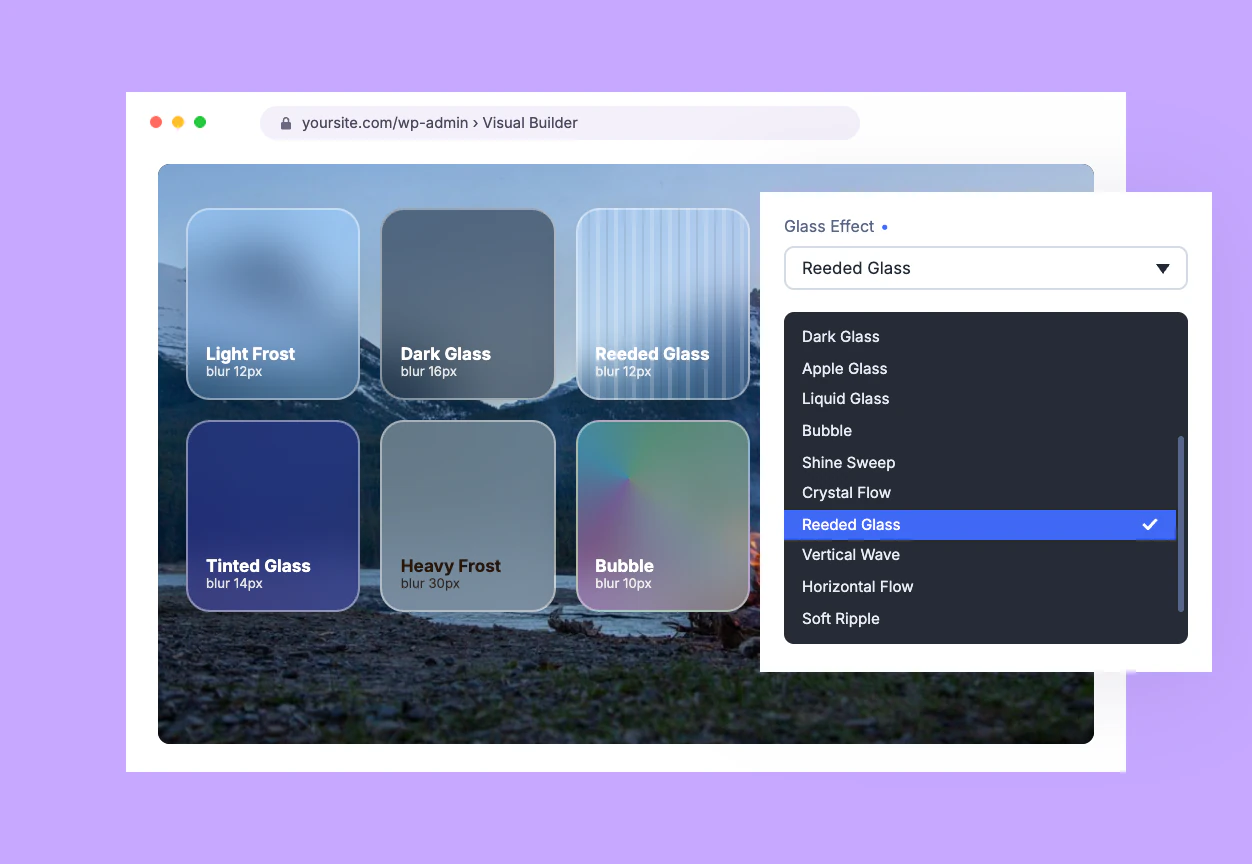
Pick One of 21 Ready-Made Glass Effects
Go heavier with Glass Frost, Heavy Frost or Soft Mist when a busy photo needs more softening.
Choose Clear Glass, Tinted Glass or Deep Glass when you want a crisp, polished panel.
Swap effects on the same panel to compare looks in the builder before you publish.
Add pattern and motion looks such as Reeded Glass, Crystal Flow, Shine Sweep or Soft Ripple.
Set the Blur per Device and Hover
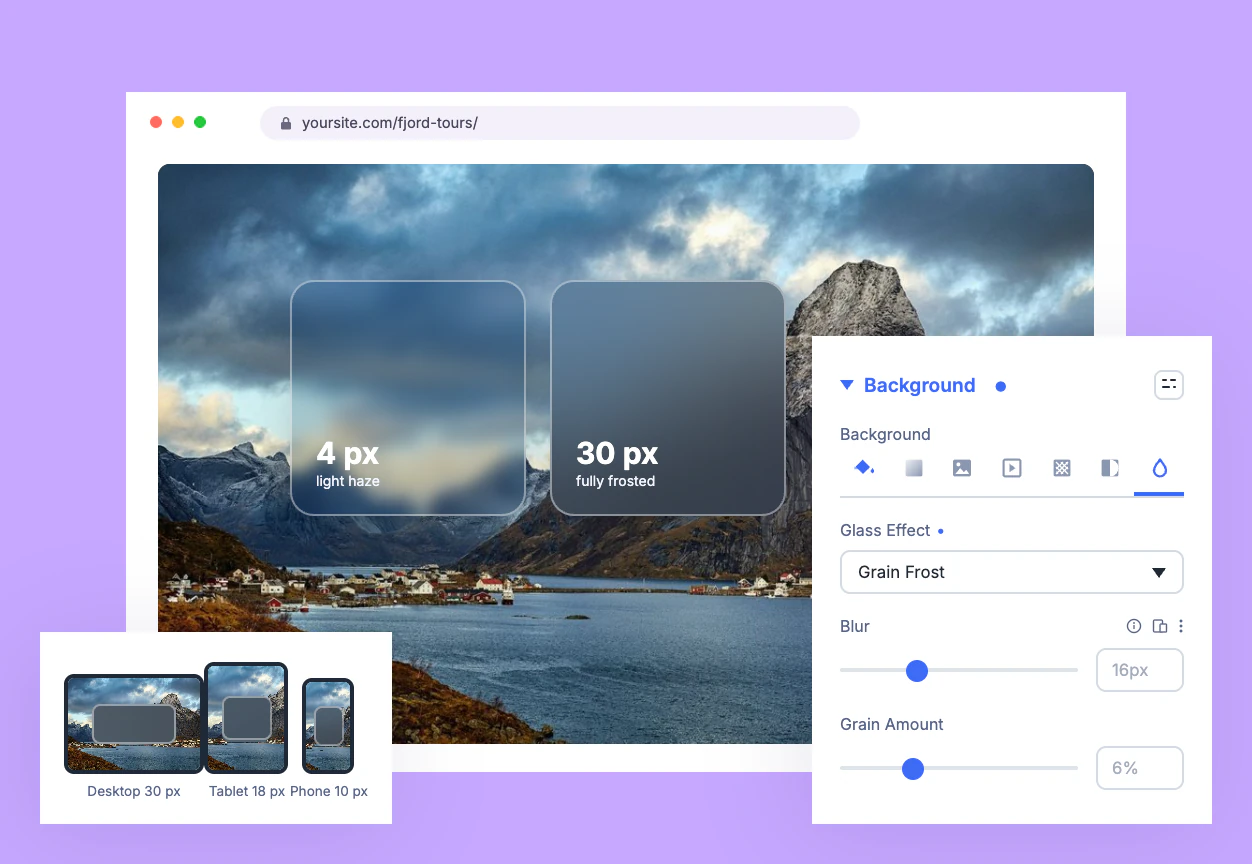
Dial the blur from a light haze to a fully frosted panel, between 0 and 50 px.
Use a different blur on desktop, tablet and phone, so glass stays readable on small screens.
Change the blur on hover, so cards sharpen or frost when visitors point at them.
Add film grain to Grain Frost or Fine Frost for a textured, printed-paper finish.
Tint the Glass With Your Brand Color
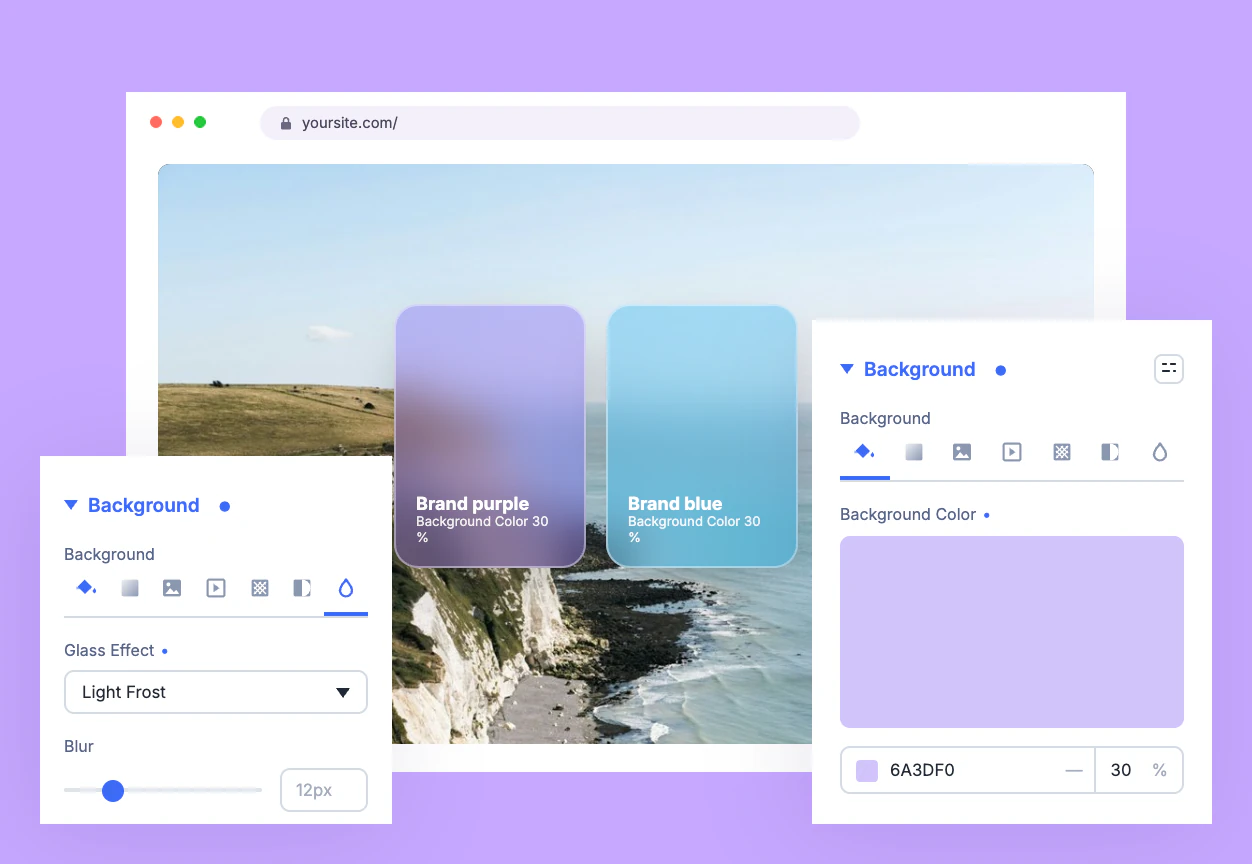
Tint any panel with the element's own Background Color, with no separate glass color to manage.
Use a see-through color at 20 to 40% opacity, so the photo behind stays visible.
Leave the color unset, and each glass effect falls back to its own built-in tint.
Pair light effects like Heavy Frost and Soft Mist with dark text for strong contrast.
Bring the Glass Look to Every Page
Mix effects on one page, like Light Frost on the hero and Dark Glass in the footer.
Save a glass setup as a Divi preset and apply it to other sections, rows or modules.
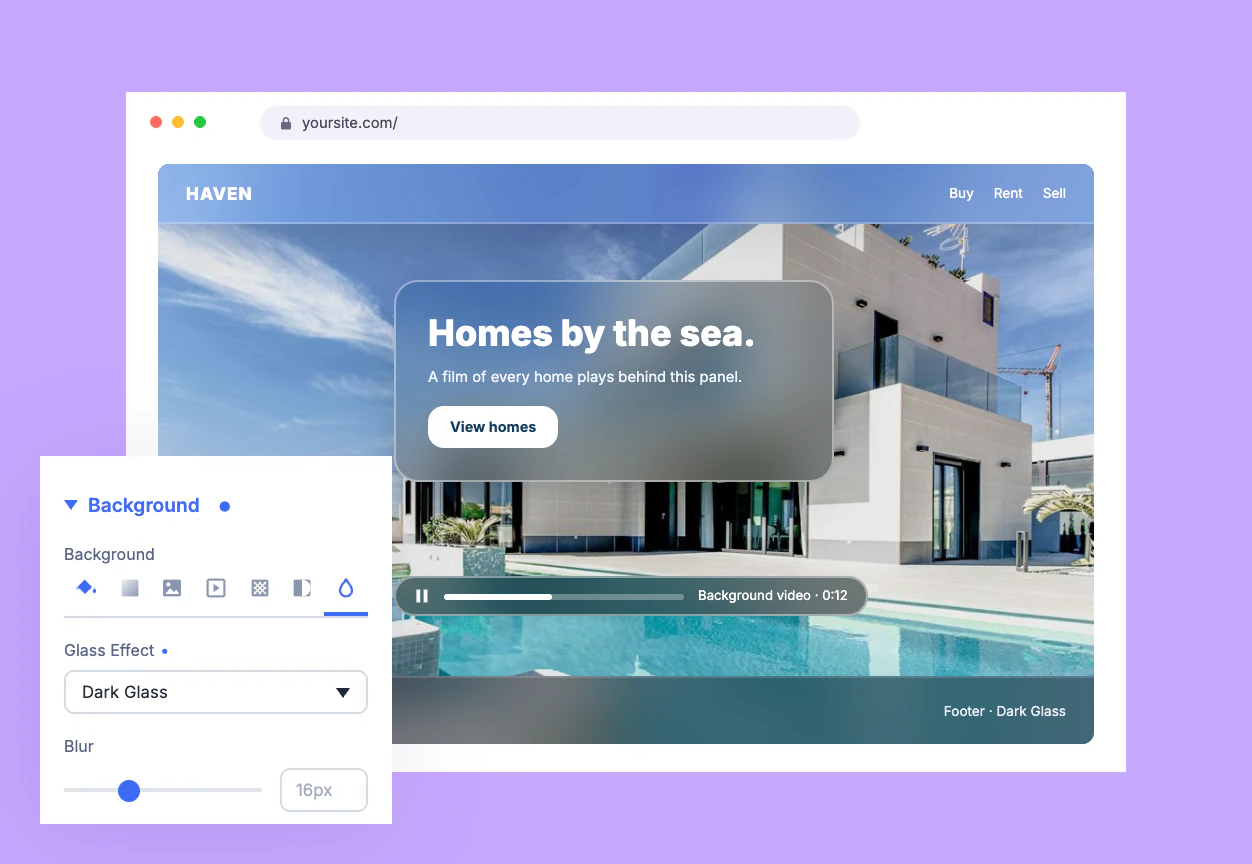
Float a frosted headline panel over a full-width hero photo, so the text stands out.
Run a background video behind a glass panel, so motion shows through while the text stays readable.
Free Ready-to-Use Glassmorphism Layouts to Get Started
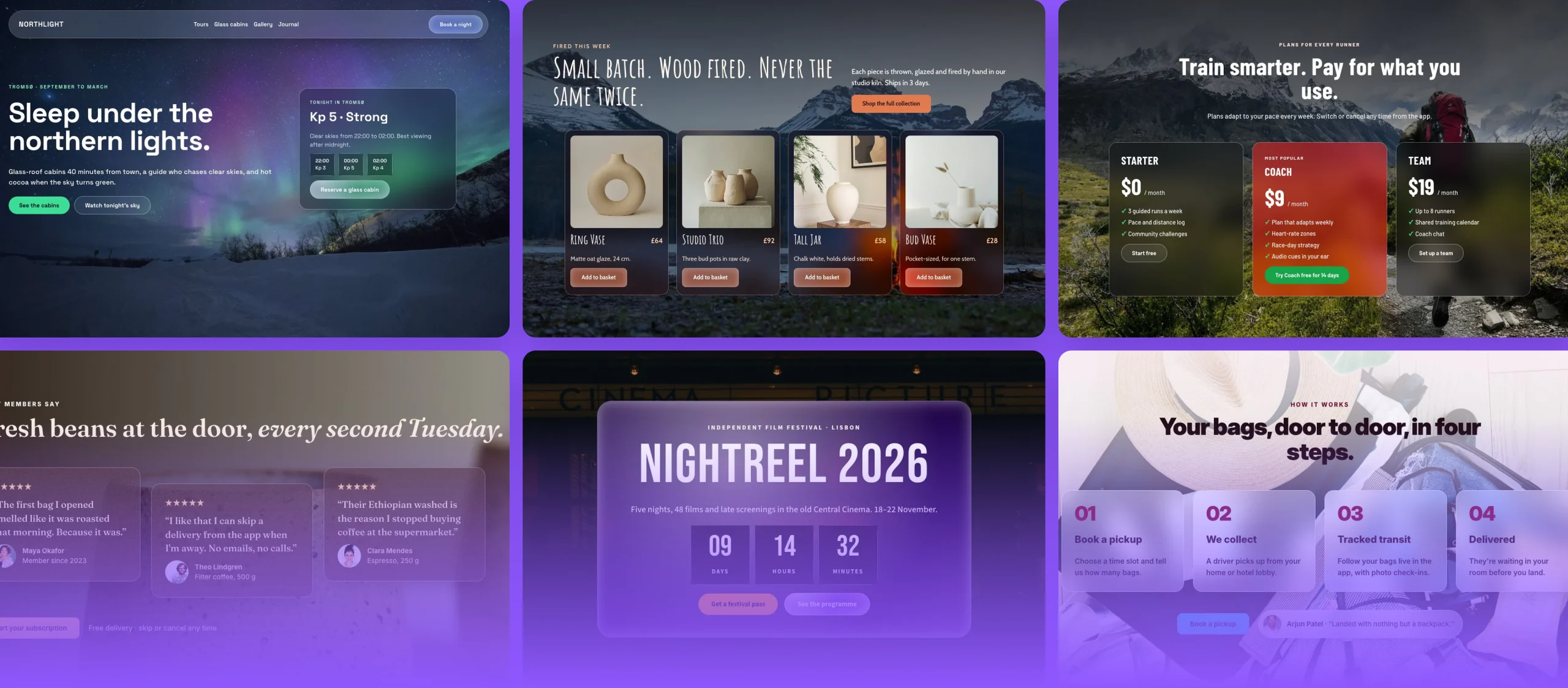
Skip building from scratch. Our pre-made Glassmorphism layouts are fully customizable, responsive on every device, and ready to drop into any Divi 5 page. Pick a layout, swap in your photo or video, and your glass design is live in minutes, saving time from the first click.
Glassmorphism Effects vs Custom CSS vs Divi's Blur Filter: What's the Difference?
You can build frosted glass in Divi with hand-written backdrop-filter CSS, and Divi's Blur filter blurs the element itself, text included. Glassmorphism gives you the frosted look from a Glass tab, with 21 effects ready to use and no code to maintain.
| Feature | DiviFlash Glassmorphism | Custom CSS | Divi Blur Filter |
|---|---|---|---|
| What gets blurred | Whatever sits behind the element | Whatever sits behind the element, with backdrop-filter | The element itself, through Filters > Blur |
| Content inside | Stays sharp | Stays sharp | Blurs with the element |
| Where you set it | Glass tab in Background settings | Custom CSS on each element | Filters in the element's settings |
| Ready-made looks | 21 glass effects | Each look written by hand | Blur amount only |
| Blur per device and on hover | Device and hover values built in | Media queries and hover rules | Device values in Divi settings |
| Film grain texture | Grain Frost and Fine Frost | Extra layer and a noise image | Separate overlay needed |
| Skill needed | Pick an effect, adjust the blur | CSS knowledge | Divi settings only |
| Reuse across the site | Divi preset | Copy the CSS to each element | Divi preset |
Ready to Add Frosted Glass to Your Divi 5 Layouts?
Helpful Resources

DOCUMENTATION
Divi Glassmorphism Effects Overview

VIDEO
How to Use Divi Glassmorphism Effects? (Coming Soon)
Trusted by Over 100,000 Users Worldwide
Join them and build with confidence.
DiviFlash plugins are a default install for all my Divi websites.
DiviFlash plugins are a default install for all my Divi websites. The plugins are well coded, constantly added with new functionality, and the support is responsive and helpful. Very pleased with my purchase.

A powerful tool AND a responsive support team
Divi Flash is not only a powerful tool for to easily level up any Divi website, but it's also backed by an extremely responsive team. Any time I've reached out to them with questions or potential bugs they've been VERY prompt to respond and get it sorted. Not all plugin developers are this dedicated to their users. Divi Flash is an easy 5 star recommendation!

The plugin saves time and works perfectly.
We are a Divi agency and like to use the DiviFlash plugin to extend the functionality of the Divi modules. The plugin saves time and works perfectly.
The price is absolutely fair. Thanks to the DiviFlash team for this great plugin!

A Swift Resolution with Competent Support
We bought the plugin and immediately started to beautify our website with the modules. Unfortunately, after a short time there was a problem and we had a white screen of death. We then contacted Diviflash support and they were able to help us competently. In this case, it was due to insufficient memory for the website. Once we had increased this, everything worked perfectly again. Many thanks again for the quick and competent help.

They respond in a short time and…
They respond in a short time and provide all kinds of support to solve the problem. I have had 2 problems so far and they solved them both in a short time

It is a very useful and well made product
We purchased the Divi Flash membership about a month ago and it has quickly become our go to plugin for Divi. We have used quite a few of their modules on various client builds and have not been disappointed.
We have not had any reason to contact support but from what I see from other user's comments, we wont be disappointed with that either.
It is a very useful and well made product and we're happy to recommend it to others wishing to extend Divi's capabilities in a short space of time.
DiviFlash is a must if you use Divi
DiviFlash is a must if you use Divi on any of your WordPress sites. This plugin adds a ton of functionality to Divi without requiring multiple plugin add ons or separate plugins. I bought this plugin in 2021, and I can't imagine using Divi without it at this point.
I rarely have issues with bugs or conflicts. DiviFlash provides around 50 additional modules, and they're constantly adding more. My favorites to use include the advanced tab and hover box modules, but I'm looking forward to some things that are releasing soon.
Customer service is always responsive and helpful any time that I have had to contact them, which has maybe been 3 times since I bought this. Definitely buy the plugin!

A Thankful Perspective on DiviFlash Modules
DiviFlash modules add to my arsenal exactly that functions that I need for my sites. Settings are straightforward and let me tune all aspects of my design. Thank you, guys! You have some stuff to make better but I'm sure that you keep working. 🙂
Praises for Divi Flash Features and Support Team
Great features and an awesome support team!🍀🙏💚 I’m super happy with the Divi Flash, the advanced image gallery advanced was exactly what I was looking for, it saved me so much time and did the job without writing a single line of code. And for sure thank you so much for the great support team who helped me immediately to solve the issues I was having on my website, so glad I’m using your product.
Great product. Great support.
The product itself does everything that it claims to do, while being compatible with DIVI. The support team has also been very helpful to this day.
A Positive First Experience with Modules and Support
This is the first time I have purchased DIVI FLASH. The wide variety of modules is very attractive. When I started using it and was not sure how to use it, I contacted support and they responded quickly and were able to solve the problem right away. I was a little worried because it was my first time using the plug-ins, but the generous support made me feel at ease. Thank you very much.
DiviFlash is a feature rich all-in-one website enhancement Plugin for WordPress Sites
The product is feature rich, the team behind Divi Flash is committed to product enhancements, adding new modules, fixing issues and keeping it updated. Support is great as well. Its a great investment.

Good plugins with a lot possibilities
Good plugins with a lot possibilities to personalize a website done with divi! and the new chat option to talk with the team is working fine!

The support was very good and fast
The support was very good and fast. My questions were answered kindly and my problem was resolved quickly. Thank you very much!

30-Day Money-Back Guarantee—Shop with Confidence
If DiviFlash doesn’t meet your expectations, we’ll provide a full refund—no questions asked.
Frequently Asked Questions
Everything you need to know about Divi Glassmorphism Effects before you add your first glass panel.
What Are Divi Glassmorphism Effects?
What Is Glassmorphism in Web Design?
Which Divi Elements Can Use the Glass Effect?
How Do I Add a Glass Effect in Divi 5?
Which Glass Effects Are Included?
Why Does Glassmorphism Need a Background Behind It?
How Do I Change the Color of the Glass?
Why Does a Module Hide the Glass Effect?
How Do I Change the Blur on Mobile or on Hover?
What Does Grain Amount Do?
Will Glass Make My Text Harder to Read?
How Do I Reuse a Glass Look Across Pages?
Which Versions of DiviFlash and Divi Does Glassmorphism Need?


Start Building Your Dream Website with DiviFlash Today!