


Once a visitor lands on your site, before they read a single word you wrote about your business, they look for one thing: proof that other people trust you too.
That's what makes learning how to add Google reviews to Divi worth a few minutes of your time if you’re building with Divi, too like us. Real reviews, pulled straight from your Google Business Profile, do more to build trust than almost any self-claim headline or testimonial page you could write yourself.
The tricky part is that most guides on this either point you toward a generic embed widget, a manual copy-paste code snippet, or a separate plugin that doesn't quite fit your Divi workflow. Below, we'll cover why reviews matter in the first place, then walk through the most direct way to add them to a Divi site: DiviFlash's built-in Google Reviews module.
A Quick Glimpse: How to Add Google Reviews to Divi
- Enable the Google Reviews module by DiviFlash
- Add the module to your page in the Divi Builder
- Connect your business using your API key or SerpApi and Place ID
- Choose which reviews to show (rating, order, filters)
- Pick a layout (grid or carousel) and style it to match your site
Why Google Reviews Matter for Your Divi Website
Before the how-to, it's worth being clear on why this is worth doing at all.
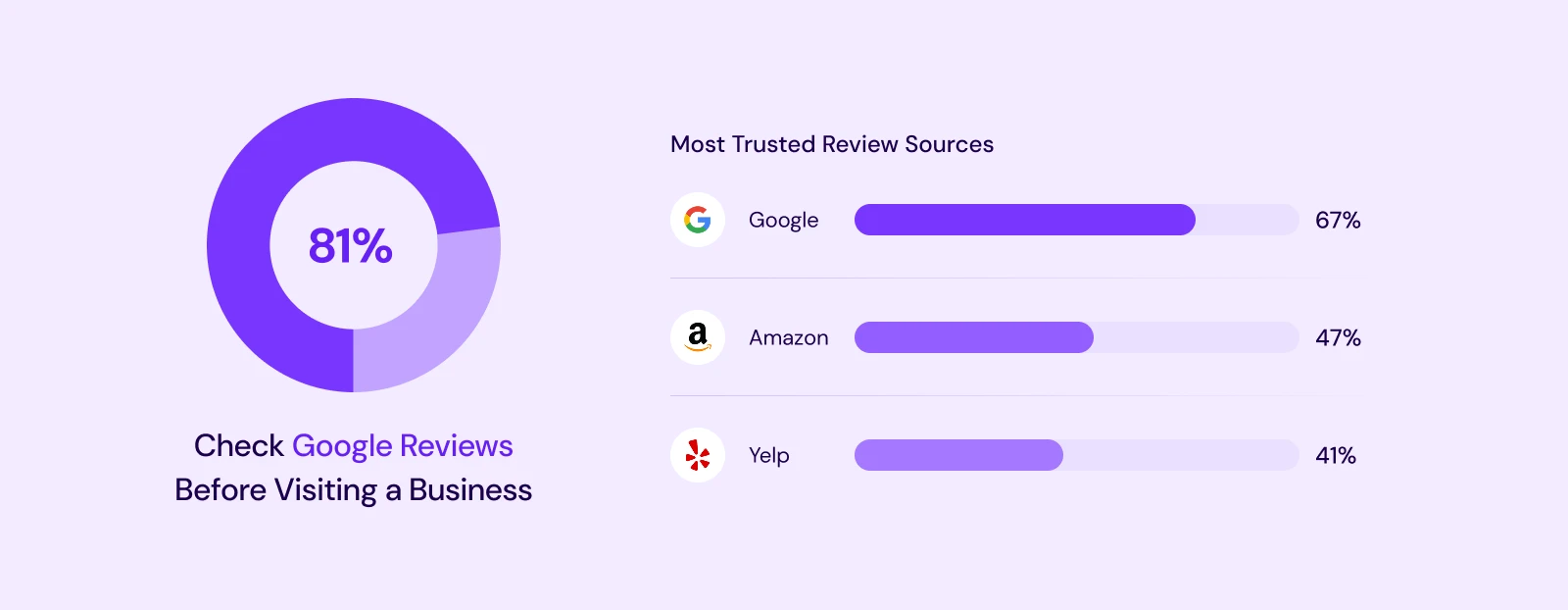
According to BrightLocal's 2026 Local Consumer Review Survey, about 81% of consumers check Google reviews before they even visit a business, and Google remains the single most trusted review source, with 67% of shoppers trusting it more than Amazon (47%) or Yelp (41%).
The effect on revenue isn't just a feeling, either. Research from Harvard Business School found that each additional star in a business's average rating can correspond to a 5% to 9% increase in revenue. Reviews aren't decoration. They're one of the most direct trust signals a website can show.
One more thing worth knowing before you add reviews to any site: research from the Spiegel Research Center found that purchase likelihood actually peaks around a 4.0 to 4.7 star average, and starts to decline as ratings approach a suspiciously perfect 5.0. A few honest, mixed reviews build more trust than a wall of nothing but five stars.
Does Divi Have a Built-In Google Reviews Module?
Quick, honest answer: no, not out of the box. Divi, the core theme and builder from Elegant Themes, doesn't include a native way to pull in and display real Google reviews. That's exactly why an entire mini-industry of embed widgets, plugins, and manual code snippets has grown up around this one specific need.
DiviFlash closes that gap directly, with a Google Reviews module built right into the Divi Builder you're already using.
The Easiest Way to Add Google Reviews to Divi: DiviFlash's Google Reviews Module
DiviFlash's Google Reviews module lets you display real reviews from your Google Business Profile in a layout that matches your site's design, without an iframe, without a separate plugin dashboard, and without writing any code.
A few things make it a genuinely strong fit specifically for Divi users:
It's a native Divi 5 module, not an embedded widget.
Since it lives inside the Divi Builder itself, every part of it, from the review cards to the buttons to the layout, uses the same design controls you already know from building the rest of your page. No fighting with an iframe that won't match your site's fonts or colors.
Reviews are cached on your own site, not fetched live every time.
The module pulls reviews in the background on a schedule you control (every 6 hours, 12 hours, daily, or weekly) and stores them on your site. That matters more than it sounds: if Google ever has an outage, or there's an issue with your API connection, your site still shows the last set of reviews it fetched instead of showing nothing at all.
Built-in schema markup for search and AI visibility.
Turning on the module's Rating Schema option adds Organization, AggregateRating, and Review structured data to the page. That's the same data Google can use to show star ratings directly in search results, and increasingly, the same kind of data AI tools reference when describing a business to someone asking for a recommendation.
Real filtering control.
You're not stuck showing every review Google has on file. You can set a minimum star rating, hide reviews that only have a rating with no written text, and hide specific reviewers entirely, all without touching a line of code.
How to Add Google Reviews to Divi (Step by Step)
Here are the essential steps. For the full walkthrough with every design option, our detailed Google Reviews module guide covers each setting in depth.
Step 1: Enable the Module
The Google Reviews module is built for Divi 5 only, and it's disabled by default. You'll need to turn it on manually before it appears as an option in the Divi Builder.
Step 2: Add the Module to Your Page
Open the Divi Builder on the page where you want reviews to appear, and add the Google Reviews module like you would any other Divi element.
Step 3: Connect Your Business
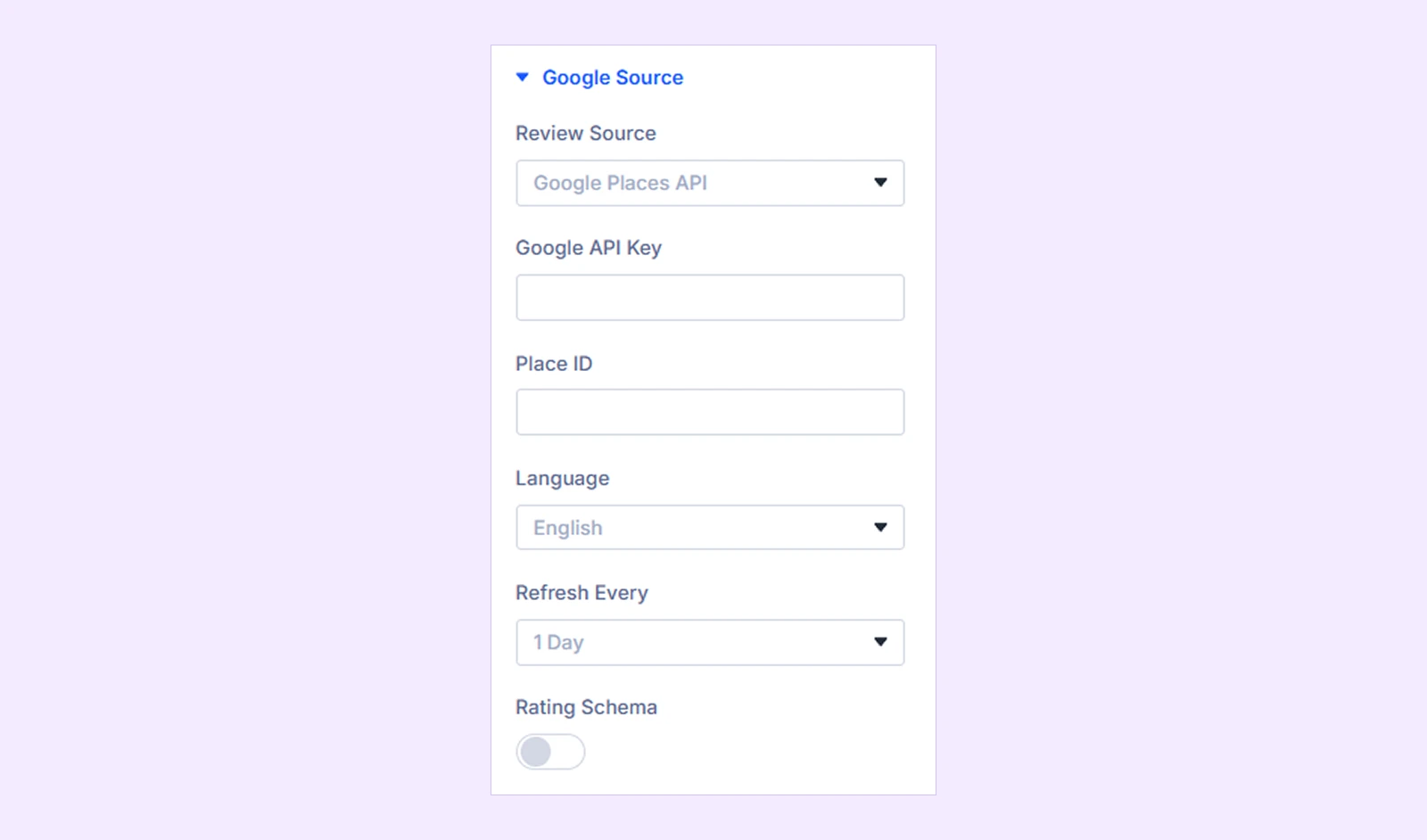
In the module's Google Source settings, choose your Review Source (Google Places API or SerpApi), enter your API key, and add your Place ID. You can also set the display Language here.
Step 4: Set Your Refresh Schedule and Turn On Rating Schema
Choose how often reviews refresh in the background, from every 6 hours up to once a week, and turn on Rating Schema if you want the structured data benefits covered above.
Step 5: Choose Which Reviews to Show
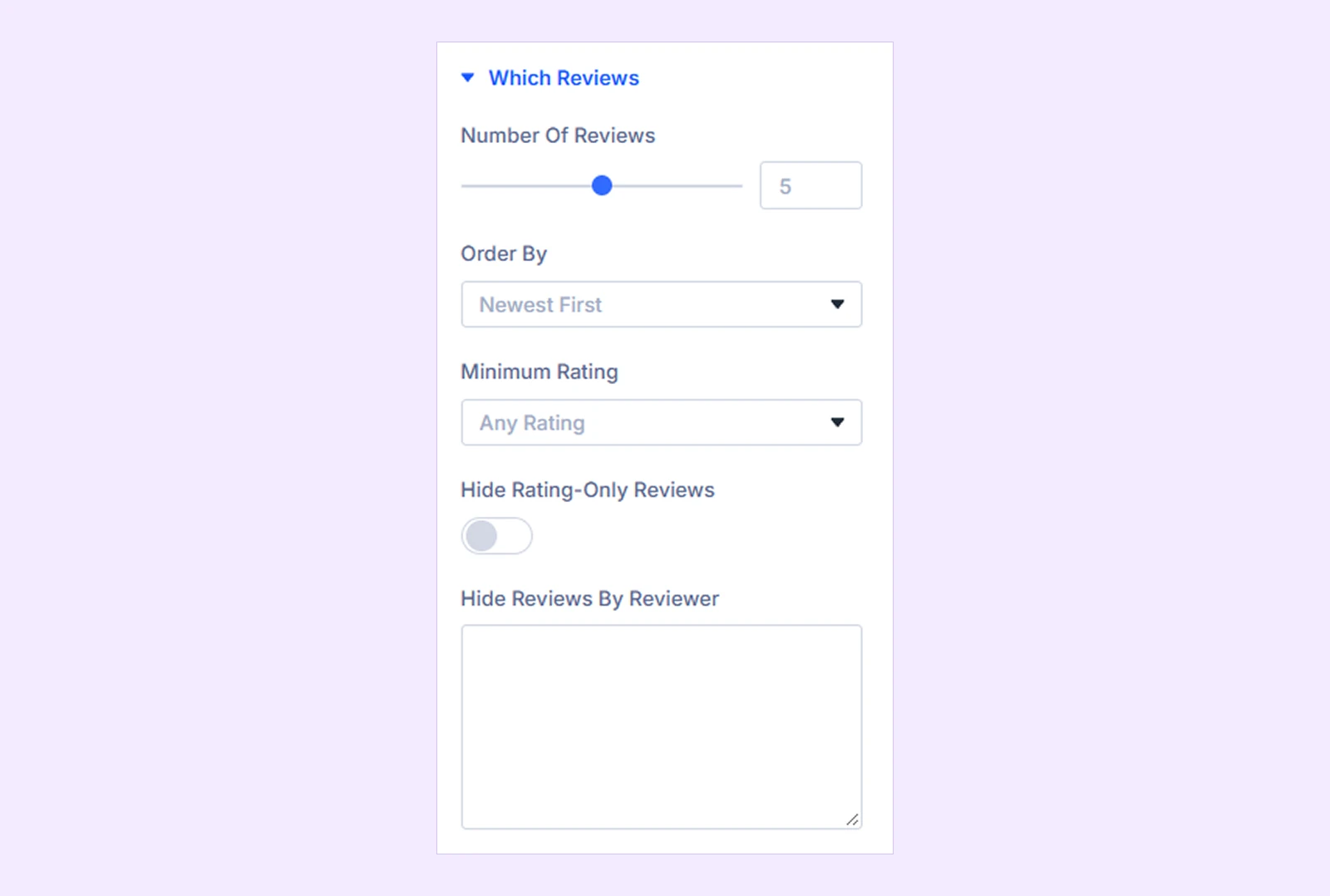
Under Which Reviews, set how many reviews to display, how they're ordered, and whether to apply a minimum star rating. You can also hide rating-only reviews (ones with no written text) and hide specific reviewers if needed.
Step 6: Pick Your Layout and Card Elements
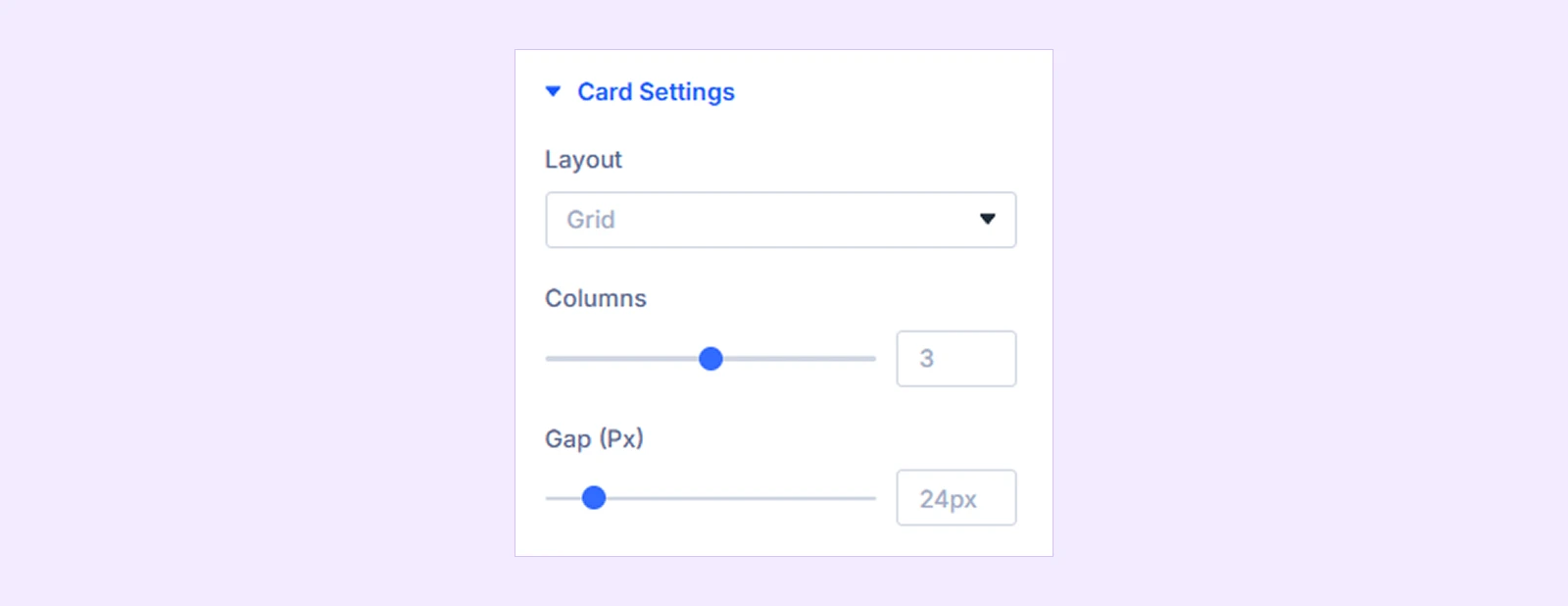
Choose between a Grid or Carousel layout, then decide what each review card shows: reviewer photo, name, star rating, date, review text, and a link back to the original review on Google.
Step 7: Style It to Match Your Site
Everything from colors and spacing to button styles and animations can be adjusted in the module's Design tab, the same way you'd style any other Divi module.
Not Using Divi? A Few Alternatives Worth Knowing
If you build with a different tool, the same core idea applies, just through a different plugin:
- Elementor: EmbedPress includes a Google Reviews widget built to work natively inside the Elementor editor.
- Gutenberg (default WordPress editor): Rich Showcase for Google Reviews works as a native Gutenberg block, and doesn't require an API key for up to 10 reviews.
- Any builder: Trustindex's free Widgets for Google Reviews plugin works across most WordPress setups regardless of builder, with over 900,000 active installations.
Best Practices for Showing Reviews on Divi
A few things worth keeping in mind once your reviews are live:
- Don't hide every review below 5 stars. As the Spiegel Research data above shows, a mix of honest ratings builds more trust than a suspiciously perfect score.
- Keep your refresh interval reasonable. Reviews that update daily or weekly stay current without unnecessarily hammering your API usage.
- Place reviews near your conversion points. Near pricing, near a contact form, or near a product's Add to Cart button tends to matter more than burying reviews on a separate, rarely visited page.
- Don't overload one page with every review you have. A focused set of relevant, recent reviews usually reads better than an overwhelming wall of them.
Frequently Asked Questions
Does Divi have a built-in Google reviews module?
No, not natively. Divi itself doesn't include a way to display Google reviews out of the box. DiviFlash adds this functionality as a native module built specifically for Divi 5.
Do I need a Google API key to add Google reviews to Divi?
Yes, DiviFlash's Google Reviews module requires either a Google Places API key or a SerpApi key to fetch real reviews from your business's Google listing.
Is a Google Places API key free?
Google Places API offers a free usage tier before charges apply, though usage limits and current pricing should always be checked directly on Google's own developer pricing page, since these terms can change.
Will adding Google reviews slow down my Divi site?
It shouldn't, if the plugin caches reviews instead of fetching them live on every page load. DiviFlash's module fetches reviews in the background on a schedule and stores them on your own site, rather than making a live request every time someone visits the page.
How quickly are new reviews synced?
That depends on the refresh interval you choose, anywhere from every 6 hours to once a week. New reviews appear on your site the next time that scheduled refresh runs.
Can I filter or moderate which Google reviews appear?
Yes. You can set a minimum star rating, hide reviews that only include a rating with no written text, and hide specific reviewers by name.
Does embedding Google reviews help with SEO?
It can. Turning on Rating Schema adds structured data (Organization, AggregateRating, and Review markup) to the page, which supports rich results like star ratings in search, and gives AI tools cleaner data to reference when describing your business.
Will this work on Divi 5?
Yes. The Google Reviews module is built specifically for Divi 5. It is not available on Divi 4 or older versions.
Do I need coding skills to add Google reviews to my Divi site?
No. Once you have your Place ID and API key, the entire setup happens through the Divi Builder's visual interface, the same way you'd configure any other Divi module.
Final Thoughts
Adding Google reviews to a Divi site used to mean choosing between an awkward embedded widget that never quite matched your design, a manual code snippet that broke on the next update, or a separate plugin with its own dashboard to manage.
DiviFlash's Google Reviews module was built to remove that trade-off entirely: real reviews, pulled from your actual Google Business Profile, styled with the same tools you already use to build the rest of your site, and cached so they keep working even if something on Google's end hiccups.
If trust and social proof matter to your business, and it's hard to think of one where they don't, this is the most direct path from "no reviews on my site" to a page that actually shows visitors why they should trust you.


0 Comments