

Starting a web design business sounds easy from the outside. You learn how to design a few pages, pick a theme, and start taking projects. But anyone who has spent real time in this industry knows it doesn’t work like that.
The difference between a casual freelancer and someone running a real, scalable web design business is huge. And we’ve seen that difference up close.
A web design business starts with one solid skill, a portfolio that proves your work, consistent marketing, and systems for continuous and increasing projects over time.
At DiViFlash, we help designers go beyond basic layouts and actually create functional, conversion-focused websites faster.
Over the years, thousands of freelancers, studios, and agencies are using DiViFlash to improve their workflow. And as we stay in constant conversation with these designers, we get a clear picture of how web design businesses actually grow in the real world.
We hear their challenges when they’re just starting out, the struggles they face when pricing their services, the confusion around building a niche. And even the fear of moving from taking random projects to building a real business.
This guide is shaped by those conversations. Not just theory, not generic steps, but the actual stages web designers go through to make it a real business beyond freelancing.
So, let’s start.
Before starting, if you want to know how much a web designer is earning in the US market, get the latest survey of web designers salary.
1. Know Where You Stand

A lot of people jump into “starting a web design business” way too early. They learn how to design a basic logo, recreate a few landing pages, and instantly feel like they’re qualified to run a business.
But the truth is, in today’s market, especially after AI entered the industry, the bar is much higher than “I am a web designer.”
Clients aren’t paying for pretty pages anymore. They’re paying for someone who understands how a website works for their business conversions, structure, messaging, UX, speed, maintenance, updates, and on-going improvement.
If you can only create something that looks good but can’t explain why it works or how it helps a business grow, you’re not ready to start a web design business yet. You’re still selling a skill, not a solution.
The minimum level for turning web design into a real business is this: you should be able to manage an entire website project without needing constant guidance from the client.
That means handling research, planning, layout flow, content direction, revisions, and final delivery on your own. You also need to communicate professionally, and solve unexpected issues without losing confidence. Basic design skills alone are not enough for that level of responsibility.
And this matters because if you enter the market too early, you might get one or two lucky clients. But you won’t build a business, It becomes a one-time project, not something that feeds you consistently.
You can only turn web design into a business when your work is strong enough that clients trust you again and refer others. That only happens when your process, quality, and communication are stable.
Running a web design business isn’t about how well you can design, it’s about how well you understand what the client is actually trying to achieve. You need to think about:
- What results they’re hoping for (more leads, bookings, sales, or credibility).
- How design, text, and layout work together to support the business.
- How to keep visitors interested and guide them to take action.
- How clearly the website shows the client’s message to their audience.
2. Pick What You Actually Can Sell
Before you try to sell anything, you need to define exactly what you’re selling. Most new web designers skip this part because they feel excited to start getting clients.
But if you don’t know what your service actually includes, you’ll end up confused and so will your clients.
So, first, figure out what you’re already great at. Think about the type of work you’ve done before, the projects that came naturally to you, and the tasks clients praised you for. These are usually the services you can deliver confidently and consistently.
Next, make a list of the services you’ve already provided to past clients even if they were small or one-off projects. This helps you understand your real strengths instead of guessing.
You might notice patterns, like “I’m really good at redesigns,” or “Most clients ask me for landing pages,” or “I get the best results when I build everything on WordPress.”
Once you know your strengths, the next step is choosing a compatible niche. This is where many designers get stuck. You don’t need to pick some ultra-specific niche on day one, but you do need to choose a space where:
- You already understand the audience,
- You know how their business works,
- And you know what to include or exclude in your offer.
For example, if you’ve built websites for coaches before, you already understand what pages they need, what copy style they prefer, and what tools they use. That’s a niche. If you’ve helped e-commerce owners fix conversion issues, that’s also a niche.
Now look at what the market actually wants. Check what people are actively searching for, what services are trending, and what types of projects clients are hiring for right now.
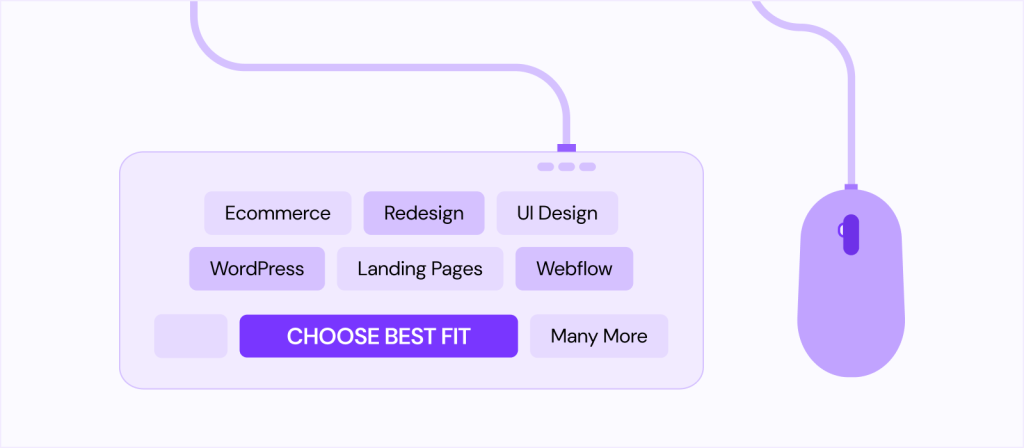
Some of the most demanding web designing fields are:
- Full website design
- Landing pages
- Ecommerce websites
- Website redesigns
- UI design only
- Webflow or WordPress specialist work
Your niche should match both your skills and market demand. This balance is what makes your offer easy to sell.
By the end of this step, you should be able to say clearly:
“I help this audience with this type of website/service so they can achieve this result.”
3. Build a Portfolio That Proves You Can Do the Work
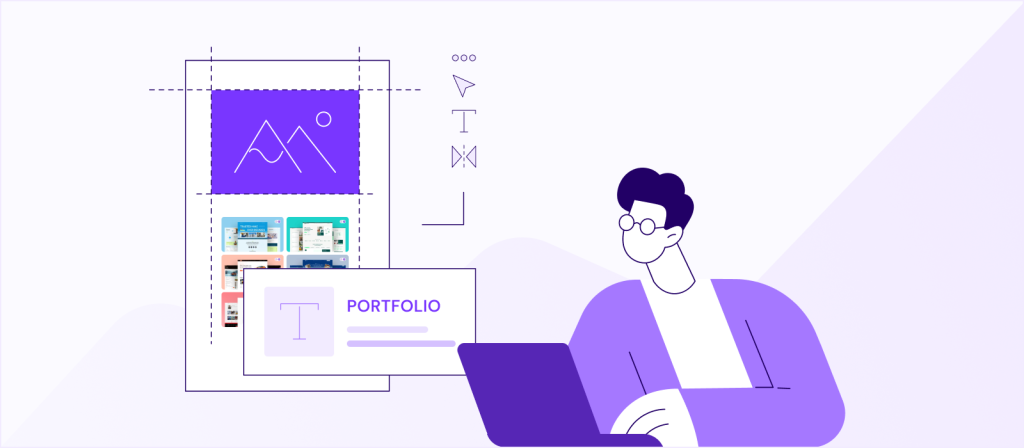
Now that you’ve selected your niche, it’s time to show proof. Clients don’t hire you because you say you’re good, they hire you because you can show that you’re good.
Your portfolio and case studies are the best way to prove your expertise, your process, and the results you can bring.
A high-converting portfolio doesn’t need hundreds of projects. It just needs the right projects that match your niche. Choose the work that best represents the type of websites you want to sell.
If you picked e-commerce as your niche, show your best e-commerce projects. If you choose coaches or service providers, highlight those websites. This helps potential clients instantly understand that you know their world.
When preparing your case studies, don’t just show “before and after” images. Explain what the client needed, what problems you solved, and what results came from your work. Case studies become powerful when clients can picture themselves getting the same results.
Your portfolio should also improve over time. Here’s how:
- Update your designs: Remove older work that no longer reflects your current skill level.
- Show variety within your niche: Different layouts, different page types, different styles.
- Explain your thinking: Why you chose certain layouts, colors, or sections.
- Highlight results: Show what your new design brings for your clients like more leads, better conversions, improved user experience, higher sales or anything measurable to prove authority.
You can also make your portfolio audience-based. For example, if you work with e-commerce store owners, your portfolio might show:
- product pages designed to increase add-to-cart rates,
- homepages focused on clear branding and value,
- mobile-friendly layouts for fast shopping,
- custom upsell sections or design features that increase conversions.
When you explain these details, clients instantly see that you understand their customers and their business goals, rather than just design trends.
This is where you stand out. Anyone can show a “pretty website,” but not everyone can show a design that actually converts.
Your case studies should follow a simple structure:
- Client background: Who they are and what they sell.
- The problem: What wasn’t working on their old website.
- Your solution: What you redesigned or improved.
- The results: Any numbers, feedback, or outcomes.
- Visual proof: Screenshots, mockups, or short videos.
And, when you combine your best work with clear explanations and real examples, your portfolio turns into a selling machine. When clients see that you understand their industry, their audience, and their goals, choosing you becomes easy.
4. Turn Your Service Into a Clear Offer for Clients
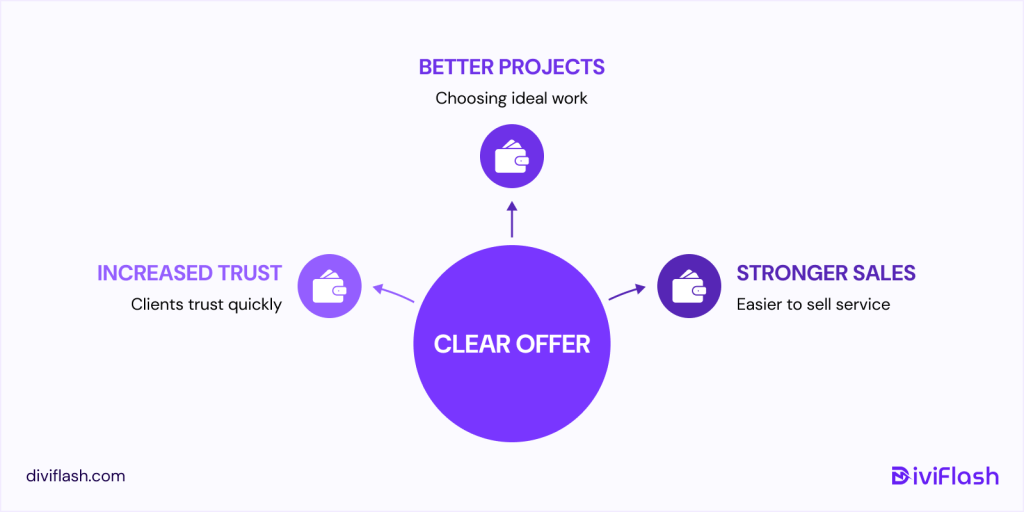
Most freelancers think “turn your service into an offer” means creating a fancy package with a name. But that’s not what this step really means. What it really means is: make your work easy for clients to understand, trust, and say yes to.
When you start freelancing, you usually sell whatever skill you have.
“I make landing pages.”
“I can build Shopify stores.”
“I can fix websites.”
But clients don’t see you the way you see yourself. You understand your skill. They don’t. All they want to know is one simple thing:
“Can you get me the result I want?”
This is where most freelancers accidentally lose clients. It’s not because they’re bad designers, but because their offer is too vague or too open-ended. Clients don’t know what they’re paying for or what outcome they should expect.
This is why turning your service into a clear offer matters.
If a client is searching things like cost, increase sales, reduce add to carts, they’re not just asking questions. They’re trying to understand your offer.
So instead of selling a broad skill, you shape it into something concrete that answers these questions before they even ask.
For example, if you’re great at making eCommerce landing pages, you don’t position it as “I design landing pages.”
You say it as:
“I design sales-focused landing pages for eCommerce brands who want more conversions.”
And this is where many designers shift from “just another freelancer” to someone clients trust quickly. When you describe your work in a way that’s tied to a specific audience and a measurable outcome, your offer automatically becomes clearer, stronger, and easier to sell.
This is also where you stop taking random projects.
You start choosing work where:
- You understand the business model
- You know what the audience responds to
- You can predict what will actually improve results
- You’ve already seen similar wins from past projects
Your offer becomes a promise backed by experience, not a list of tasks.
5. Set Your Basic Business Rules (Contracts, Payments, Revisions)
When you go from “doing projects” to “running a business,” your rules become your protection. And the thing is, your rules don’t come from some legal template.
They come from knowing how clients behave, how projects actually unfold, and what can save you from headaches later.
A contract is the first part of that. It doesn’t need to be complex. When you're working solo, your contract mainly protects your time with what you’re building, what the client must send you, and how the project moves from stage to stage.
As you take on bigger clients or build a team, the contract simply becomes more structured because you need smoother coordination. That means setting content deadlines, approval windows, and what happens if a client pauses the project or completely changes direction.
Payments follow the same logic. In the early freelancing stage, you usually keep things simple and often a bigger upfront deposit because it protects your time and prevents clients from disappearing.
When you start handling bigger projects or managing multiple people, payment naturally shifts to milestone phases. Not because it looks professional, but because it helps keep work aligned with cash flow.
Whether you use 50/50, 40/30/30, or four milestones depends on your capacity, not a rule written somewhere online. So, it’s better to choose a structure that keeps the project moving and keeps risks low for both sides.
Revisions are where most new designers get overwhelmed. Clients change their minds, give scattered feedback, or bring new ideas halfway through and this is normal. And, a clear revision rules stop the project from losing control.
As a solo designer, you only need to say how many rounds are included and what counts as a “revision” versus a new request. When you grow into an agency-style operation, revisions become tied to project stages like design revisions only during design, content edits during handover, no layout changes once development starts.
This isn’t being strict, it’s how you avoid chaos and finish on time.
6. Legal Documents You Need at Different Stages for Your Web Design Business
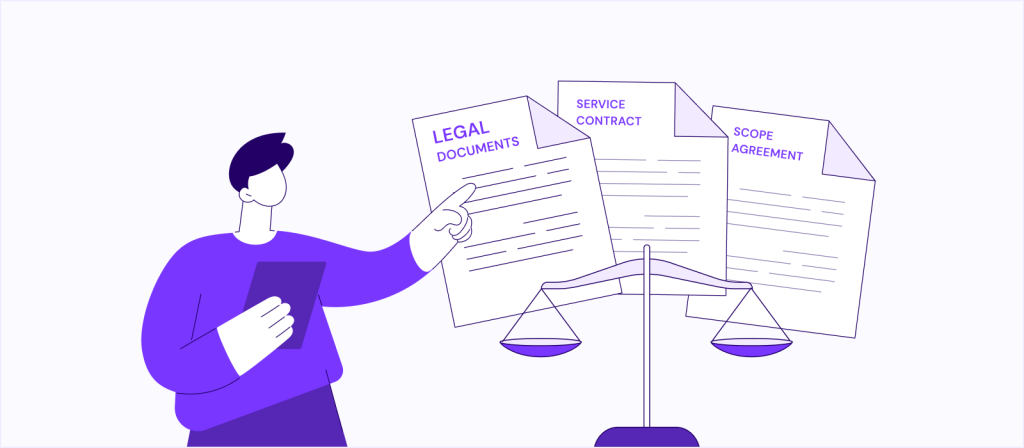
When you’re starting as a freelancer doing small projects, you really only need two core documents; a Service Contract and a Proposal/Scope Agreement. These protect you from scope creep, late payments, abandoned projects, and unclear responsibilities.
Even if you’re working with friends or referrals, these documents set expectations from what you’ll deliver, how many revisions, what you need from the client, to the payment schedule.
At this early stage, you rarely need NDAs or licensing documents unless the client specifically requests them.
As your clients grow in size especially when working with startups or established businesses, you’ll need additional documents.
Bigger clients often ask for NDA (Non-Disclosure Agreements) before sharing internal data, or Vendor Forms/Company Information Forms to add you to their system. This is also when you may need a more detailed Website Ownership Agreement, especially when you’re handing over deliverables like design files, hosting credentials, and brand assets.
You may also need to upgrade your contract to include performance timelines, support terms, privacy considerations, and a more formal payment structure.
If you start working with international clients, you’ll need a bit more structure. Many clients abroad expect Invoices with your official details, tax identification, and clear terms for intellectual property transfer.
You may also want to include a Cross-Border Payment Clause in your contract that defines currency, payment gateway fees, and jurisdiction in case of disputes. You don’t need international business registration to work globally, but you do need clean documentation and transparent ownership rights.
Once you start building a team whether contractors, part-time designers, or full-time staff, your responsibilities expand. You’ll need Contractor Agreements to clarify pay, deliverables, confidentiality, and non-compete terms.
If you're hiring employees, you’ll need Employment Agreements, Work Policies, and sometimes IP Assignment Agreements. At this stage, having a registered business and a clean legal framework protects you from both client and internal risks.
So, the legal documents for your web design business,
- Freelancers: contract + scope agreement are essential.
- Bigger clients: expect NDAs, detailed scopes, ownership agreements.
- International clients: clear invoicing + IP transfer + jurisdiction clauses.
- Teams: contractor/employee agreements + IP assignment.
7. Create a Consistent Client Acquisition System
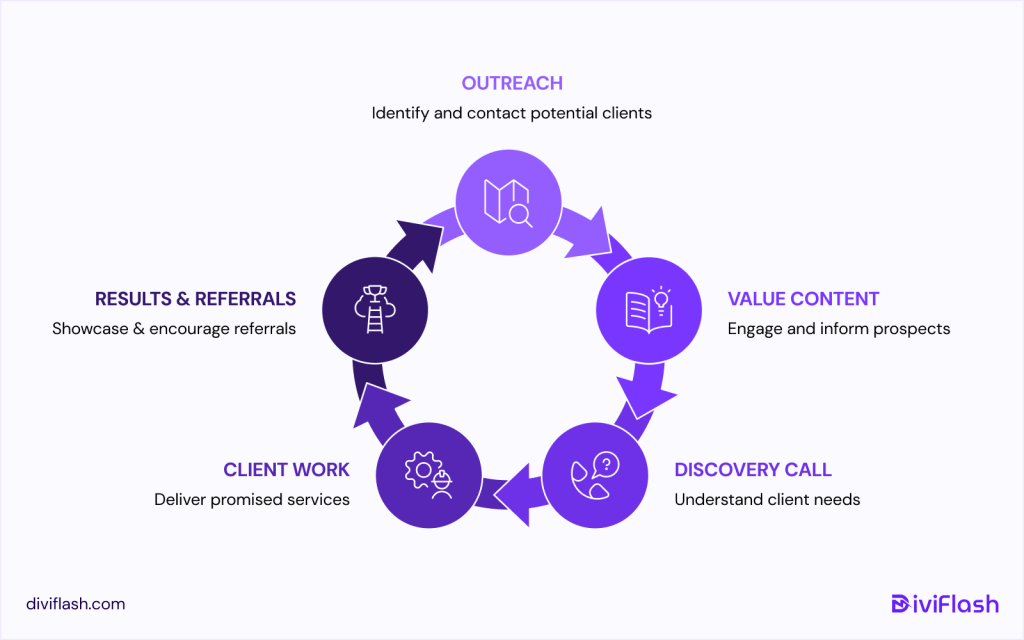
Most freelancers start by getting clients through luck like someone refers to them, or a friend needs a website, or a past client comes back. But a real business can’t rely on surprises.
You need a simple, repeatable way to bring clients in. At the beginning, this doesn’t mean building a complicated funnel or mastering ads. It simply means choosing one reliable path and showing up consistently.
For some people, that’s outreach by simply sending a few personalized messages every day to businesses they genuinely want to help. For others, it’s posting small pieces of value on social media where their ideal clients hang out. And for many, it starts with improving their profile on platforms they already use, like Upwork or LinkedIn, so clients can clearly see what they offer.
A simple system also means having a small, clear routine.
- Send five personalized outreach messages daily to potential clients.
- Post one meaningful portfolio update on social media each week.
- Schedule one call weekly with a warm, interested lead.
- Check in with past clients monthly for updates or new work.
- Share recent client results or wins regularly to stay visible.
Even this smallest routine is better than hoping someone magically finds you.
And as you get a bit more established, your system becomes easier. Then, clients from one niche tend to refer to each other, your case studies start doing half your selling, and your online presence starts attracting the right people.
But all of that starts with having even the simplest process, instead of waiting for work to appear. A freelancer survives on luck, but real business grows on systems, even tiny ones.
8. Build a Small but Strong Online Presence Around Your Niche
When you reach the point where you think, “Okay, I can actually turn this into a real business,” the first practical move is to pick one platform and start showing up there. It doesn’t matter whether it’s LinkedIn, YouTube, Facebook groups, or even a small personal blog.
Simply choose the place where your niche hangs out and start creating a space for yourself. You don’t need a huge strategy. You just need a place where clients can see how you think, what you solve, and why your approach is different.
Once you pick that platform, the goal is to share small, real moments from your work. Talk about how you improved a client’s product page conversion. Share a tiny insight from a tool you’re using, like how a new Figma or Framer feature helped you build something faster or cleaner.
The point is to let people see your brain at work, because that’s what builds trust long before they ever contact you.
You can also talk about things you’ve learned from your clients’ businesses without revealing anything confidential.
For example, if you’re designing for ecommerce stores, you can explain how you changed a layout to reduce bounce rate. If you build landing pages, talk about the sections that seem to convert better for certain audiences.
When you share these kinds of insights, you’re not just “posting content”, you’re positioning yourself as someone who understands both design and business outcomes.
As you grow a bit more confident, you can start connecting your content with your brand or agency. Not in a pushy way, just through small comments like, “This is something we apply in our client projects,” or “This is the exact approach we use inside our agency to make decisions faster.”
It shows people that you’re not just giving random tips, you’re sharing how you actually work.
You can also share quick breakdowns of industry changes that affect websites. If Shopify announces a new feature, explain how store owners can benefit. If WordPress updates something important, share how it affects performance or design workflows.
As your presence grows, show how your work links to your brand. Share small examples of how you handled client projects or organized pages before designing. This helps clients see you follow a clear process, not just random ideas.
You don’t need to post daily or turn into a content creator. You just need to show up consistently with insights that matter to business owners and real explanations. When you talk in business language and show design as a growth tool, you actually talk as a partner, not just a service provider.
That’s what a strong online presence really is. It’s not loud, not perfect, but clearly valuable to the exact people who need your work.
9. Add Monthly Services So You Don’t Rely Only on One-Off Projects
One of the biggest shifts from “freelancer who builds websites” to “web design business with predictable income” is introducing monthly services.
A website owner rarely wants a one-time designer, they want someone who keeps their website alive, secure, updated, and improving. Most business owners simply don’t have the time or skill to manage their site every month.
They want to focus on sales, operations, or product, not layouts, SEO, or technical issues. That gap is where your monthly services naturally fit in.
You don’t need to create complicated packages. Start with what you already do for clients after the project ends. Maybe they message you when their page breaks, or when they need a new banner, or when an update crashes something.
Instead of jumping into these small tasks randomly, turn them into a simple monthly service like website care, design tweaks, performance checks, conversion improvements to keep their site running smoothly. These small, ongoing tasks are extremely valuable to a business owner because they remove stress and save them hours every month.
Monthly services also let you stay inside the client’s ecosystem. When you’re close to their website every month, you see what’s working and what’s not. You can suggest improvements based on performance, user behavior, or new tools in the industry.
For example, if their product page is losing mobile conversions, you can recommend a layout tweak. If a new AI feature in WordPress or Shopify can cut their workload by half, you can implement it. This ongoing involvement makes you more than a designer and you become part of their growth process.
As you evolve into a more “business-like” operation, monthly services become the foundation of your income. Instead of starting every month at zero, you start with guaranteed revenue, which gives you the freedom to take better clients, avoid pricing pressure, and grow without panic. It also strengthens your relationship with clients—because they see you every month, not once a year when something breaks.
The key is keeping these monthly services aligned with your niche. If you build ecommerce websites, your monthly plan should focus on conversions, product updates, performance, and seasonal promotions.
If you build landing pages, your monthly plan may focus on A/B testing, analytics, and regular optimization. When your monthly services directly support the goals of your niche, business owners see them as essential rather than optional.
And for website owners, a designer who stays with them month after month is far more valuable than a designer who hands over a site and disappears.
That's why this step is one of the easiest ways to become a real, scalable web design business instead of just a project-based freelancer.
10. Start Growing Your Team for the Work

A real web design business isn’t built by doing everything alone. At some point, the workload shifts from “I can handle this” to “I’m slowing down the entire project because I’m doing things I shouldn’t be doing.”
That’s usually the moment you realize you need a small support team, not a big agency structure. It’s just the right people who help you work faster, deliver better results, and stay available to your clients without burning out.
The first roles you bring in are usually the ones that drain your time but don’t require your strategic brain. Maybe you’re great at design and client communication, but development slows you down.
Or maybe you can design and develop well, but regular updates, content changes, backups, and technical tweaks interrupt your focus. These tasks are important for website owners, but they don’t need to be done by the business owner.
When you hand these off to someone reliable from part-time, project-based, you immediately gain back the mental space you need to work on higher-level things.
You don’t need a big team. In fact, most successful small agencies start with just one or two people. A developer who can turn your designs into clean, stable websites, or a support person who can handle monthly updates and technical maintenance.
This doesn’t just help you internally, it makes your service more professional to website owners. They feel like they’re working with a structured team, not a solo designer who might get overwhelmed or disappear if too busy.
As your monthly services grow, having a team becomes even more important. Clients expect their website to be updated, monitored, and cared for consistently. If you try to handle everything alone, you'll either burn out or end up delaying client work.
But when you have a small team handling routine tasks, you can focus on the things that actually grow your business like client communication, strategy, conversion improvements, sales calls, and creating value-based content that attracts more clients.
If you’re worried about affordability, remember that you don’t need full-time employees. Start with freelancers or specialists you hire per project or per month.
Website owners don’t hire you just for design, they hire you for stability, long-term support, and the confidence that their website is in good hands.
A small team behind you gives them that confidence, and gives you the freedom to stop working like a freelancer and start operating like a business owner.
11. Scale Your Service into an Ecosystem (Templates, Care Plans, Extras)
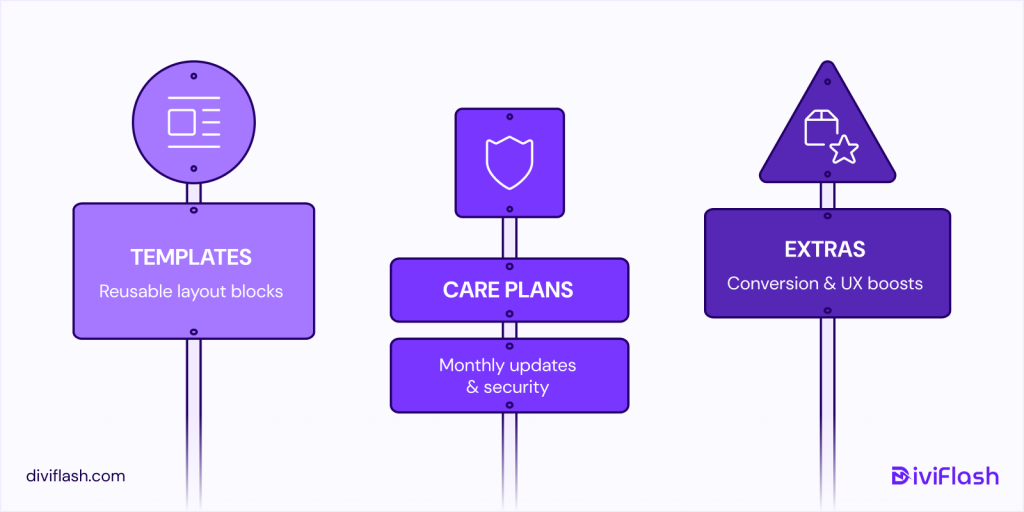
Once you’ve delivered a few solid client projects, the smartest move is to stop thinking in terms of “single websites” and start building an ecosystem around your service. This is where you turn your hands-on project experience into assets that work for you even when you’re not actively designing.
The simplest place to start is templates. Every time you finish a project, you’ll notice reusable layouts and sections like headers, hero designs, feature blocks, pricing tables, sales pages, and booking flows.
Don’t let them sit inside your Figma files. Turn them into polished templates you can license, bundle, or even offer as paid add-ons during new projects. Website owners love shortcuts, especially when they see it saves time and keeps their brand consistent.
Next is care plans with your long-term stability engine. Most website owners don’t want to manage updates, backups, performance, security, or small ongoing tweaks. They just want the site to keep running and converting. That’s where your monthly management services fit in.
You’re not just fixing issues; you’re keeping their business online, fast, and trustworthy. Almost every client will buy this if you position it as “peace of mind + better performance.” And once a client enters your care plan, they stay for years.
Then layer in extras with conversion audits, UX refreshes, speed optimization, sales page redesigns, design systems, or micro-optimizations based on analytics. These are small but profitable improvements that business owners actually need as their website grows.
When all of this comes together, you’re no longer just “a web designer.” You become a system with templates that show your expertise, monthly care plans and optional upgrades that help clients grow.
This ecosystem gives clients more ways to work with you and gives you more ways to earn without constantly hunting for new projects.
How Much Does It Cost to Start a Web Design Business?

Most people assume starting a web design business is cheap because “everything is digital.” And yes, the barrier to entry is low as you don’t need an office or expensive machines.
But there’s a big difference between starting as a casual freelancer and starting as someone who wants to build a business that consistently attracts clients, charges proper rates, and stays competitive even in an AI-driven market.
The real cost comes from making yourself look professional enough that clients trust you, and equipping yourself with the tools that help you deliver real results, not just beautiful pages.
If You’re Starting as a Freelancer (Lean Setup)
When you're starting as a freelancer, the cost is low mostly because you’re doing everything yourself. Your main investment isn’t in tools, it’s in proving your reliability.
At this stage, you only need a domain, a simple hosting plan, and a clean portfolio site that shows you’re serious. Most freelancers start with shared hosting and a single premium builder or theme, because having at least one reliable toolset makes the entire workflow smoother.
You don’t need paid design tools yet. Figma’s free plan is more than enough for your first dozen projects.
And you absolutely need a branded email (like [email protected]) because clients judge credibility fast, and Gmail addresses often break trust before you even speak.
With this setup, the investment stays around $150–$200 a year, which is enough to get 1–2 clients per month if you position yourself properly.
If You’re a Solo Agency (More Professional Setup)
This is the stage where you stop seeing yourself as “a person who makes websites” and start operating with a more disciplined structure. The cost increases because you’re building a smoother workflow that lets you take more projects without burning out.
You start using better hosting, extra plugins, and tools that help you automate repetitive tasks. You might upgrade Figma, start using a proposal or invoicing tool, and possibly invest a bit into marketing or content creation.
Even small things like premium icons, template kits, better backup systems, or dedicated design plugins for themes like DiViFlash or DiViGear make a difference in how clients perceive your work and how efficiently you deliver it.
Most people at this stage spend around $300–$600 a year.
If You’re Building a Small Agency Setup (Even If It’s Just You + 1 Person)
When you move into the agency stage, the costs increase because the responsibilities increase. You’re no longer relying on yourself for everything and you may hire part-time designers, developers, or copywriters.
You will definitely need stronger tools: better hosting, better backup systems, premium plugins, AI tools for workflow optimization, and systems for project management and communication.
This stage is also where branding becomes a real cost. Your agency needs a visual identity, reusable template kits, systems for client onboarding, document templates, and standardized delivery processes.
These things look small but they save hours per project and help you deliver consistent work at a higher price point.
Overall, this setup typically costs $1,000–$3,000 per year. And that investment pays itself back quickly if you secure even a handful of high-ticket clients.
So How Much Do You Need for a web designing business in a month?
- Still learning: $0–$50 (practice only)
- Freelancer: $150–$200
- Solo agency: $300–$600
- Real growth-focused business: $1,000–$3,000
None of these levels are a rule. They’re just practical stages based on how serious you are about treating web design as a real business instead of a side skill.
Are You Ready to Start Your Web Design Business?
Whether you’re ready to start a web design business doesn’t depend on a 11-step checklist, it depends on how well your current skill set, tools, and client pipeline align with the realities of the market.
If you already excel at one strong skill like UI design, Shopify builds, funnels, or even Divi-based site creation, you’re ready to start. You don’t need to be full-stack. You don’t need to know everything. You just need one thing you can deliver with confidence and speed.
Even if your stack includes solid essentials like Figma, WordPress, WooCommerce, Divi, Elementor, code editors, you’re not just ready; you’re ahead.
These tools eliminate 70% of the friction new founders typically face. If you lack tools or capital, your first “business step” is building with what you already have and selling services that require minimal overhead like landing pages, redesigns, speed optimization, care plans, or template-based sites.
Your readiness also depends on your ability to attract and handle projects. If you have even one warm lead, a small network, or past clients, you can start immediately.
If not, your first steps shouldn’t be branding or building a website. They should be reaching out to clients, creating a clear offer, and putting together a simple portfolio.
And finally, you’ve to understand that projects won’t come just because you’re “in business.” You must create visibility through consistent posting, partnerships with agencies, niche positioning, or packaging your services.
So, you’re ready if you have:
- One mastered skill you can confidently sell.
- A functional tool stack (even if minimal).
- A simple but sharp offer tailored to a niche.
- A realistic path to your first 3 clients.


0 Comments