

To lazy load videos in Divi you either have to use a plugin like a3 Lazy Loading or use Divi a specific plugin like DiviFlash. Its Advanced Video module lets you enable lazy loading with a single click.
Using a Divi-specific plugin will not only guarantee full compatibility with Divi 5 but also lets you enable lazy loading inside the visual builder.
We will show you how to lazy load videos in Divi using the Advanced Video module step by step.
Let’s get started.
Step 1: Install DiviFlash (or Update to 5.1.0)
Get DiviFlash from its official website, then install and activate it like any other premium plugin. (If you already use DiviFlash, just update to the 5.1.0 version or higher.)
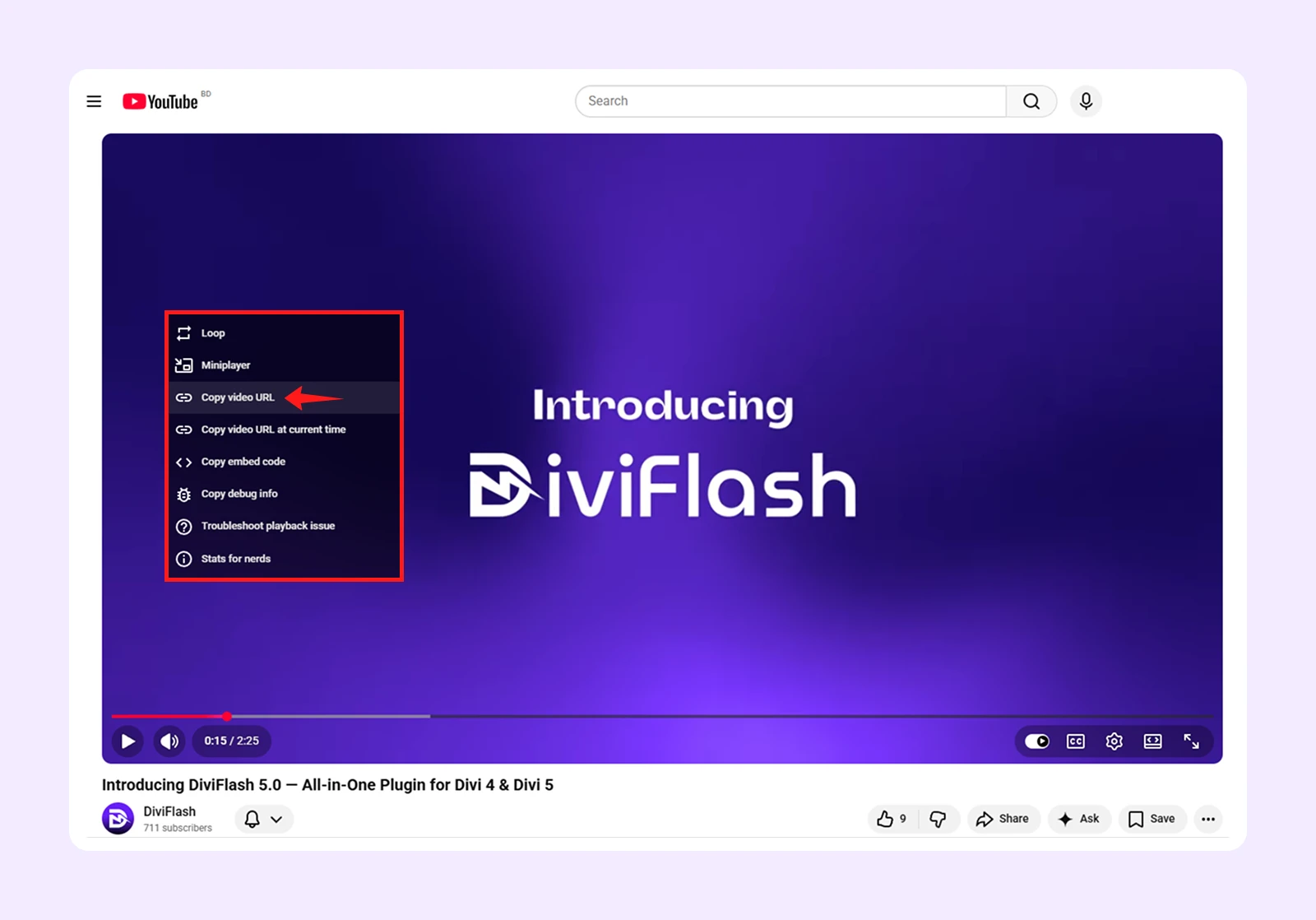
Step 2: Copy Video URL
Go to YouTube, Vimeo, or Dailymotion and copy the link of the video you want to display.
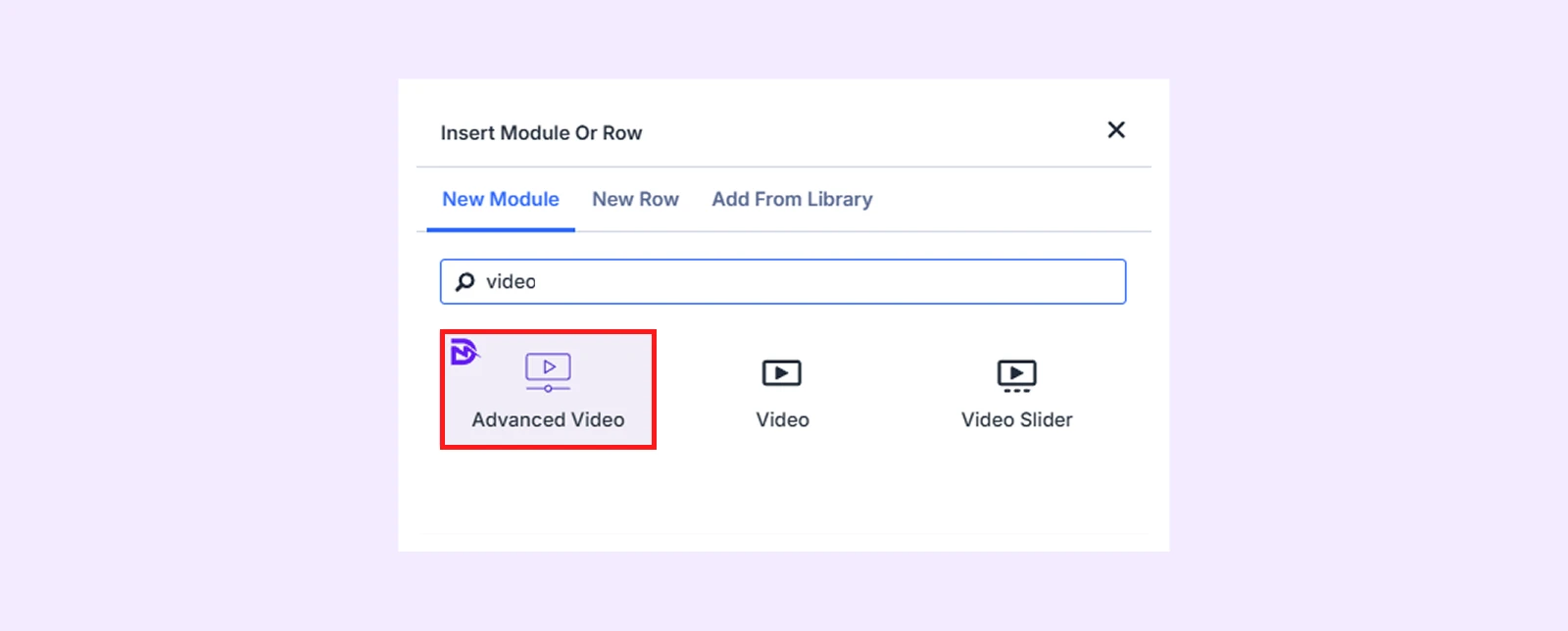
Step 3: Add the Advanced Video Module
Open the Divi Visual Builder, add your section, row, and column, then search for "Advanced Video." (If you cannot find the module, go to WordPress Dashboard > DiviFlash > Modules and toggle on Advanced Video)
Step 4: Connect Your Video Source
Open the module settings and click Video Source. Then do as follows:
- Choose your video source and available options are YouTube, Vimeo, and Dailymotion.
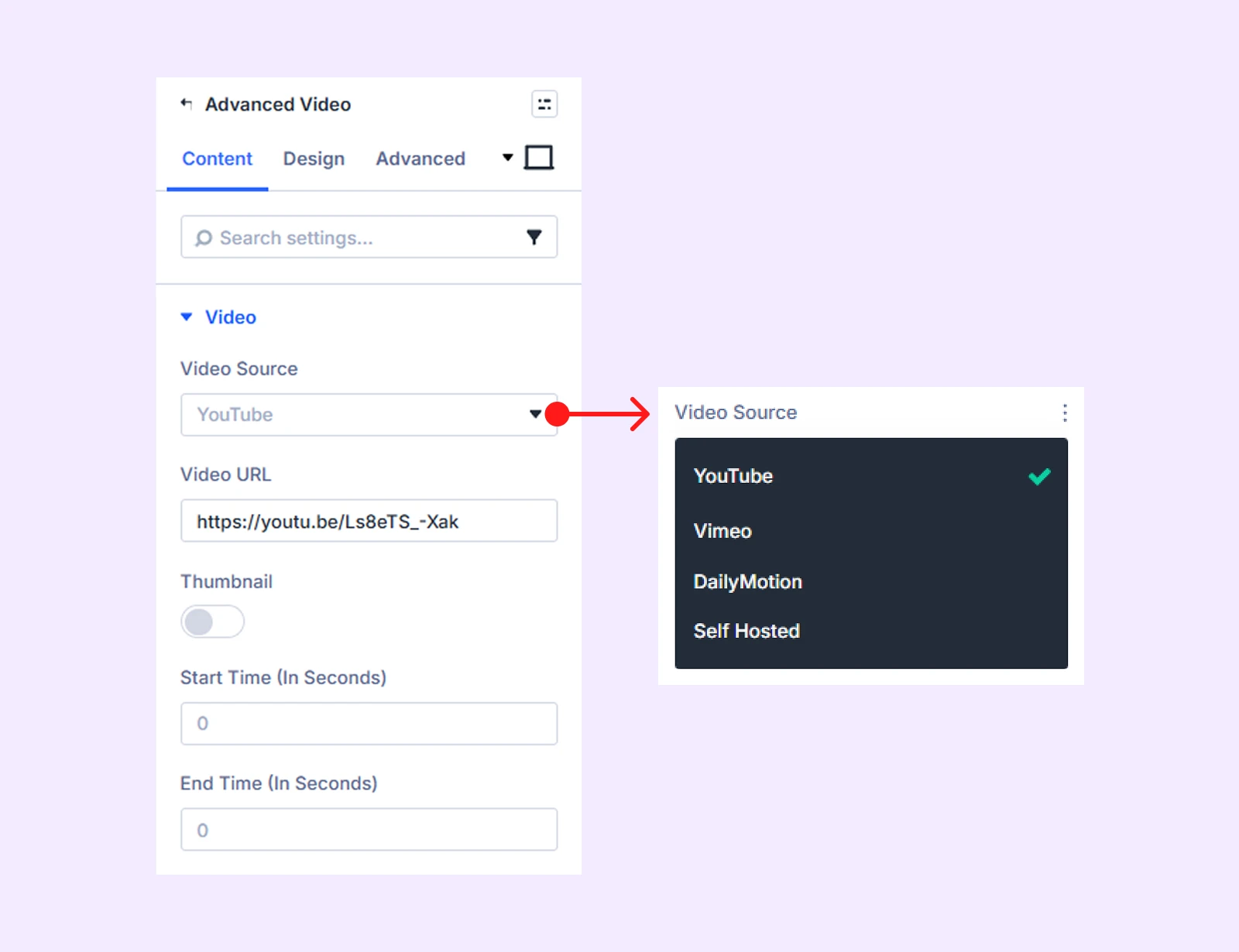
- Paste the URL you copied into the Video URL field. (You can also set a start and end time if you only want to play a specific clip.)
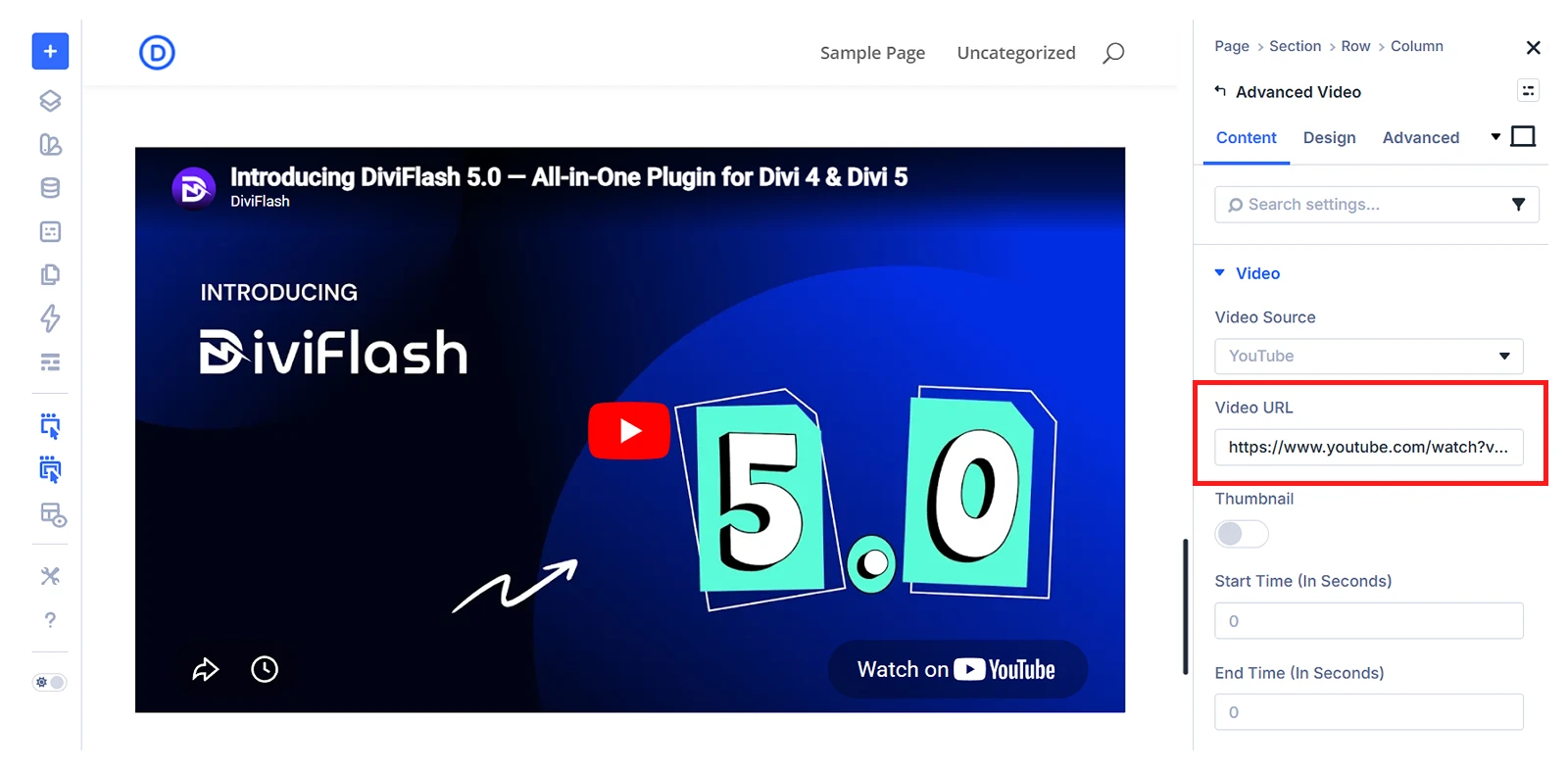
Note: If you want, you can also use a custom thumbnail for your video. To do that, enable Thumbnail and then enable Custom Thumbnail and upload your image.
Step 4: Enable Lazy Loading
To enable lazy loading, click on on “Video Settings” and then do as follows:
- Lazy Loading: Enable this option to load the video only when a visitor actually scrolls to it.
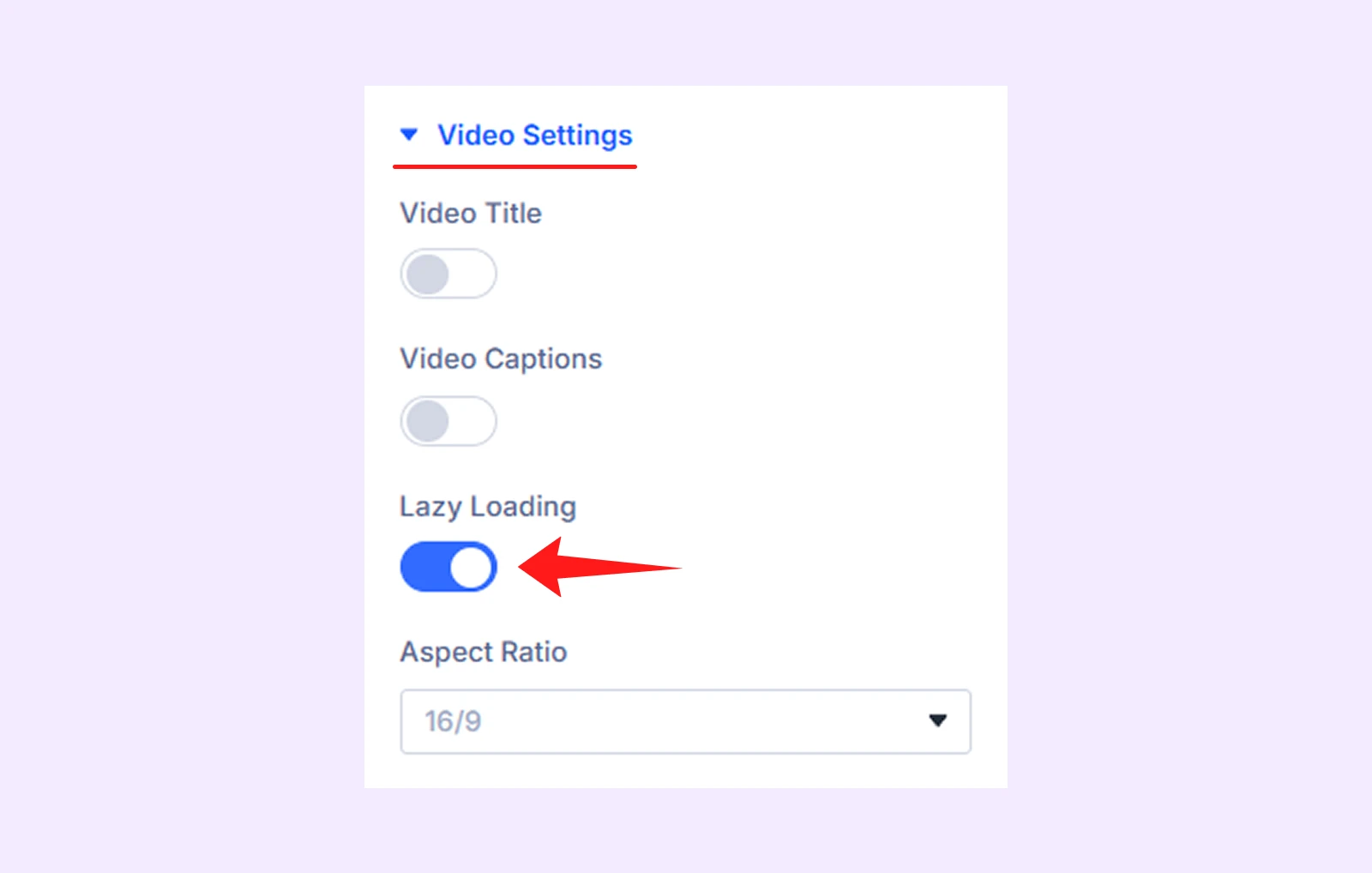
While you are in Video Settings, you will also find options to show or hide the video title and caption, with full control over their placement.
Step 5: Fine-tune Playback (Optional)
In the Advanced Video module’s settings, you will find a settings panel named “Playback Options.” There you can adjust settings like:
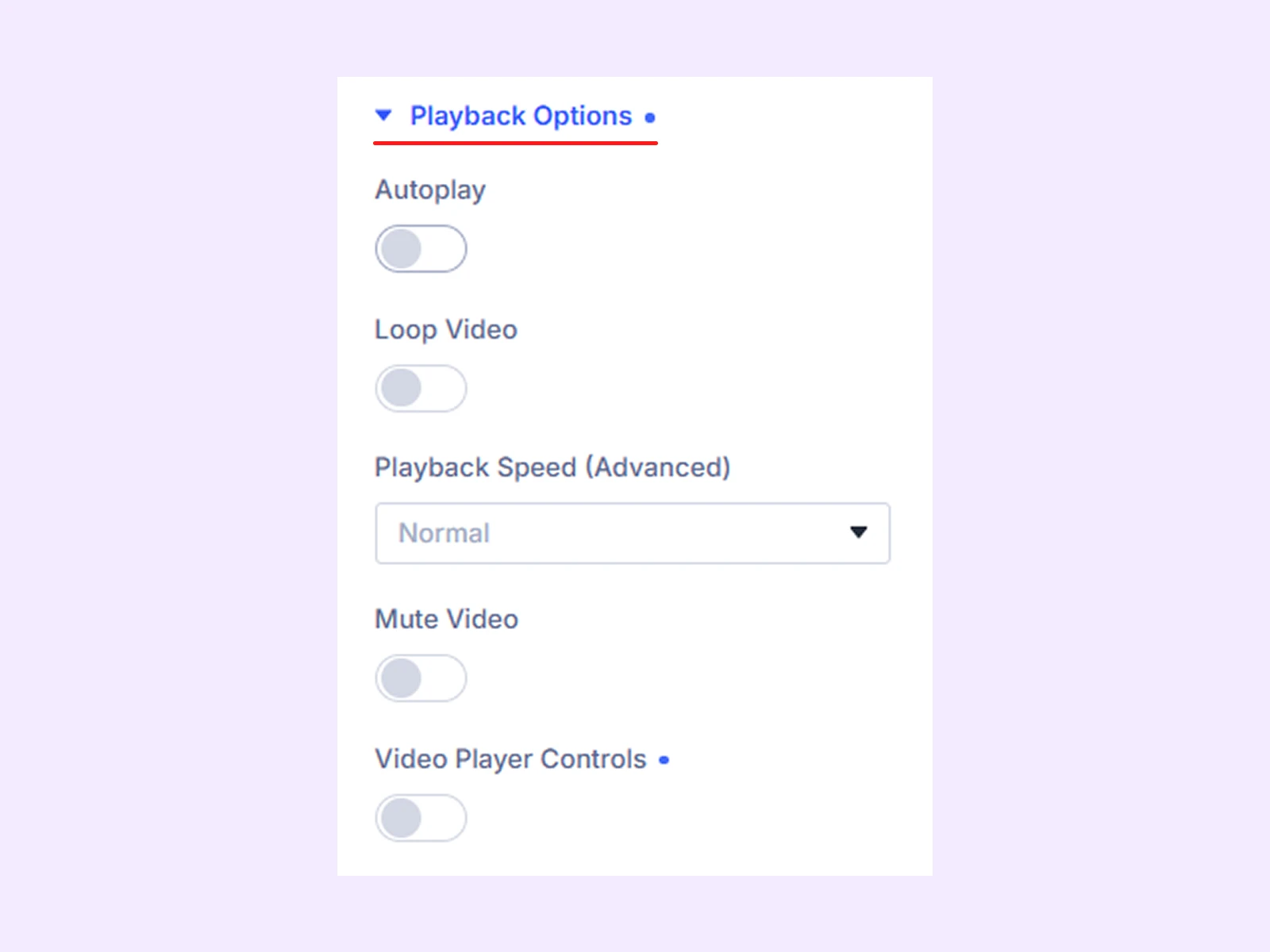
- Loop: Replays the video on a continuous cycle without any user action.
- Playback Speed: Speeds up or slows down the video. Handy if you are embedding a tutorial and want to give viewers control over pacing.
- Mute Video: Starts playback without sound. If you are using autoplay, this isn't optional, it's required for it to actually work.
- Video Player Control: Shows or hides the player controls like play, pause, volume, and fullscreen based on how much control you want to give users.
Note: Inside the Playback Options, you will also find an Autoplay option. When used with lazy loading, the video will start playing once it enters the viewport as the user scrolls.
Final Thoughts
It’s surprising that Divi doesn’t have built-in lazy loading for videos, but that’s how it is for now.
That’s why using a Divi plugin makes things easier. It lets you enable lazy loading directly inside the visual builder. You can use WP Rocket, or a Lazy Loading, but they work outside the builder.
So, going with DiviFlash is a simpler choice. Its Advanced Video module lets you turn on lazy loading with a single click. This module also supports autoplay and lightbox playback, so you can manage different video layouts and use cases without extra plugins.


0 Comments