

When you look for a hosting plan for our website, you usually think about price, uptime, and customer support. But is that really enough for your WooCommerce store too?
Well, for an online store, you need more than just basic hosting. You need powerful performance, strong security, reliable backups, and WooCommerce-focused tools that help you sell globally without interruptions.
Again, which hosting plan you choose also depends on your store size, products and your store traffic.
“The best WooCommerce hosting actually depends on your store size, products and your store traffic. However, some most highly recommended hostings for WooCommerce are Hostinger, DreamHost for affordable, small stores; SiteGround for growing stores; Cloudways, Wp Engine for large and high traffic stores; Rocket. Net, Nexcess for high speed & performance; ”
In this blog, we’ll explore the 15 best WooCommerce hosting providers for different store criteria to help you find the right fit for your store’s growth.
Quick Review of 15 Best WooCommerce Hosting
Here’re the main factors when you first look for a WooCommerce hosting in a quick review table.
So, check all the hosting for your store at a glance, and then, jump into the details of the ones that go with your requirements.
| Hosting Name | WooCommerce Pre-Install | Best For | Store Builder | Trustpilot Rating (as per data) | Starting Price (Per Month) |
| Hostinger | ✅ | Affordable Hosting for Beginners with Small WooCommerce | ✅ | 4.7 | $13.99 |
| SiteGround | ✅ | All Sizes of WooCommerce Site | ✅ | 4.9 | $3.99 |
| Cloudways | ✅ | Large WooCommerce Store with High Performance to Sell Globally | ❌ | 4.6 | $14.00 |
| WPX Hosting | ❌ | High-Traffic Stores with Large Resource Allocation & Quick Support | ❌ | 4.1 | $34.99 |
| Rocket.Net | ❌ | High Speed Store Loading & Advanced Security | ❌ | 4.7 | $30.00 |
| Kinsta | ❌ | Centralized WooCommerce Management with High End Performance | ❌ | 4.8 | $50.00 |
| WP Engine | ✅ | Enterprise-grade Stores with Advanced WooCommerce Specific Features | ❌ (Offers Genesis Blocks Pro/Themes) | 4.4 | $59.00 |
| Nexcess | ✅ | Affordable WooCommerce Hosting for Fast Speed with Bundle of free Plugins | ✅ | 4.5 | $5.00 |
| DreamHost | ✅ | Simple, Secure, and Affordable WooCommerce Hosting (Starting Stores) | ✅ | 4.7 | $19.95 |
| Pressable | ✅ | Scalable WooCommerce Hosting with Continuous Uptime | ❌ | 4.6 | $25.00 |
| Hosting.com | ✅ | Small or Personal Store with High Performance | ❌ | 4.7 | $8.99 |
| WordPress VIP | ❌ | Large, High-Traffic, Enterprise Stores | ❌ | N/A | $25,000 per year |
| GreenGeeks | ✅ | Beginners, Small Stores, Eco-Friendly Focus | ✅ | 4.6 | $12.95 |
| BlueHost | ✅ | Beginners, Low-Cost Entry, Integrated Sales Tools | ❌ | 4.6 | $14.99 |
| InMotion Hosting | ❌ | Medium to Large Stores, High Traffic Needs, Scalability | ❌ | 4.4 | $10 |
Well, now let’s jump into the detailed review of each WooCommerce hosting plan for your store.
Hostinger (Best Affordable Hosting for Beginners with Small Woocommerce)
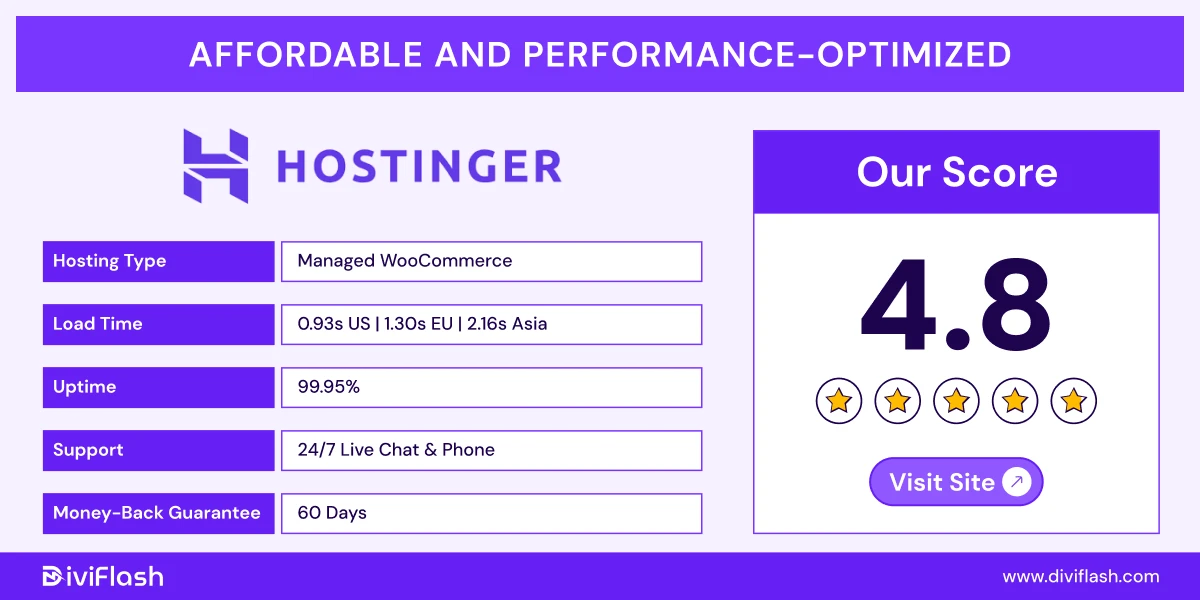
Hostinger is highly reputed as one of the most popular WooCommerce hosting choices worldwide. Its dedicated “managed hosting for Woocommerce" plan includes almost everything you need to start and run a Woocommerce store even with AI automations.
It offers pre WooCommerce installation, automatic updates, and a staging environment to test changes safely. Again, its custom hPanel is very beginner-friendly and much easier to manage even for any non tech store owner.
Again, Hostinger has 12 data centers and built-in Cloudflare CDN boosts content delivery speed by up to 40%. So, even if you’ve small to medium store, you can still sell to global customers.
Hostinger also secures your store from unwanted traffic with advanced firewall & DDoS protection. And, to keep your store data safe, Hostinger also includes automatic updates and a built-in vulnerability scanner.
Key Features of Hostinger for WooCommerce
- AI Store Builder: Hostinger includes a free AI store builder with many ecommerce features. Again, it offers AI tools for product creation, logo making and even SEO optimization for your store.
- Custom hPanel:The custom-built hPanel dashboard lets you manage everything easily even if you’re new to online store. You can handle store products, monitor performance analytics, malware detection from one single easy dashboard.
- WooCommerce Optimization:Hostinger’s WooCommerce plans run on LiteSpeed servers with NVMe SSD storage to increase site speed around 3x faster. The LiteSpeed Cache plugin comes pre-installed, and improves both Core Web Vitals and SEO rankings.
- Advanced Security:Hostinger provides free SSL certificates, DDoS protection, Web Application Firewall (WAF), daily backups, and an automatic malware scanner to keep your store data and customer information safe.
- Store Management Tools:It offers automatic WooCommerce updates, free email accounts for AI marketing and free site migration for stress-free store management.
What We Like the Most
- You don’t have to manually write all your product descriptions. Hostinger’s AI tools can automatically generate optimized product descriptions and headings optimization to save time and improve SEO.
- The AI agent Kodee is a very smart addition for Woocommerce. You can do anything from publishing blog posts to handling your store, just ask Kodee and it’s done. Again, AI Troubleshooter detects and fixes common website errors automatically without any manual monitoring.
- Plus, as your eCommerce business grows, you can easily scale from shared hosting to cloud hosting without any downtime or complex migration process.
What Could Be Better
- Hostinger supports up to 1,000 products, which is enough for small WooCommerce stores but may not suit large enterprises seeking deeper customization.
- Additionally, while performance is generally solid, response times (average 1.52s) could be a little faster, especially during peak traffic hours.
Price of Hostinger
- Business: Starting at $13.99/month for up to 50 websites
- Cloud Startup: Starting at $27.99/month for up to 100 websites
So, Hostinger is an ideal pick for you, if you’re looking for an affordable and reliable WooCommerce hosting solution for your small to medium WooCommerce brand.
Site Ground (Best for All Sizes of WooCommerce Site)
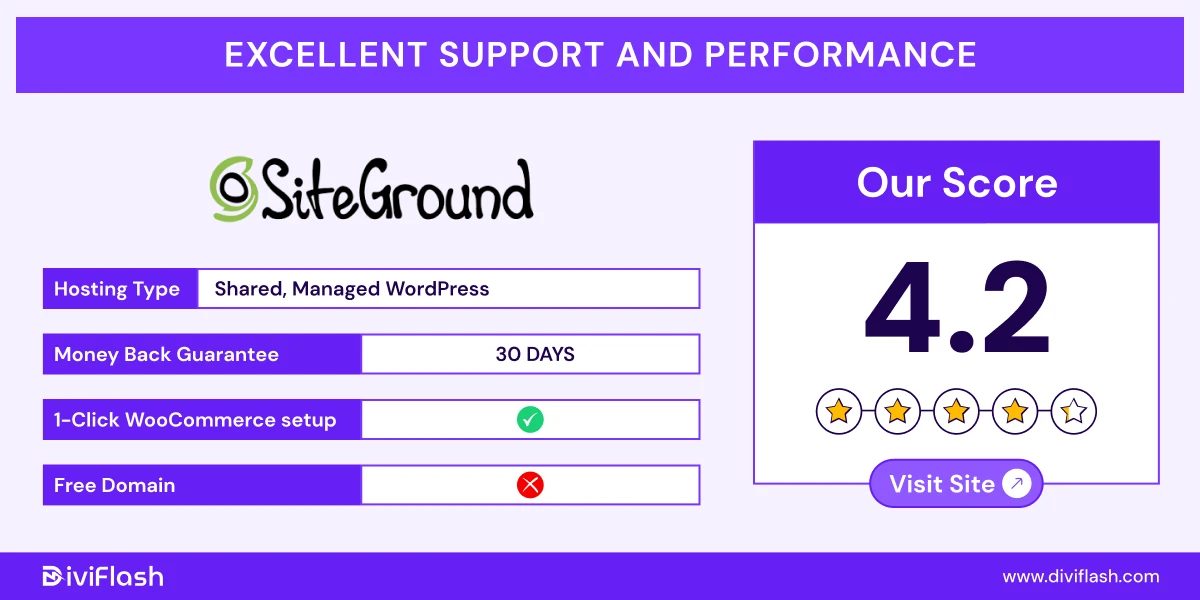
SiteGround’s WooCommerce hosting is mainly designed to run any size Woocommerce store from a few to thousands of products.
With this hosting, you can launch your online store quickly without worrying about complex setup or maintenance.
You’ll get WooCommerce pre-installed and fully optimized, so you can start adding products and selling right away. Again, Siteground manages all the updates, security, and performance tasks automatically.
Again, with all its WooCommerce plans, a free website builder, themes are included to make your online store even faster and professional.
Plus, with a 1-click CDN integration, your WooCommerce store loads fast for customers anywhere and anytime in the world especially during the high traffic.
Key Features of Site Ground
- Storefront Theme Ready: SiteGround comes with WordPress, WooCommerce, and the Storefront theme already installed. This means your online store is ready to launch in minutes.
- User-Friendly dashboard: Instead of using the traditional cPanel, SiteGround offers its own easy-to-use “Site Tools” dashboard. It’s designed to simplify store management tasks like backups, email setup, and performance monitoring even for beginners.
- Ultra-Fast Smart Product Caching: SiteGround uses advanced caching with full-page, dynamic, and Memcached technology. It improves your store’s loading speed while excluding cart and checkout pages.
- Fully Managed Updates & Migrations: You’ll get automatic updates for WooCommerce and other plugins to keep your store secure and up to date. SiteGround also provides a free automated site migration tool, so you can move from another host with zero downtime.
- Security & Backups: It offers automated geo distributed daily backups and strong protection against malware, brute-force attacks, and other threats to keep your store safe. You’ll also get a free email migrator and renewable energy-matched servers.
What we like the most
- All SiteGround WooCommerce hosting plans include the same essential WooCommerce features, so you get full functionality even with the entry-level plan.
- We also like SiteGround’s AI-powered anti-bot system, which blocks around 90% of malicious traffic before it reaches your store.
- Another great point is its scalable plan structure. You can start small with the “StartUp” plan and grow into larger plans for unlimited websites as your WooCommerce business expands.
What could be better
- SiteGround’s pricing renews at a higher rate after the initial term, which might be a concern for small store owners on a tight budget.
- SiteGround offers only 20-40 GB storage for unlimited website plans. Again, there isn’t any auto space scaling in this plan.
Price of Siteground:
- Startup: $3.99/month for 1 website
- Growbig: $6.69/month for unlimited website
- GoGeek: $10.69/month for unlimited website
So, if you want to start and grow your WooCommerce store with less management fuss using the same hosting, SiteGround will be a great consideration.
Cloudways (Best for Large WooCommerce Store with High Performance to Sell Globally)
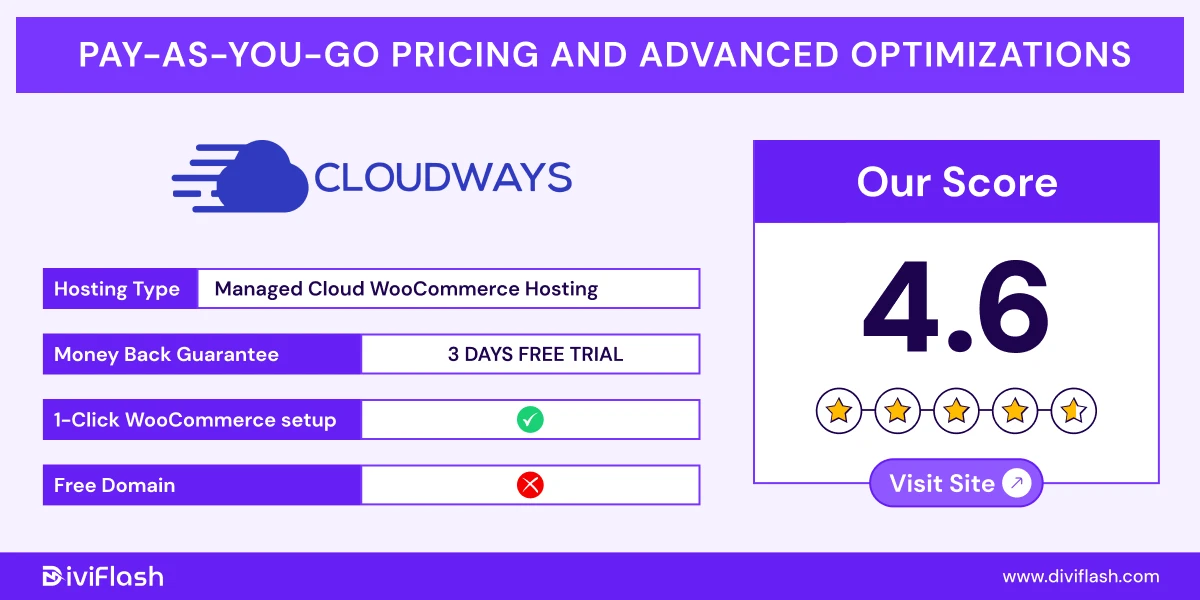
Cloudways offers a powerful managed hosting platform built specifically for selling globally with your WooCommerce store. It’s designed for store owners who want cloud-level performance for their large business.
You can choose from top cloud providers like DigitalOcean, AWS, Google Cloud, Vultr, or Linode to get the best speed for your store.
With Cloudways, you get WooCommerce pre-installed to start your business instantly. Again, its optimized tech stack provides fast loading, stable uptime, and stable performance even during traffic spikes.
Cloudways also takes care of security, updates, and monitoring for you. But the main advantage of Cloudways Woocommerce hosting is that you can customize the plan with what you need for your store.
So, even if you’re just starting but have thousands of products, you can increase your resources like storage, CPU with one click and pay only for that.
Key features of Cloudways
- Optimized Stack: Cloudways uses an optimized hosting stack built with NGINX, Apache, MySQL/MariaDB, and PHP-FPM. This setup is especially built to handle high traffic and complex server requests.
- ThunderStack Technology: Cloudways’ ThunderStack combines powerful caching tools like Varnish, Redis, Memcached, and NGINX to deliver ultra-fast speed.
- Breeze Caching Plugin: The Breeze plugin is Cloudways’ own caching solution for WordPress and WooCommerce. It works with Varnish Cache to make pages load instantly. You can exclude certain files or URLs from caching and use minification to reduce file size and loading time.
- Performance Optimization: Cloudways offers 5 different cloud servers to choose based on your audience location. Even with the Cloudflare CDN, you can sell anywhere around the world with an uptime of 99.9%.
- Automated Backups: Cloudways provides both automatic and on-demand backups. And, you can restore your WooCommerce store with one click.
What we like the most
- It offers a one click staging environment with server cloning for your store to test any upgrading before launching.
- Another great thing is, you can install as many apps as you want for your store without any storage limit. It even offers a “Launch 10+ Apps with 1-Click”.
- You can add your team members to manage your store using its Team Collaboration feature with full or partial access. So, for large stores, you can easily handle a balanced workflow and collaboration.
What could be better
- There is no website builder feature. So, you have to manually or use third party options to design your Woo store.
- Cloudways woo hosting doesn’t include any email hosting, so you’ve to use third party add-ons to send purchase emails from your store.
Price of Cloudways
- DigitalOcean/Vultr/ Linode standard plan, starts at $14/month
- AWS standard plan, starts at $20.56/month
- Google Cloud standard plan, starts at $37.33/month
This pricing may seem higher. However, if you’re running a large Woocommerce store and target audience anywhere or everywhere with high end performance, then this price is worth it.
WPX Hosting (Best for High-Traffic Stores with Large Resource Allocation & Quick Support)
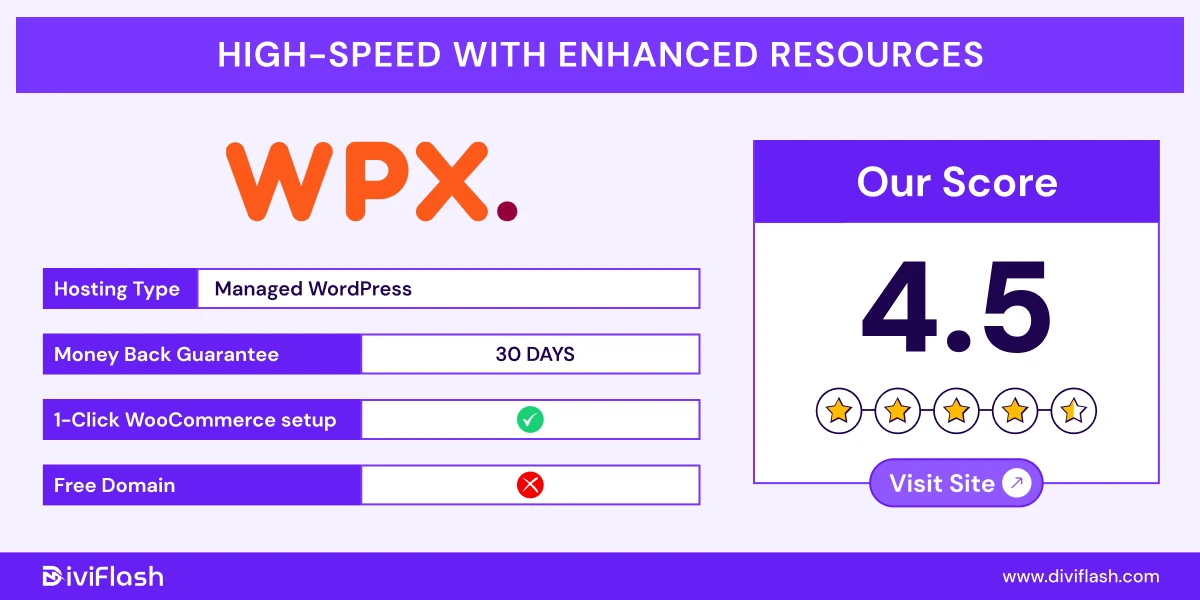
WPX Hosting is built for large WooCommerce stores that need powerful resources, consistent speed, and dependable customer support. It easily handles high-traffic and large product databases of your store with one click WooCommerce installation.
Again, during promotional campaigns, WPX allocates extra CPU cores and processing power to prevent your WooCommerce store from slowing down during big sales.
With its built-in WPX Cloud CDN and advanced caching system, your WooCommerce store loads quickly for customers around the world.
You also get free site migration, daily backups, and strong security to keep your store data safe.
Key Features of WPX
- WooCommerce-specific resource allocation: WPX’s Woo plans include up to 4 CPU cores, 100 GB storage, and 80 GB RAM to handle dynamic and heavy traffic stores with ease.
- High-speed tech stack: The platform uses LiteSpeed servers, a high speed custom CDN (XDN) with 41 endpoints, and Redis object cache for fast page loads worldwide.
- Advanced security included: Every plan comes with a managed WAF, free malware removal, hybrid DDoS protection, and 28-day backups to keep your store safe and recoverable.
- Redis Cache Integration: WPX Hosting includes built-in Redis Cache integration to frequently accessed data in memory, without repeated queries. As a result, your dynamic pages like cart, checkout runs faster even in the peak traffic.
- Automatic Backups: WPX provides automated 28-day backups on dedicated servers. You can also create manual on demand backups for full, database, or files-only backups as needed with just one click.
What We Like The Most
- You get free professional business email accounts with every plan, so there’s no need for extra services.
- The support team replies in about 30 seconds and fix issues if your site goes offline right away for free. So, no matter what and when the issue arises, you’ll get the fastest support from the WPX expert team.\
- You can add multiple users to manage your WooCommerce store easily as your business grows.
What Could Be Better
- Staging sites come with some limitations, which can make testing changes or updates less flexible for larger WooCommerce stores.
- WPX hosting plans are priced higher than many competitors, which might not be ideal for small WooCommerce stores or beginners on a tight budget.
Price of WPX Hosting:
- Powerstore: $34.99/month for 1 website
- Superstore: $74.99/month for 3 website
- Hyperstore: $149.99/month for 5 website
It’s best for medium to large WooCommerce stores that want premium hosting with fast load times, strong uptime, and instant support when something goes wrong.
Rocket.Net (Best For High Speed Store Loading & Advanced Security)
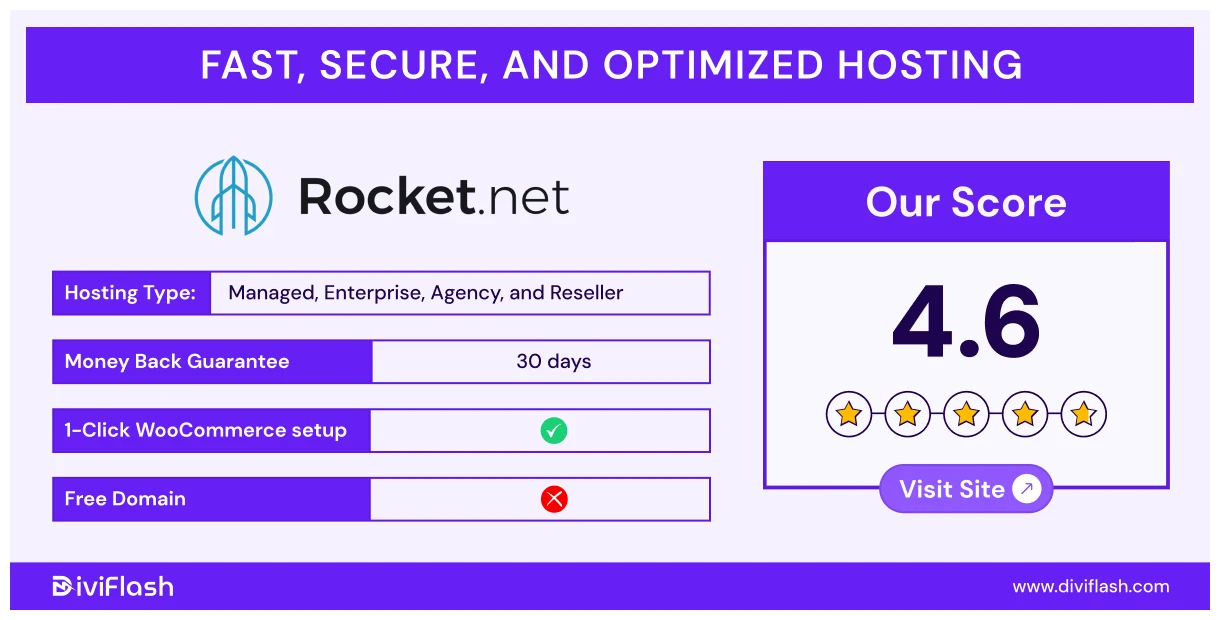
Rocket.net is one of the fastest WooCommerce hosting providers available today. It uses cloud-edge infrastructure and a built-in enterprise CDN to deliver your store’s pages almost instantly, no matter where your customers are in the world.
This hosting automatically scales and optimizes your WooCommerce store across more than 275 global locations.
Again, for your store security, you will have many advanced yet built WAF and automated bot protection and other features even for free.
On top of that, you’ll get a pre-configured and optimized environment, so you just have to integrate your store with Rocket and they’ll handle all the setup.
Key Features of Rocket.net:
- Global Speed: Rocket.net uses 330+ Cloudflare PoPs and 321 Tbps data transfer with 99.99% guarantee uptime for fast page loads, and a smooth experience for every customer worldwide.
- WooCommerce Optimized: Rocket.net is fully optimized for WooCommerce, improving your store’s metrics like site speed, SEO rankings, visitor retention, and sales.
- Cache Management: The platform includes Redis caching for free, along with smart tools like Activity Logging, File Manager, and Smart object Caching to handle heavy traffic efficiently.
- Security Features: Rocket.net provides built-in Enterprise WAF blocking over 90% of spam. Again, there’re other advanced security features like automatic malware patching, brute-force & weak password prevention, etc.
- Automatic daily Backup: It offers daily automated backups and unlimited manual backups at any time. Even, to reduce load, it keeps the daily backup files in different data centers for 14 days and manuals directly in computer files.
What we like the most
- Rocket team creates a complete replica of your website on a temporary URL. So, you can review and once approve it, and then they instantly re-sync everything to your live site.
- Instant WooCommerce migration, so your customers won’t experience any downtime, abandoned carts, or loss of data.
- You’ll get all the enterprise level security options at no cost, where some competitors take extra charge for those features.
What could be better
- This hosting doesn’t provide any email hosting with its plan. So, you’ll need other email tools to communicate with your customers.
- Compared to other hosting plans in the same price range, Rocket Hosting offers a limited amount of resources, such as storage and bandwidth.
Price of Rocket.Net:
- Starter: $30/month for 1 website
- Pro: $60/month for 3 website
- Business: $100/month for 10 website
So, this Rocket hosting will be a perfect choice, if you need super fast speed, security for your online store to give your customers a better shopping experience anywhere from the world.
Kinsta (Best for Centralized WooCommerce Management with High End Performance)
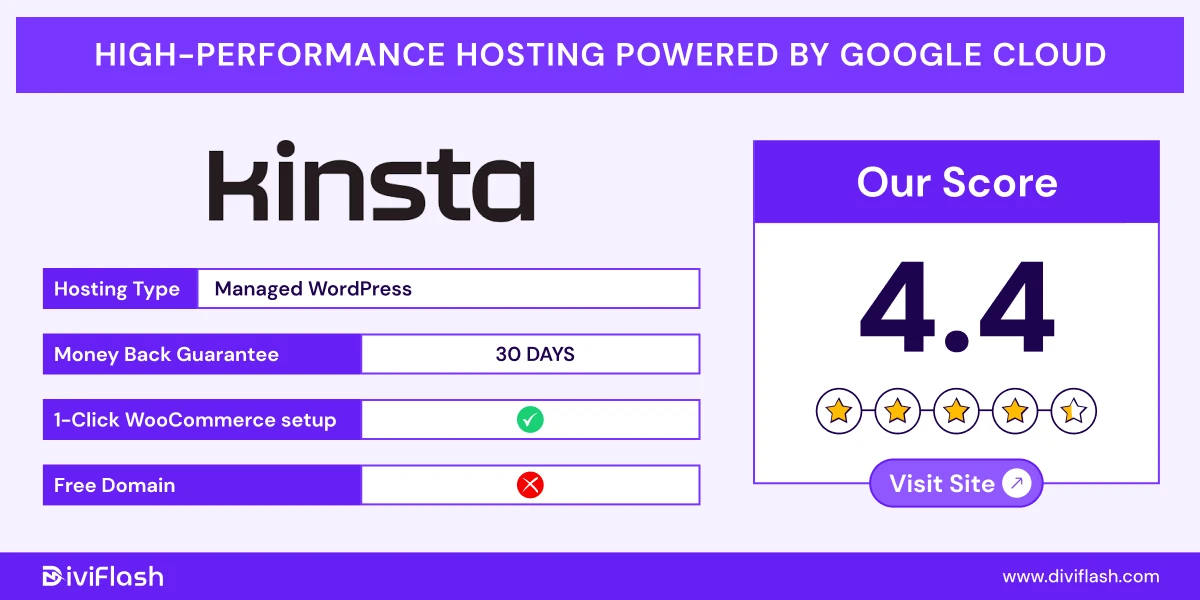
Kinsta is a premium managed WordPress host built for high-performance WooCommerce stores. It uses the Google Cloud Platform’s premium tier network with C2 & C3D, especially for large stores.
With 35+ global data centers, your store can choose the closest location to customers for faster load times even during high traffic.
The best part of Kinsta from WooCommerce is its dashboard. You’ll have all the performance matrices of your store and manage them using that one single place.
Again, Kinsta offers huge resource allocation from storage, RAM, bandwidth even with a customization scale. So, you’ll adjust your plan as your store needs and pay accordingly like cloudways.
Key Features of Kinsta
- Granular Customization and Controls: With MyKinsta, you get point-and-click access to over 20 management tools. You can easily manage redirects, block IPs, set geolocation rules, monitor admin activity, and use SSH to optimize your WooCommerce store.
- Edge and Server-Level Caching: Kinsta uses object caching, edge caching, and server-level caching optimized specifically for WooCommerce. This ensures your product pages, carts, and checkout load instantly for every customer.
- Automatic Scaling: During traffic spikes or seasonal sales, Kinsta automatically allocates more server resources so your store runs perfectly without any slowdown or downtime.
- Built-in Cloudflare CDN: Kinsta includes an integrated Cloudflare CDN with over 275+ global edge locations. It not only speeds up your store worldwide but also provides free DDoS protection and HTTP/3 support for better reliability and security.
- Daily Backups & Security: Your WooCommerce store is backed up daily with one-click restore options. Kinsta also includes free malware removal, uptime monitoring, and DDoS protection to keep your online store fast, stable, and safe.
What We Like the Most
- Kinsta smartly excludes key WooCommerce pages like Cart, My Account, and Checkout from caching. This ensures your customers always see real-time product data, prices, and order updates without any delay.
- Its built-in Application Performance Monitoring (APM) tool helps you detect and fix speed or performance issues visually, even if you’re not highly technical.
- Kinsta also provides optional add-ons such as dedicated servers and extra resources. So, if you don’t want to upgrade your entire plan, you can simply purchase the specific one your store needs.
What Could Be Better
- Kinsta’s pricing is on the higher side, which might not be ideal for beginners or if you have small WooCommerce stores just starting out.
- It also doesn’t include built-in email hosting, so you’ll need to use a separate service to manage your business emails.
Price of Kinsta
- For single site: Starting at $50/month
- For multiple sites: Starting at $115/month
- For agencies: Starting at $340/month
So, if you run a store with high traffic, many products, or global reach and you’re willing to invest in top-tier hosting, Kinsta is an excellent choice.
WP Engine (Best for Enterprise-grade Stores with Advanced WooCommerce Specific Features)
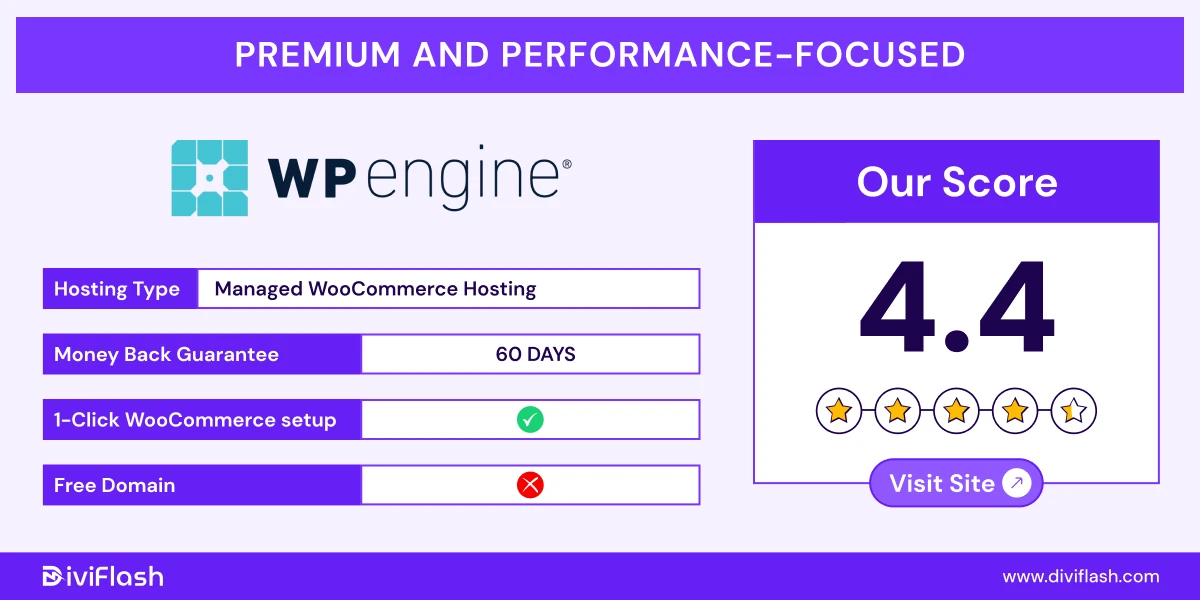
WP Engine delivers fast, secure, and high-performing managed WooCommerce hosting. It’s a great choice if you manage a large store with many products.
Even though WP Engine started offering its eCommerce hosting in 2021, it already comes with many advanced features with a “ecommerce Pack” for modern stores. The platform is designed to handle high traffic and heavy product catalogs with ease.
You can set up your online store easily using its built-in WooCommerce installer. The dashboard includes helpful tools to manage everything from one place without confusion.
For speed and global reach, WP Engine includes a built-in Content Delivery Network (CDN) with over 30 data centers worldwide. So, you’ll get one of the fastest speeds (0.93s) to load your store from almost everywhere.
Key Features of WP Engine
- Instant Store Search: WP Engine’s eCommerce plans include Elasticsearch for free. It gives your customers a faster, smarter way to search products using filters like price, category, and attributes. It can even suggest products as they type.
- Dedicated WooCommerce Optimizer with Layouts: When you create your store with WP Engine’s WooCommerce installer, it automatically adds an eCommerce Store Optimizer plugin. You also get Genesis Blocks Pro for free, which adds more blocks and ready layouts to the WordPress Editor.
- EverCache for WooCommerce: WP Engine’s EverCache system is built to work perfectly with WooCommerce. Normally, WooCommerce stops caching after a shopper adds products to their cart. But with EverCache, your site stays fast without breaking any cart or checkout features.
- Seamless Payment Integration: WP Engine connects easily with Stripe Connect, so you can offer more payment choices including digital wallets and “buy now, pay later” options.
- Automated Plugin Updates & backups: With WP Engine’s AI-assisted automatic updates, your WooCommerce plugins stay secure and up to date. You don’t need to manage updates manually. Again, there are automatic daily backups with manual any time backup system.
What We Like the Most
- WP Engine’s Live Cart feature keeps your store running for all even when many shoppers are checking out at the same time without any slowdowns or connection drops.
- You also get access to premium Genesis WooCommerce themes and Genesis Blocks, so it helps to build your store easily with professional design.
- Another standout feature is the Smart Search AI, which ranks products more intelligently and shows AI-powered recommendations. This helps customers find what they want faster and encourages them to add more to their cart.
What Could Be Better
- WP Engine doesn’t offer any email hosting. So, though there are lots of advanced features, you’ve to rely on other tools for emails.
- Also, the Essential plan doesn’t include the WooCommerce eCommerce pack. To get the full WooCommerce experience, you’ll need to choose either the Core or Enterprise plan. But, they are quite expensive for small or growing stores.
Price of WP Engine
- Essential: $59/month without ecommerce pack
- Core: $400/month with ecommerce pack
- Enterprise: custom pricing with ecommerce pack
So, choose WP engine, if you’ve large store with unlimited products and handle your store with advanced features especially for your store. But, this is not for any affordable even medium budget range store owners.
Nexcess (Best Woocommerce Hosting for Fast Speed with Bundle of free Plugins)
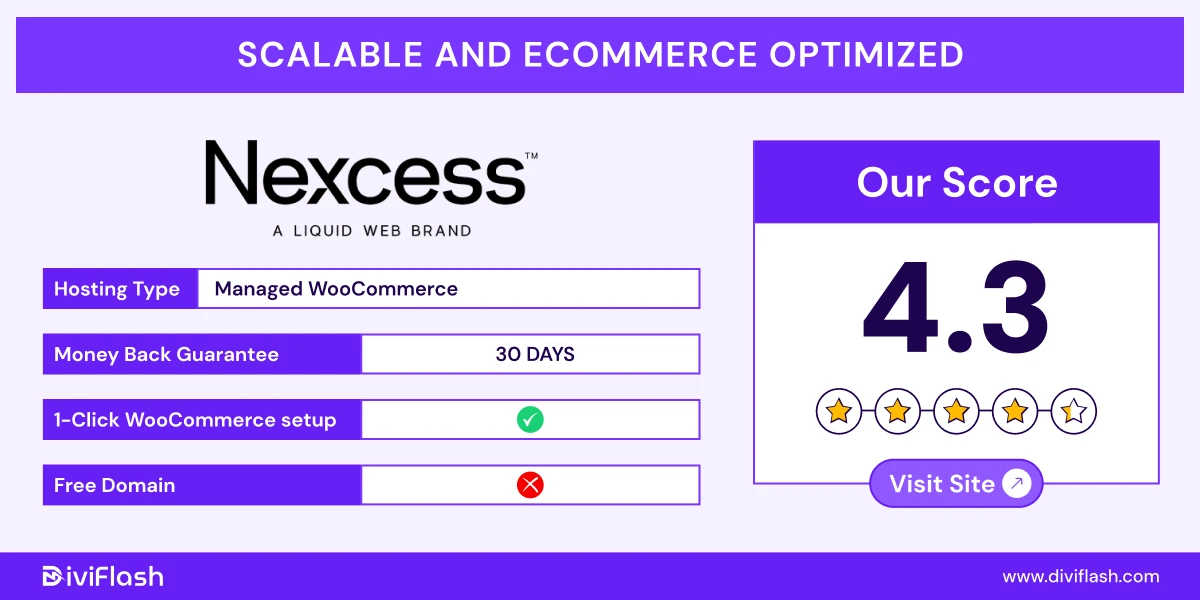
Nexcess is the managed WooCommerce hosting solution from the renowned web hosting platform Liquid Web. It’s even one of the few hosting that is officially recommended by WooCommerce.
Nexcess servers are fast using Edge CDN with 285 server locations. They can handle many orders at the same time without slowing down your store. With their free Iconic suite plugin, you get many advanced features like Flux Checkout, Sales Booster, Custom Fields, WooThumbs, and so many.
The best part of Nexcess is, it offers many advanced plugins to design, manage and even monitor your store performance even for free.
It includes the Sales Performance Monitor, which sends weekly reports about your store’s performance and potential slowdowns.
Again, you can also customize plans based on how many WooCommerce stores you’re running and your subscription length. And, all the options like storage, bandwidth will adjust according to it.
Key features of Nexcess
- StoreBuilder Wizard: Nexcess has a StoreBuilder tool that helps you create your online store instantly. Just answer a few simple questions about your business, and it automatically designs a professional store for your business.
- Automatic Monthly Autoscaling: It offers free monthly autoscaling. So, your store’s resources automatically increase during traffic spikes to maintain consistent performance and prevent downtime. It also offers WooCommerce Automated Testing to check that your checkout, login, and payment systems always active.
- Pre-Installed Woo Plugins: Not just woocommerce, Nexcess also auto installs premium other WooCommerce plugins for performance, security, sales even at zero cost
- Full-Coverage Caching:
Nexcess uses Nginx, Redis, MariaDB, and Object Cache Pro to speed up your store. It also offers Object cache pro to fast caching excluding sensitive pages.
- Real-Time Monitoring:
Nexcess includes tools like Sales and Plugin Performance Monitors that track your store’s performance constantly. They help you spot slowdowns or issues early to keep your store running without any trouble at all times.
What we like the most?
- Nexcess includes free SSL certificates for the entire life of your hosting plan.
- You can give team members customizable access to your hosting dashboard, so everyone on your team can work safely without sharing full account control.
- Nexcess also lets you replicate an existing store on your plan. This feature is great for creating templates, testing changes, or quickly launching a new store based on an existing setup.
What could be better?
- Compared to other hosting, it offers less storage space in the starter plans. You may have to upgrade or purchase extra resources if you’ve large store.
- Nexcess's basic plan lacks some advanced security features such as DDoS protection, multi-factor authentication, and extra firewall options.
Price of Nexcess:
- Spark – Launch: Starting at $6/month for 1 website
- Spark – Thrive: Starting at $12/month for 1 website
- Spark – Elevate: Starting at $24/month for 1 website
So, Nexcess is a great choice for growing WooCommerce stores and when you don’t want to invest on plugins for your store with an easy custom plan for multiple stores.
DreamHost (Best for Simple, Secure, and Affordable WooCommerce Hosting)
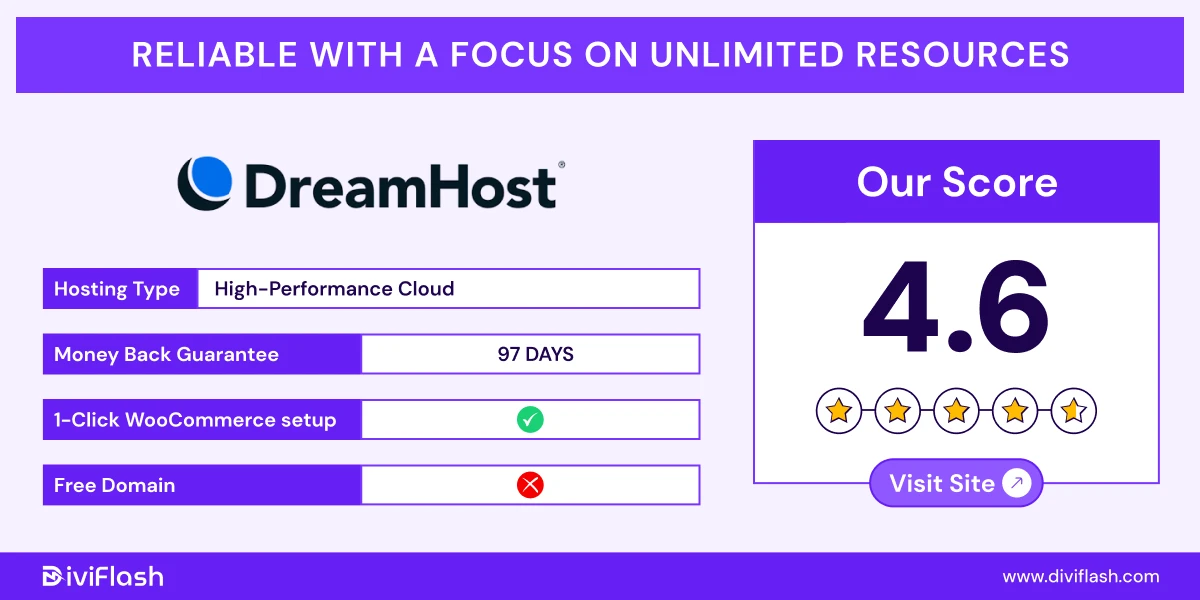
DreamHost is a trusted and affordable WooCommerce hosting solution designed for small online stores. Its dedicated hosting “Dreampress” plans mainly benefits starting stores where you want something easy to manage, monitor with zero tech knowledge.
WooCommerce comes pre-installed, so you don’t have to deal with any complex setup. You also get free SSL certificates and daily backups to keep your data safe and your site protected.
With its high-performance cloud platform, your store stays fast even when traffic increases.
Again, DreamHost is known for its 100% uptime guarantee and strong hosting setup. It’s a great choice if you run a small store and want a stable performance without spending too much.
And, on top of that, with its simple control panel, you can manage, monitor and even get analytics data from one dashboard.
Key Features of DreamHost:
- AI Website Builder:
DreamHost’s AI Website Builder helps you create a personalized WooCommerce store in minutes. It gives you full design freedom, with free themes, layouts to match your brand style.
- Large Plugin Library:
You get access to thousands of WooCommerce plugins for adding new features like advanced shipping, subscriptions, or unique product options and others. So, you can easily build an advanced functional store with ease.
- Page Caching and Performance Tools:
Built-in NVMe storage and caching boost your site’s loading speed. You can even adjust caching settings and don’t need third-party caching plugins.
- Web Application Firewall (WAF) Management:
DreamHost includes a WAF and powerful Jetpack security to protect your store from hacking, malware, and malicious traffic.
- Automated and On-Demand Backups:
It automatically saves your store data every day with a 14-day restore system. You can also create on demand backups anytime from your dashboard.
What we like the most?
- You can easily design your WooCommerce store the way you want. With DreamHost’s flexible tools and plugin options, you can create and customize every part of your store.
- DreamHost offers built-in AI business planning tools like advisors and planners. So, you can get help from these tools to set goals, track progress, and plan for growth directly from your dashboard.
- You can view real-time visitor data, track performance, and understand where your traffic comes from with its built-in analytics tool.
What could be better
- DreamHost’s WooCommerce hosting includes limited storage. Like its highest plan offers 120 GB. So. it may not be ideal for stores with lots of products or media files.
- Also, each plan supports only one website, so you’re planning to run multiple stores, this hosting won't be for you.
Price of Dreamhost:
- Dreampress: Starting at 19.95/month with 30 GB storage
- Dreampress Plus: Staring at 24.95/month with 60 GB storage
- Dreampress pro: Staring at 71.95/month with 120 GB storage
So, if you’re just launching your first Woocommerce store with limited products, you can clearly choose DreamHost.
Pressable (Best for Scalable WooCommerce Hosting with Continuous Uptime)
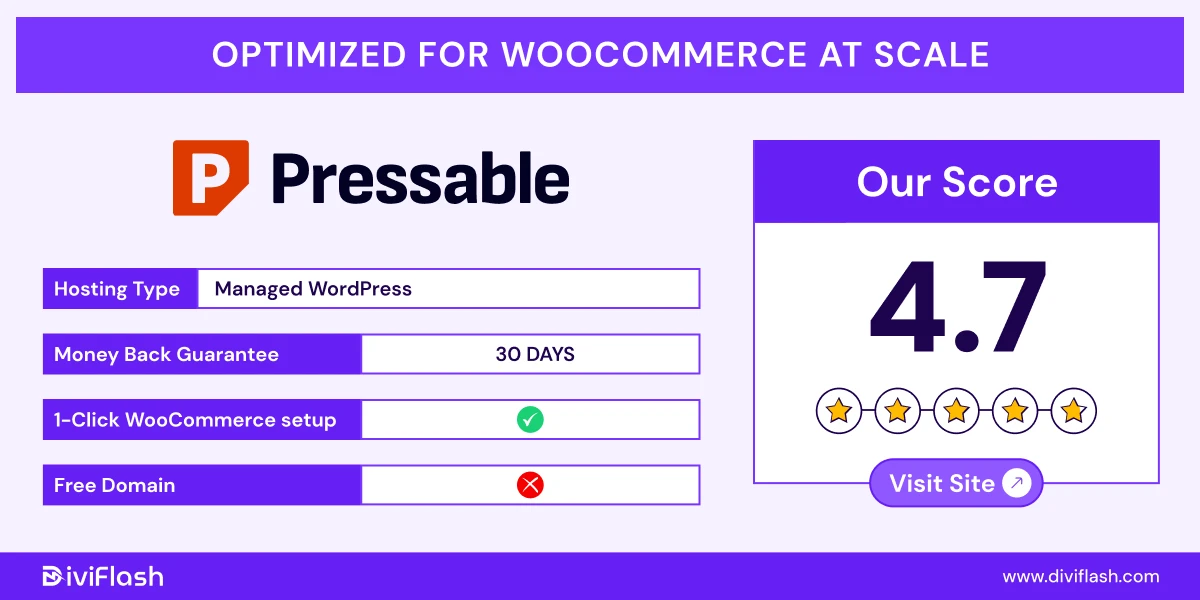
Pressable is a managed WooCommerce hosting platform powered by Automattic, the company behind WordPress.com and WooCommerce itself. So, Pressable’s infrastructure is built and optimized considering WooCommerce to deliver the best performance your store needs at every stage of growth.
WooCommerce comes pre-installed and auto-configured, so you can start selling right away without extra setup. The hosting also includes all of your store’s safety features like automatic updates, Jetpack security, and real-time backups for free.
Pressable’s platform is designed for speed and scalability. It uses a global Content Delivery Network (CDN) and built-in object caching to keep your pages fast (100% uptime), even during traffic spikes.
Again, the best part of Pressable is, it offers auto resource scaling and data sync especially to handle large and multiple WooCommerce stores.
So, no matter you’re launching a new store or managing a high-traffic one, Pressable’s setup automatically scales with your business demands.
Key features of Pressable:
- WooCommerce-Optimized Infrastructure:
Each server is fine-tuned for WooCommerce with built-in speed, security, and stability. You don’t need to optimize anything, it’s already ready for your store.
- Automatic Scaling:
Pressable automatically scales resources up to 100+ CPUs with bursting capabilities according to your store demand for performing at its best at all levels.
- Advanced Security with Free Jetpack:
Advanced security tool, Jetpack Premium comes free with every plan. Plus, Pressable includes real-time backups, malware scanning, and edge cache to protect your store from threats and data loss.
- Highly Available Geo-Redundant Failover:
Pressable’s global data centers automatically take over endpoints to keep your store online for any regional issues This setup is the main reason for their 100% uptime guarantee.
- Automated Performance Reports:
Get detailed performance and uptime reports directly in your dashboard. SO, you can easily track your site’s health and speed in real time.
What we like the most
- It provides support with the same team for Woocommerce, so you'll get expert support for all technical issues and store management.
- You can give team members specific access to your store, so everyone can work safely without affecting critical areas of your WooCommerce site.
- Pressable allows you to schedule plugin updates for your WooCommerce store according to your preferred timing. So, you can pause updates in the peak traffic or sales events.
What could be better
- You need to purchase email hosting separately, as it’s not part of the Pressable WooCommerce plans.
- If you consider price, the storage limit isn't enough compared to other hosting like cloudways.
Price of pressable:
- Signature 1:$25/month (1 site, 20GB storage, 30K visits)
- Signature 3: $60/month (5 sites, 35GB storage, 75K visits)
- Signature 5: $155/month (20 sites, 80GB storage, 400K visits)
- Signature 8: $675/month (100 sites, 325GB storage, 2M visits)
Hosting.Com (Best for Small or Personal Store with High Performance)
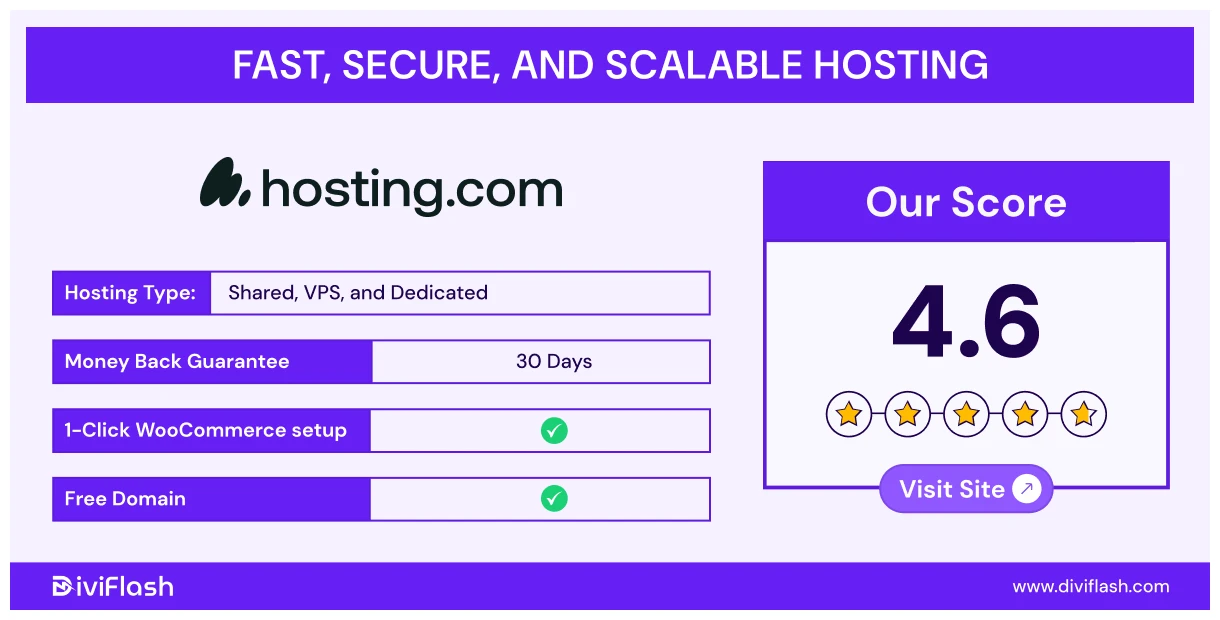
Hosting.com offers a WooCommerce hosting plan built to make your online store easy to launch and run. Their platform handles many of the technical tasks for you, so you can focus on selling instead of setup.
With WooCommerce pre-installed, you get started faster and without extra hassle. Beyond basic setup, Hosting.com emphasizes speed and security. The plans include built-in caching, fast storage, and strong protection.
This means your store stays quick and safe even as it grows. Their support and infrastructure are designed to help stores perform well from day one.
If you want a hosting provider that combines ease of use with dependable performance, Hosting.com is worth considering for your WooCommerce store.
Key Features of Hosting.com:
- High Performance Platform:
Hosting.com offers SSD storage, built-in caching, and an Woocommerce optimized infrastructure to load product pages quickly and reliably.
- Fast Performance with TurboHub:
Hosting.com uses TurboHub servers to make your WooCommerce store load super fast. It replaces the regular Apache setup and helps your pages load up to 20x faster.
- Scalable Plans:
As your WooCommerce store grows, Hosting.com offers plans to scale up when you need more CPU, memory, or traffic capacity.
- Strong Security Features
For security, Hosting.com includes free Premium RapidSSL certificates, automatic updates to keep software secure, and uses Jetpack protections like firewalls, brute force attacks, malware, DDoS attacks,and malware scanning.
- Store Backups
It provides automated backups and on-demand backup tools so you can restore your store quickly if something goes wrong.
What we like the most
- During setup, Hosting.com offers a selection of ready-made page templates built specifically for online stores. These templates are optimized for product showcases, checkout, and conversions.
- Hosting.com makes it effortless to secure your WooCommerce store with its one-click security hardening tool. It automatically scans for vulnerable settings and lets you fix them instantly.
- The Sell plan includes Performance Plus Traffic Surge Protection, which automatically adjusts resources to handle sudden traffic spikes.
What could be better?
- Each plan offers only 1 set, so it’s not suitable for multiple store owners.
- It doesn’t offer any advanced store set up features like AI website builder or ecommerce focused features such as payment integrations, data sync, etc for your store.
Price of Hosting.Com:
- Starter: $8.99/month for 1 site with 15 GB storage
- Plus: $10.99/month for 1 site with 30 GB storage
- Pro: $13.99/month for 1 site with 50 GB storage
- Max: $17.99/month for 1 site with 100 GB storage
WordPress VIP (Best Scalable WooCommerce Hosting for Advanced Store Management)
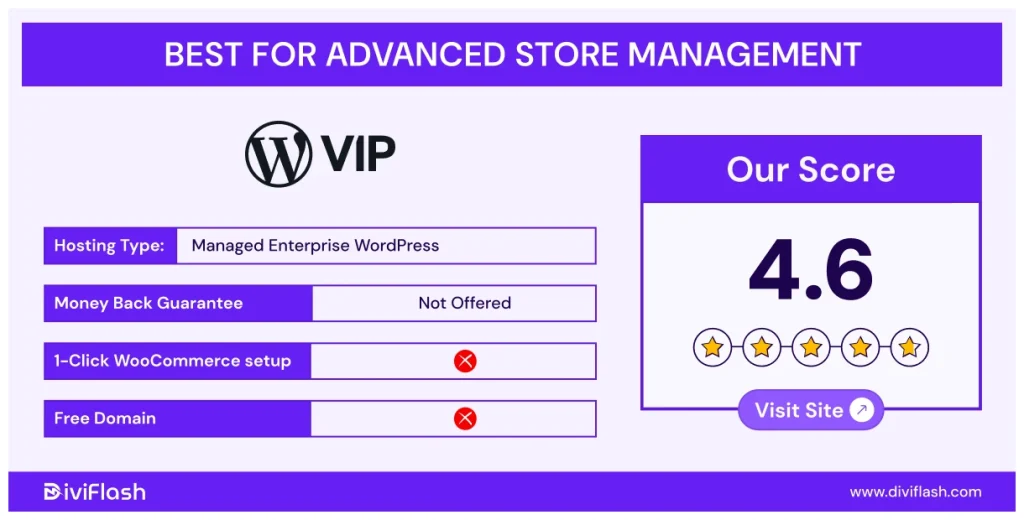
WordPress VIP is a premium managed hosting platform built for large WooCommerce stores. It’s designed for businesses with high traffic and need high performance, strong security, and mostly scalability.
This WordPress VIP is developed by Atomattic like Pressable. So, the platform is already optimized for WooCommerce to make your store ready to sell.
It offers enterprise-grade performance using 28 CDN endpoints with built-in caching, a global CDN, and auto-scaling to handle large traffic easily even during major sales or promotions.
For security, the platform offers advanced protection and compliance tools to keep your store’s data safe. It meets strict industry standards, so you can run your WooCommerce store with full confidence.
Key Features of WordPress VIP
- Dynamic Autoscaling:
WordPress VIP automatically adds more resources when your store traffic spikes, so your site stays fast and stable even during big sales or promotions. Again, once traffic goes down, it scales back automatically to save costs on unused capacity.
- Unified Content + Commerce Platform:
Easily manage your website content and online store from one place. This helps you grow your business and connect your marketing with your sales.
- Manage Multiple Stores:
It manages multiple WooCommerce stores from one single dashboard. This makes it easy to create, monitor, and control all your storefronts without juggling multiple platforms.
- Enterprise-Grade Security:
It includes multiple layers of security like edge protection, secure networks, access control, continuous monitoring, and code scanning for the highest level of protection for your store.
- Backup Data Centers:
WordPress VIP backups your store data automatically every day, even every hour. It also maintains separate backup data centers and creates hourly backups of key components to ensure full recovery in case of any issues.
What we like the most:
- It easily manages multiple sites, languages, currencies, and partners for running a global WooCommerce store.
- As an open-source platform, WordPress VIP offers endless customization options with the largest ecosystem of developers, plugins, and integrations.
- It offers more than 140 payment gateways with flexible billing options, including free trials, sign-up fees, and expiration dates for memberships or subscription-based stores.
What could be better?
- This hosting is very high-end and even there are hidden fees in the plans.
- Though it offers full customization flexibility, it doesn’t include any specific website builder tool to create your store easily.
Price of WordPress VIP:
VIP: Staging with $25,000/year based on traffic
GreenGeeks (Best Eco Friendly WooCommerce Hosting For Small and Easy Store Buildup)
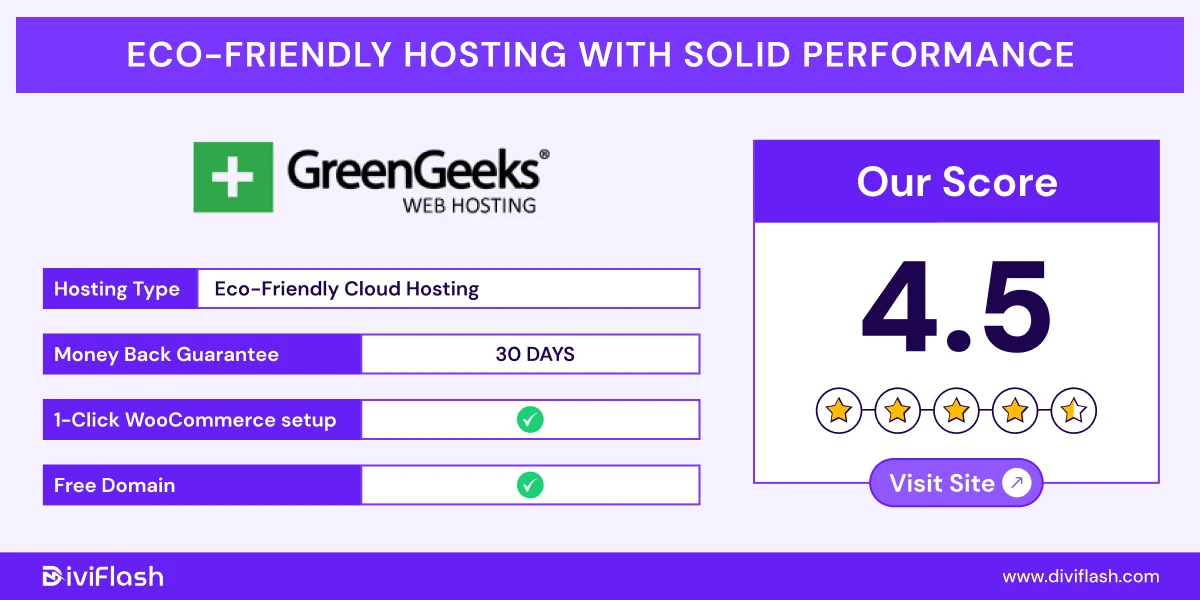
GreenGeeks is a performance-focused and environmentally friendly WooCommerce hosting provider. It powers your store using 300% renewable energy and even plants a tree for every new customer.
But being eco-friendly doesn’t mean it lacks power. WooCommerce comes pre-installed, and the hosting is fully optimized for online stores. GreenGeeks includes free CDN, SSD storage, LiteSpeed servers, and built-in caching, ensuring your store loads fast even during busy times.
The AI-powered website builder is another big plus. You can easily create your site with AI assistance, and it also includes content and SEO tools to help your store grow. Since GreenGeeks is built for beginners, its simple control panel makes store management easy for everyone.
Key Features of GreenGeeks:
- AI Website Builder:
Build your store easily with a drag-and-drop AI website builder builder. It offers content creation for products and conversion-focused templates with SEO optimization to rank your products better.
- LiteSpeed Technology:
GreenGeeks uses LiteSpeed servers with the LSCache plugin to deliver faster loading speeds. And, it offers 99.9% uptime to keep your store always online.
- Daily Backups & Security:
Automatic daily and on-demand backups to keep your data safe. It also offers real-time malware scanning and account isolation to protect your WooCommerce store from threats.
- Caching System:
Custom caching automatically updates your pages whenever you make changes. So, no matter how often you change your store database, it instantly updates it and keeps fast site performance worldwide.
- Scalable Resources:
As your traffic grows, you can easily increase CPU, RAM, or storage to keep your store running without slowdown.
What we like the most
- You can easily collaborate with your team by assigning specific access levels, keeping store management organized and secure.
- GreenGeeks offers an unlimited database. So, you can manage multiple projects or stores under one account without worrying about database limits.
- Professional business emails linked to your domain at no extra cost. So, you don’t have to rely on other tools for email hosting.
What could be better
- GreenGeeks doesn’t include advanced eCommerce tools or WooCommerce-specific support like payment or shipping features. So, it won’t be suitable for larger or more complex stores.
- Some users also report that the support system often delays response. As it is mainly built for beginners, it can be an issue.
Price of GreenGeeks:
- Lite: $12.95/month for 1 site with 25 GB storage
- Pro: $17.95/month for unlimited sites with 50 GB storage
- Premium: $29.95/month for unlimited sites with 100 GB storage
BlueHost (Low-Cost Beginners WooCommerce Hosting with Advanced Sales and Store Tools)
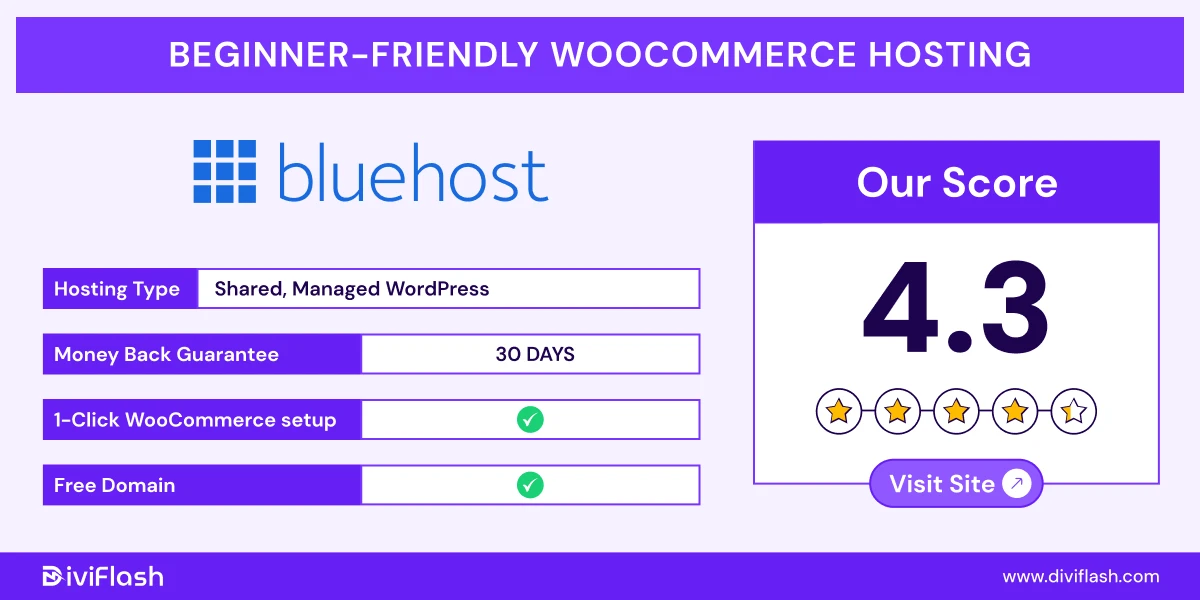
Bluehost is one of the WooCommerce recommended and most beginner-friendly hosting options for your store. It comes with automatic WooCommerce installation, so you can launch your store without any technical setups.
Again, Bluehost just does not provide hosting features, it comes with a lot of store management and marketing features to help and automate every step from building to selling your products.
You’ll get store builder, shipping, products managing tools, and other dedicated SEO support. So, if you just have products and know nothing about online WooCommerce stores, Bluehost can take care of everything.
Each plan also includes free SSL for security, a dedicated IP for better stability, secure payment integration and caching features.
Plus, Bluehost’s premium WooCommerce support team is always available to guide you through setup, customization, and store growth.
Key Features of Bluehost:
- Robust Hosting Plans:
Bluehost offers two dedicated plans for your Woocommerce store. Online Store and Online Store + Marketplace. You can sell directly from your online store or expand to platforms like Amazon, Etsy, and eBay.
- WooCommerce-Optimized Tools:
Both plans come with built-in eCommerce features like real-time automated backups, secure payments, and detailed store analytics. You can also create custom gift cards, run discounts, or use wishlist options to improve the shopping experience.
- Enhanced Security and Support:
Bluehost includes free SSL, DDoS protection, daily malware scanning, and a web application firewall. Again, it offers advanced security tools like Jetpack and CodeGuard.
- Marketing and SEO Tools:
Bluehost offers pre-installed marketing tools like Youst to improve your SEO, run promotions, manage email campaigns, and integrate social media to attract potential traffic and increase sales.
- Reliable Storage & Backups:
Bluehost provides automatic backups to keep your store data safe. If something goes wrong, you can easily restore your site with just a few clicks.
What we like the most?
- Bluehost’s AI Website builder tool. Even if you’re new to website creation, you can build a personalized, ready-to-sell online store easily with it.
- You get free access to official WooCommerce plugins like shipping tools, product add-ons, and payment integrations.
- Many advanced tools are available in the starter plans. If you’re a small store, it’s more than enough.
What could be better
- Both plans offer the same storage limit (100 GB). So, if you’re dealing with large store, upgrading plans won’t be beneficial or there is also no option for auto resource scaling.
- You may face performance issues during high traffic as no advanced edge caching is available.
Price of BlueHost:
- eCommerce Essentials: Starting at $14.99/month for 100 sites and 100GB storage
- eCommerce Premium: Starting at $21.99/month for 100 sites and 100GB storage
InMotion Hosting (Best for Large WooCommerce Store with High Traffic)
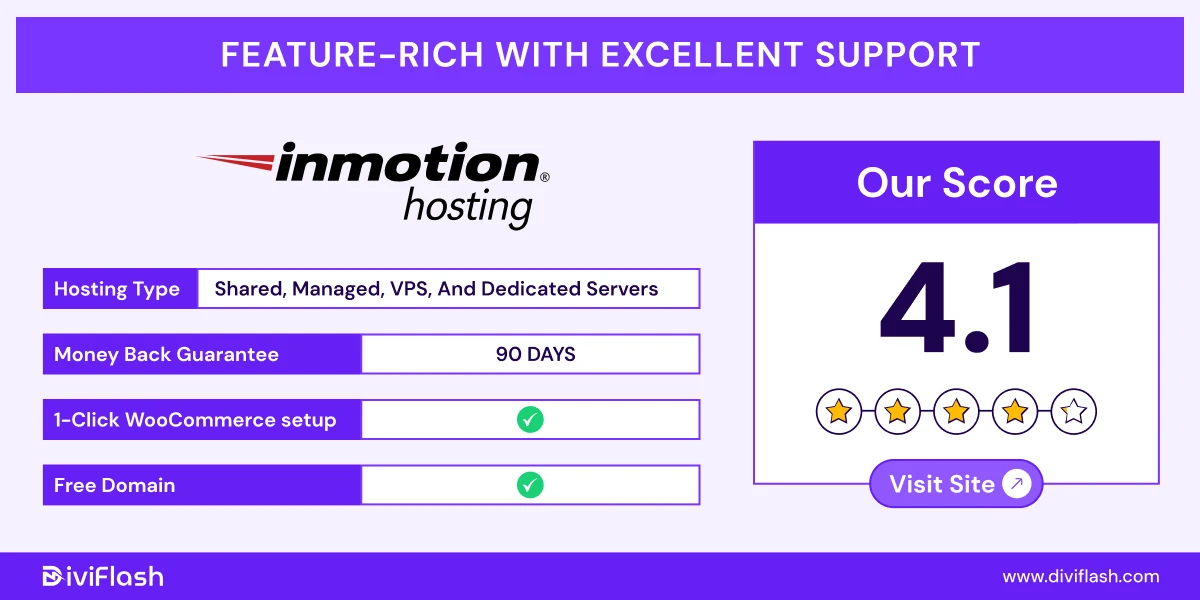
InMotion Hosting is one of the top names in the web and WooCommerce hosting industry. It offers managed hosting that’s optimized for WooCommerce stores.
With custom built and high-speed servers, you can launch your store quickly without any complex setup.
It runs on NVMe SSD storage and UltraStack infrastructure, for faster loading speed and stable performance, even during busy traffic hours.
You’ll also get a feature-packed yet simple dashboard with tools like free SEO plugins, advanced security features with this hosting.
Plus, InMotion includes one-click installs, free SSL certificates, and 24/7 expert support for your WooCommerce stores.
Key Features of InMotion:
- Effortless Store Management:
Easily manage your WooCommerce store with InMotion’s simple control panel. You can perform basic and advanced maintenance tasks without needing deep technical knowledge.
- Performance Optimization:
InMotion’s UltraStack infrastructure is built for speed, and with NVMe SSD storage, it goes up to 40x faster page loads. Again, with W3 total cache pro tool, your site stays quick, even during high-traffic periods.
- Scalable Resources:
As your business grows, you can easily scale your server resources to handle more traffic and products without downtime or performance loss.
- Robust Security Measures:
Your store stays protected with malware monitoring, DDoS protection, and regular updates. These built-in features ensure your WooCommerce site remains secure and stable at all times.
- Automatic Backups:
InMotion automatically creates off-site backups every 24 to 36 hours, so your data stays safe and recoverable whenever needed.
What we like the most?
- You can migrate your WooCommerce store effortlessly without any extra cost or downtime.
- InMotion includes very high to unlimited disk space even in the basic plans, so you don’t need to worry about resource allocation for your store.
- The plans include traffic handling power up to 50,000 to 10, 000,000 visits per month which is more than enough for medium to large-sized WooCommerce stores.
What could be better?
- The fully managed and enterprise plans are priced 20x to 60x higher than the starter plan. So, scaling up can become quite expensive as your store grows.
- The starter plan lacks threat protection, CDN configuration, and other advanced features. So, it’s only suitable for small or local WooCommerce stores rather than global ones.
Price of InMotion Hosting:
- Self Managed: Starting at $10/month with 50,000+ monthly traffic
- Fully Managed: Starting at $200/month with 250,000+ monthly traffic
- Enterprise: Starting at $600/month with 1,000,000+ monthly traffic
Which WooCommerce Hosting Will be Best for Your Store?
Have you already chosen your right Woocommerce hosting?
Congratulations!
However, if you need a summary of the best ones for your specific store need, then, it’s right here:
- Best for Small or Beginner’s Stores: Hostinger, Bluehost, and SiteGround
- Best for Affordable stating: Hostinger, DreamHost, and Bluehost
- Best for Growing or Enterprise Stores: WordPress VIP, WP Engine, Cloudways
- Best for High-Traffic or Large Stores: Kinsta, Rocket.net, WPX, InMotion
- Best for selling globally: Kinsta, Rocket, Cloudways, WPX, Nexcess and SiteGround
Hope, this’ll help you further to get one and start selling with your online store.
Still, we’ve also covered some other best hosting for particular sites or demand.


0 Comments