

Studies show that 83% of customers consider a company’s website their main source of information, and 51% of them prefer self-service options like an FAQ page.
That's not surprising in today's fast-paced, AI-driven era, where Information has become the fuel of the 21st century. Now users want instant answers without waiting for customer support.
That is exactly where the FAQ Page helps. It helps users find quick and accurate answers about your business, products, or services directly on your website.
A well-optimized FAQ Page not only improves the user experience but also enhances your visibility in the Search Engine Results Page (SERP) within the People Also Ask snippet. And can even get referred to AI chats by Large Language Models (LLMs).
In this guide, we have gathered the best FAQ page examples and templates to inspire your next design. You will also discover the key elements every FAQ page must include to drive the best engagement and conversion.
What is an FAQ Page?
An FAQ Page, short for Frequently Asked Questions, is a dedicated section on a website that answers common queries visitors may have about your business, products, or services.
It works as a self-service knowledge base that helps users find accurate answers to their questions directly from your website without contacting your customer support.
While FAQ pages are most common for businesses, they are equally important for nonprofits, education institutes, and government websites where users need quick and reliable answers.
The goal is very simple:
To improve user experience, reduce repetitive support requests, and build trust by offering transparent, helpful information where people expect to find it.
After building effectively, an FAQ page becomes more than just a list of questions and answers. Moreover, it turns into a powerful tool that keeps your users engaged and informed, boosts conversion, and makes search engines satisfied.
Types of FAQ Page
Not all FAQ pages are the same. The types vary based on their placement, format, and accessibility on the website.
Here are the most common types of FAQ pages you can take inspiration from:
1. Single FAQ Page:
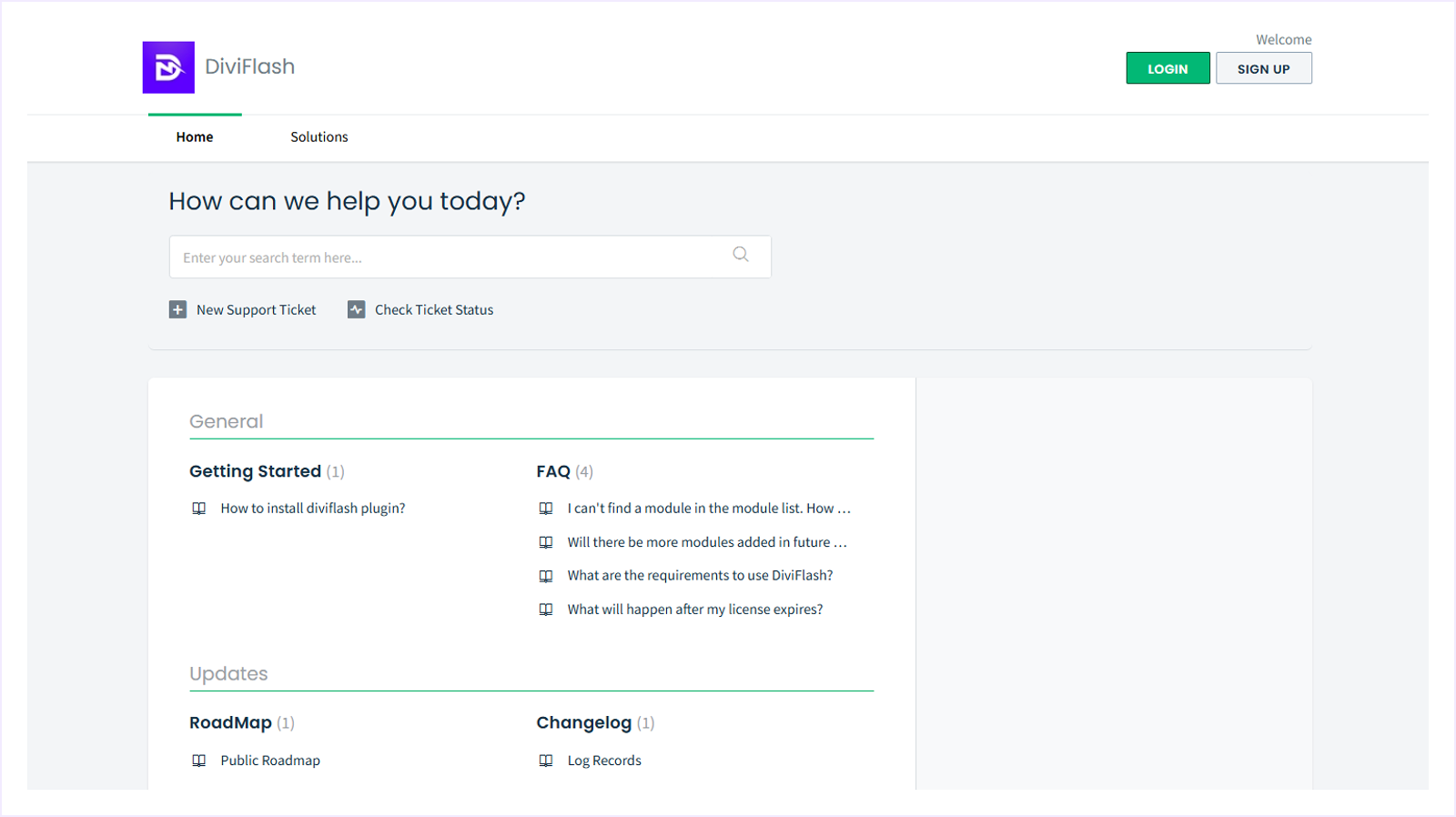
This is the most common FAQ type, where all frequently asked questions are listed one by one within a standalone webpage. This type of single-page FAQ is best for businesses with a small number of customer questions.
2. Homepage FAQ:
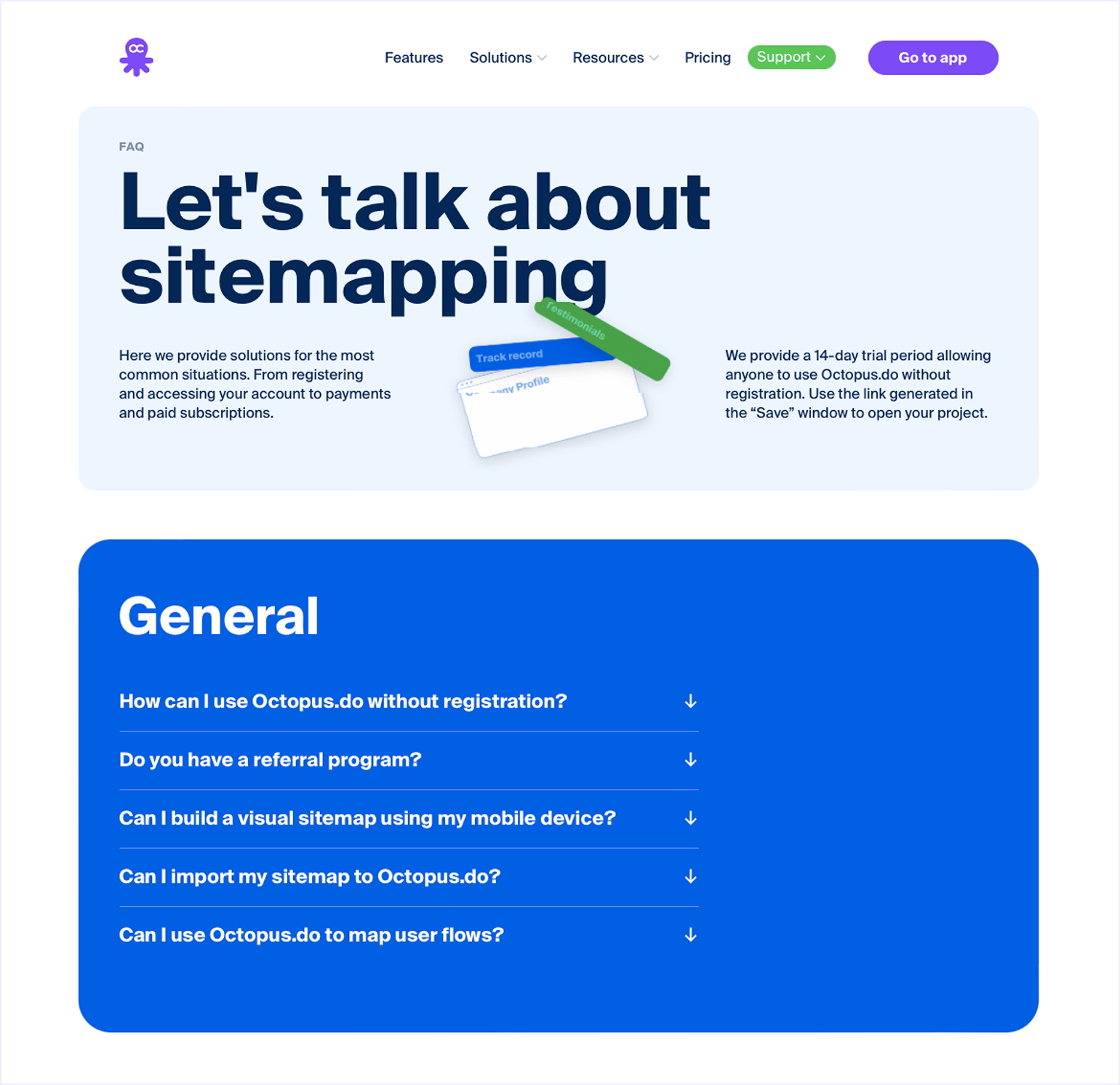
This is a type of short FAQs that are placed on your homepage to address visitors' concerns quickly, such as use cases, pricing, and refunds that affect conversions.
3. Product/Service page FAQs:
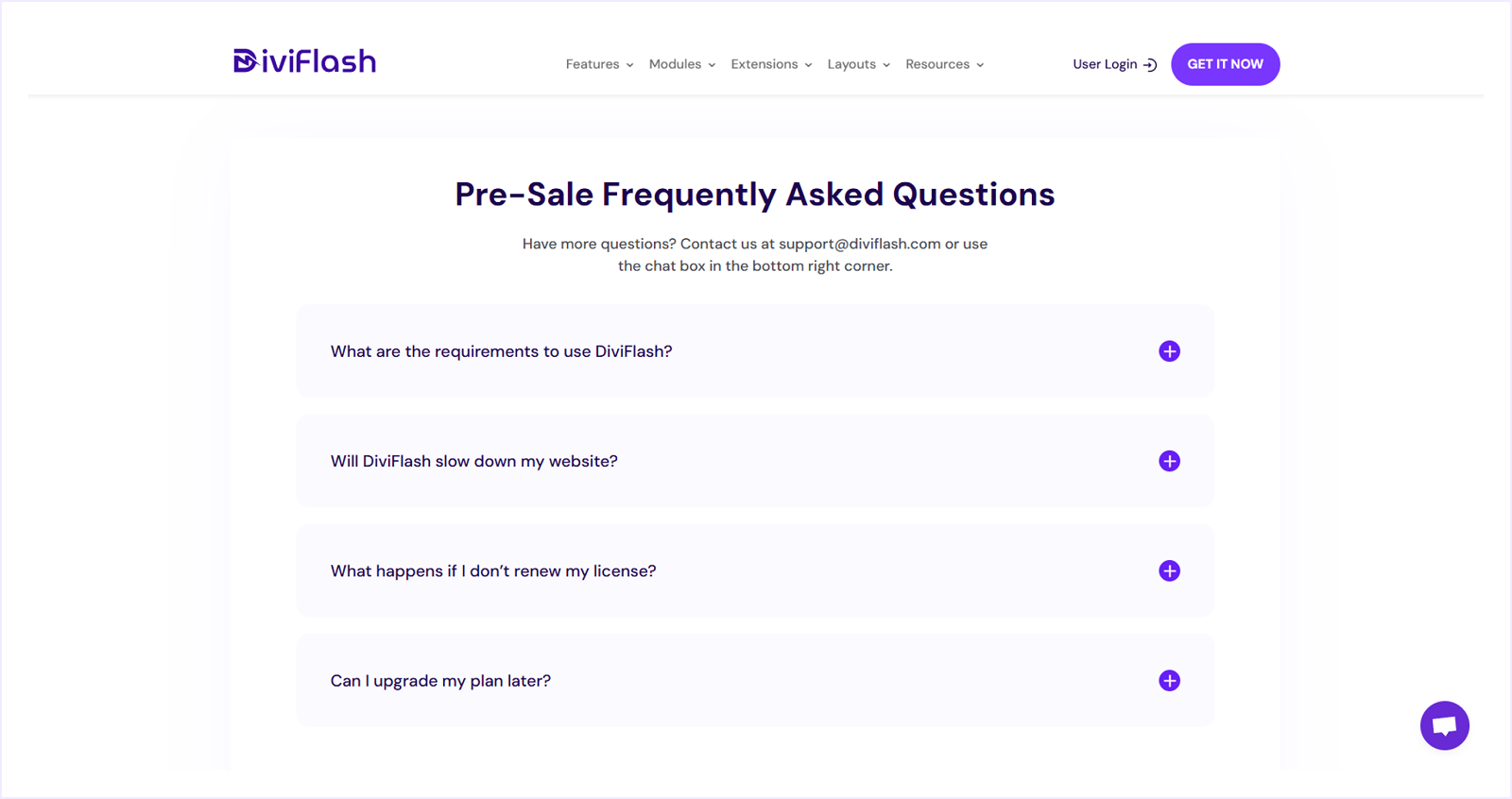
It's the type of FAQs that are integrated directly within the product or service page to address specific questions about the product/service, such as payment, refund, shipping, warranty policy, and product description, that help users reduce hesitation before purchase and the businesses with better conversion rates.
4. Knowledge base:
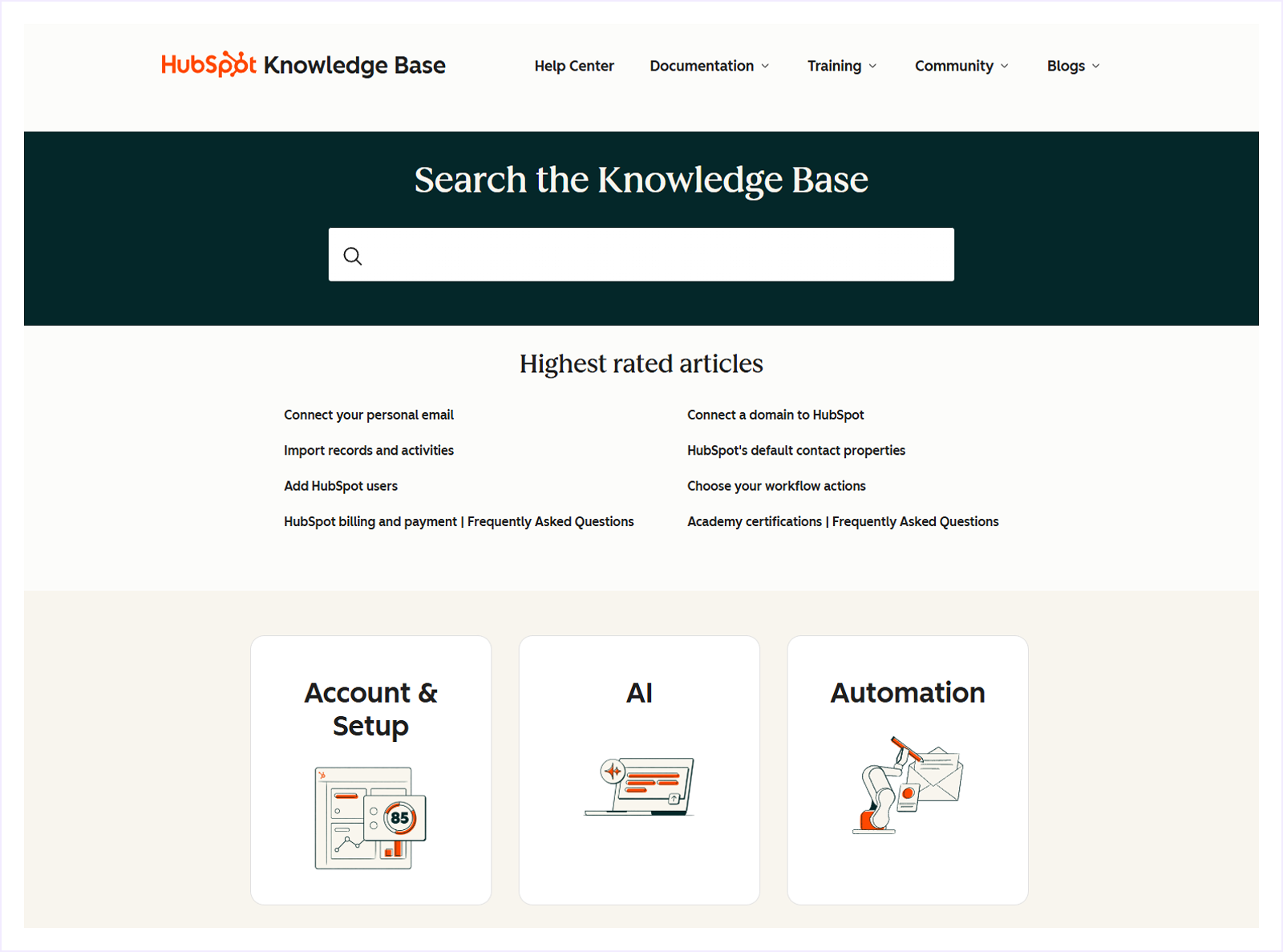
These types of FAQs are organized in a documentation-style layout with guides, tutorials, and troubleshooting steps. Often works as a complete self-service support center for users who prefer detailed explanations.
5. Blog Post FAQ:
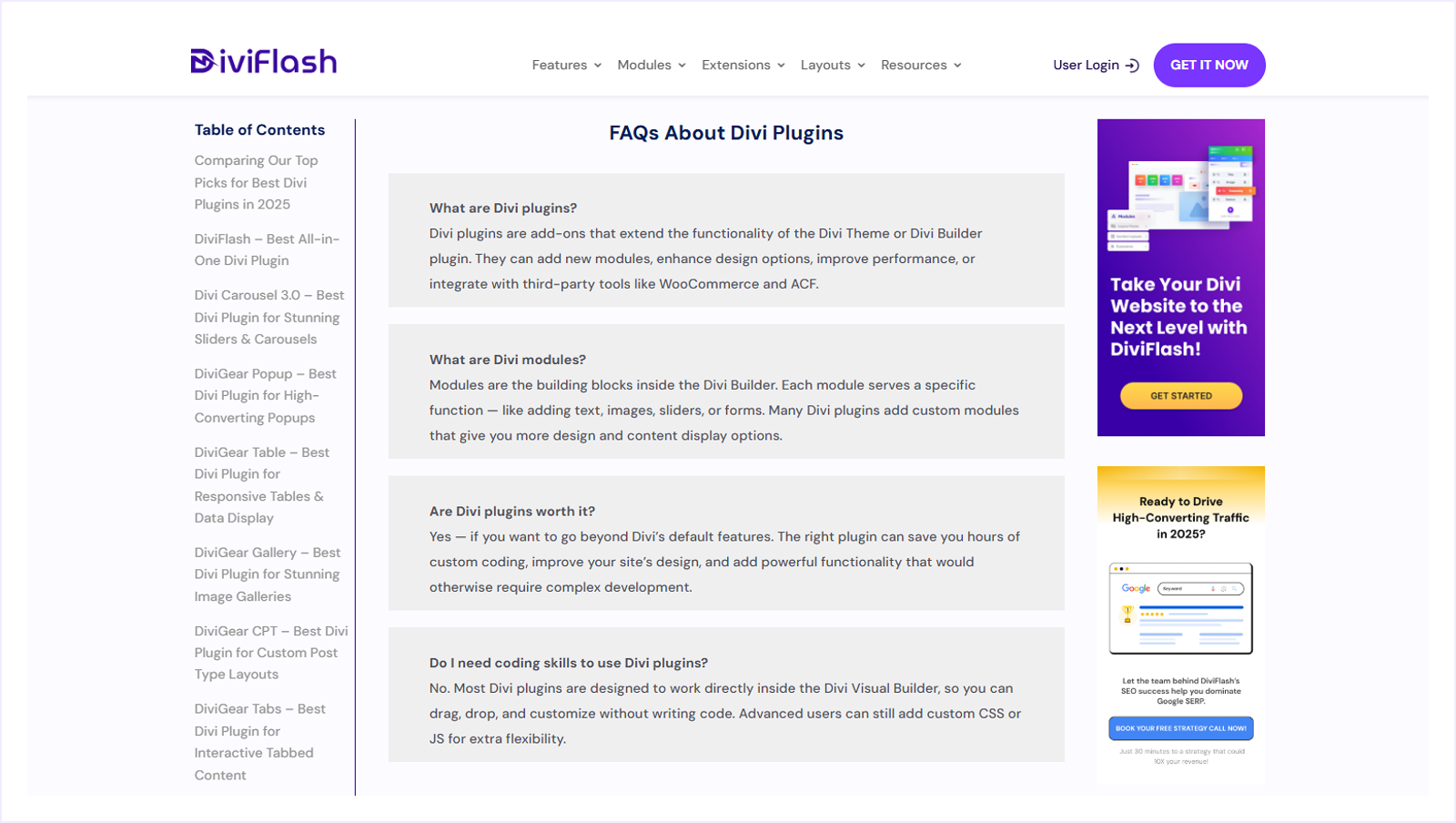
These types of FAQ are often added at the end of a blog post to answer related questions based on the content topic. It helps users understand the content better and improves the SEO performance.
6. Searchable & Categorized FAQ:
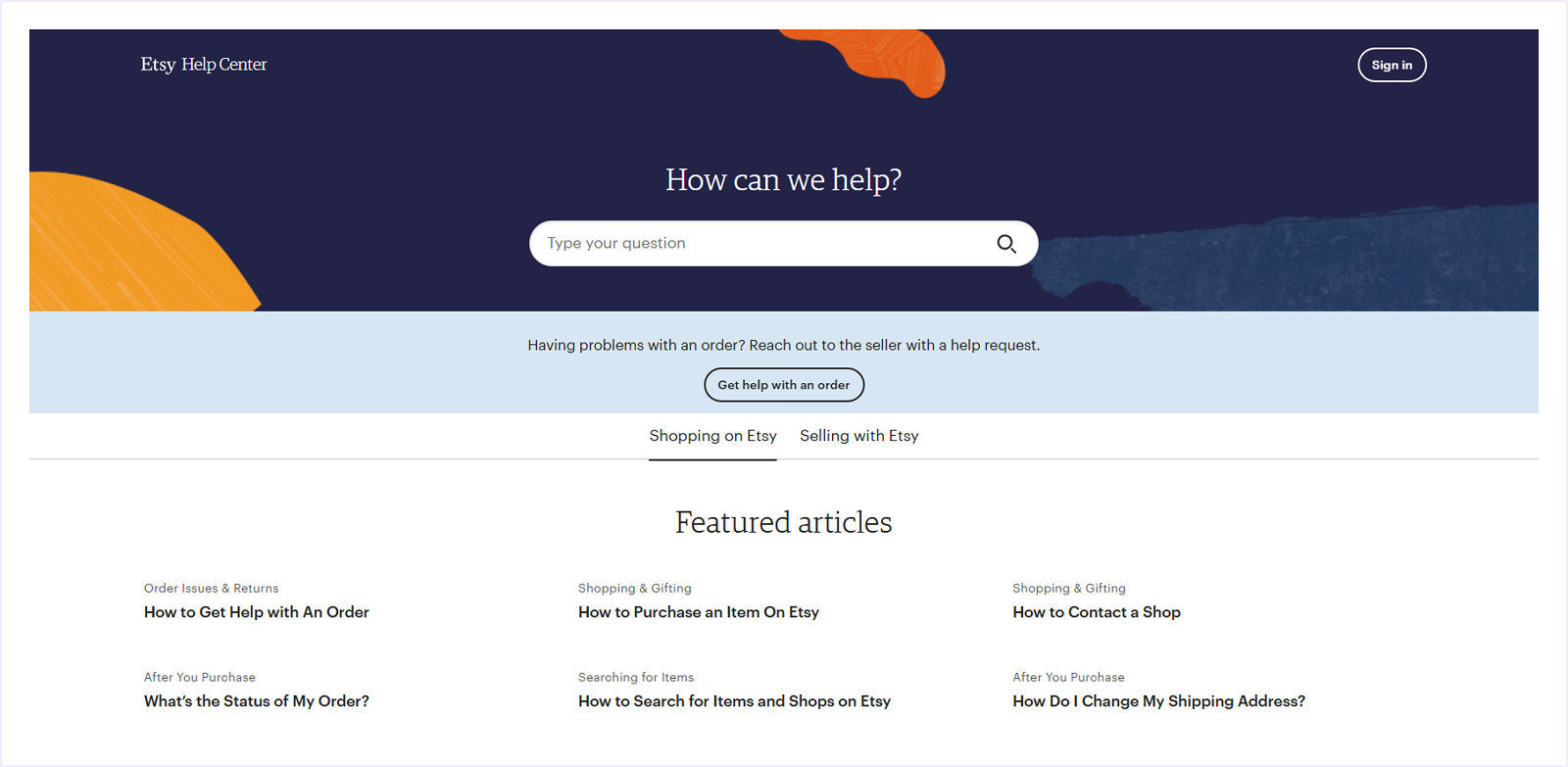
It's an advanced FAQ layout that includes a search bar with a category filter. Users can search for any topic by typing the keywords or browse by topics to find answers instantly. Best for the websites that handle a large number of topics and queries.
7. Interactive FAQ (Accordion or Collapsible Layout):
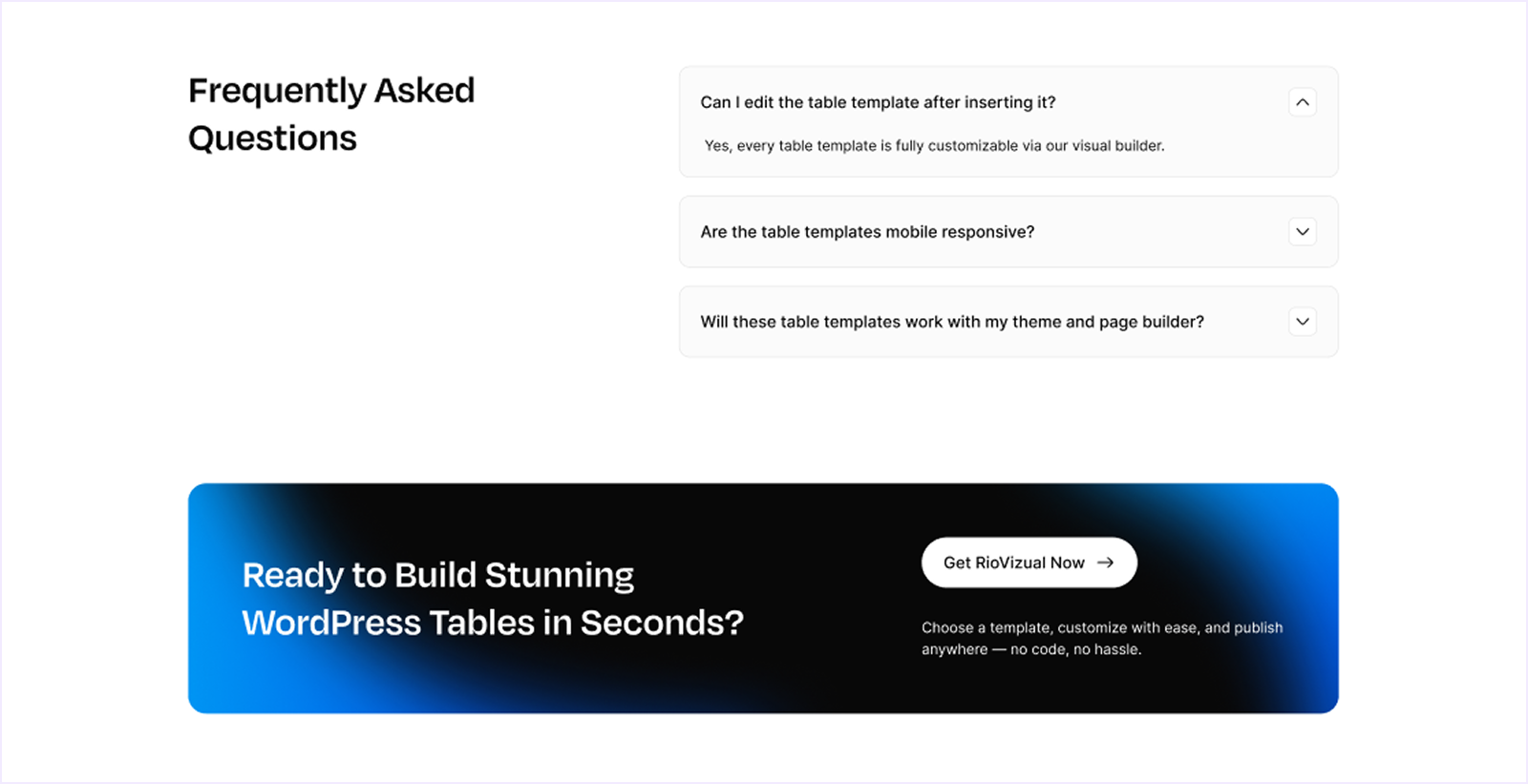
This type of FAQ differs in its expandable display style. Questions are displayed with expand toggle icons; users can click to expand or collapse the answer they need. It keeps the design clean and interactive, and works perfectly for mobile users.
8. Video FAQ:
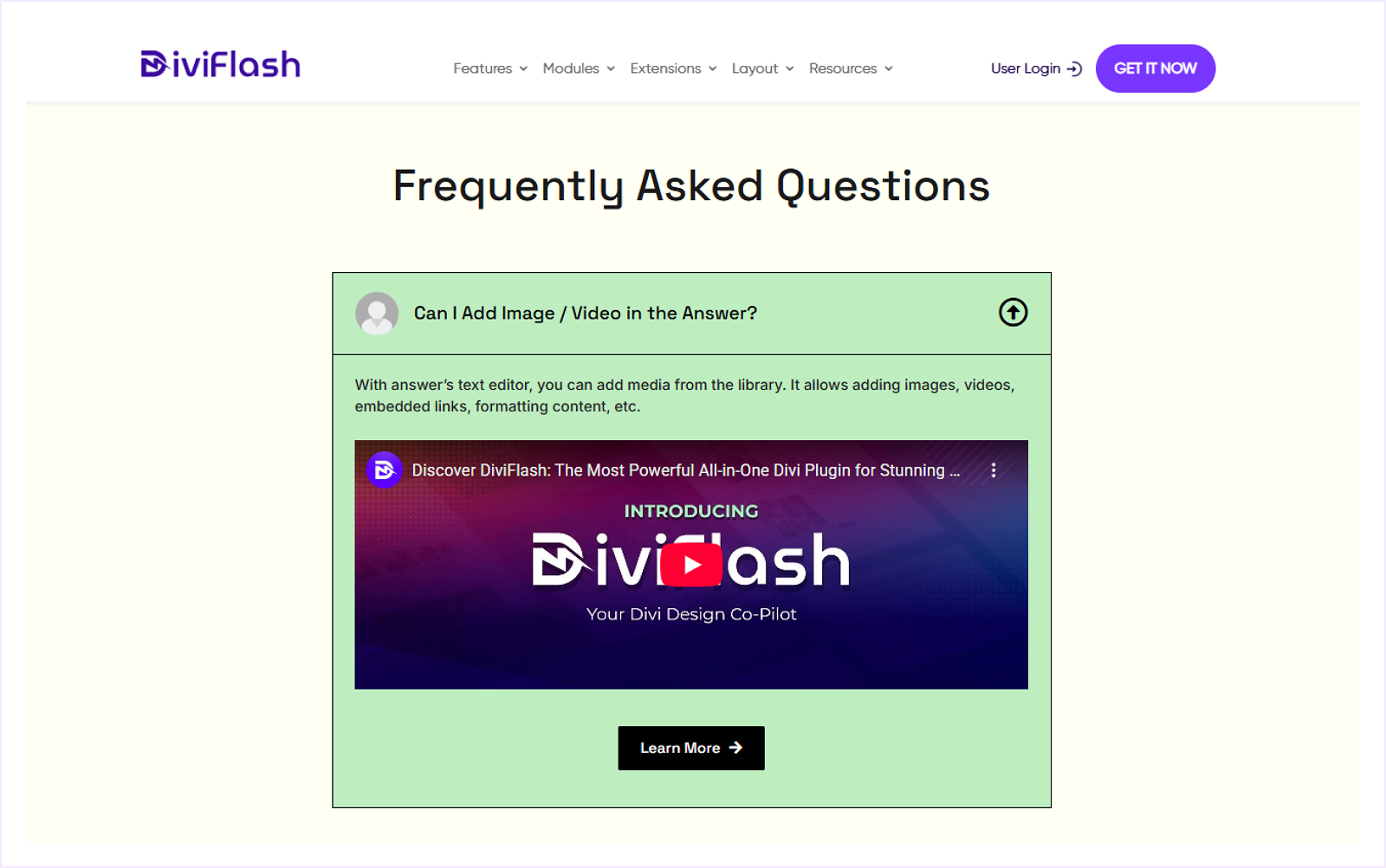
Instead of text, this type uses short video clips to answer common questions visually, perfect for explaining complex products, tutorials, or walkthroughs, which can be better explained with videos than written words.
9. AI-Powered FAQ:
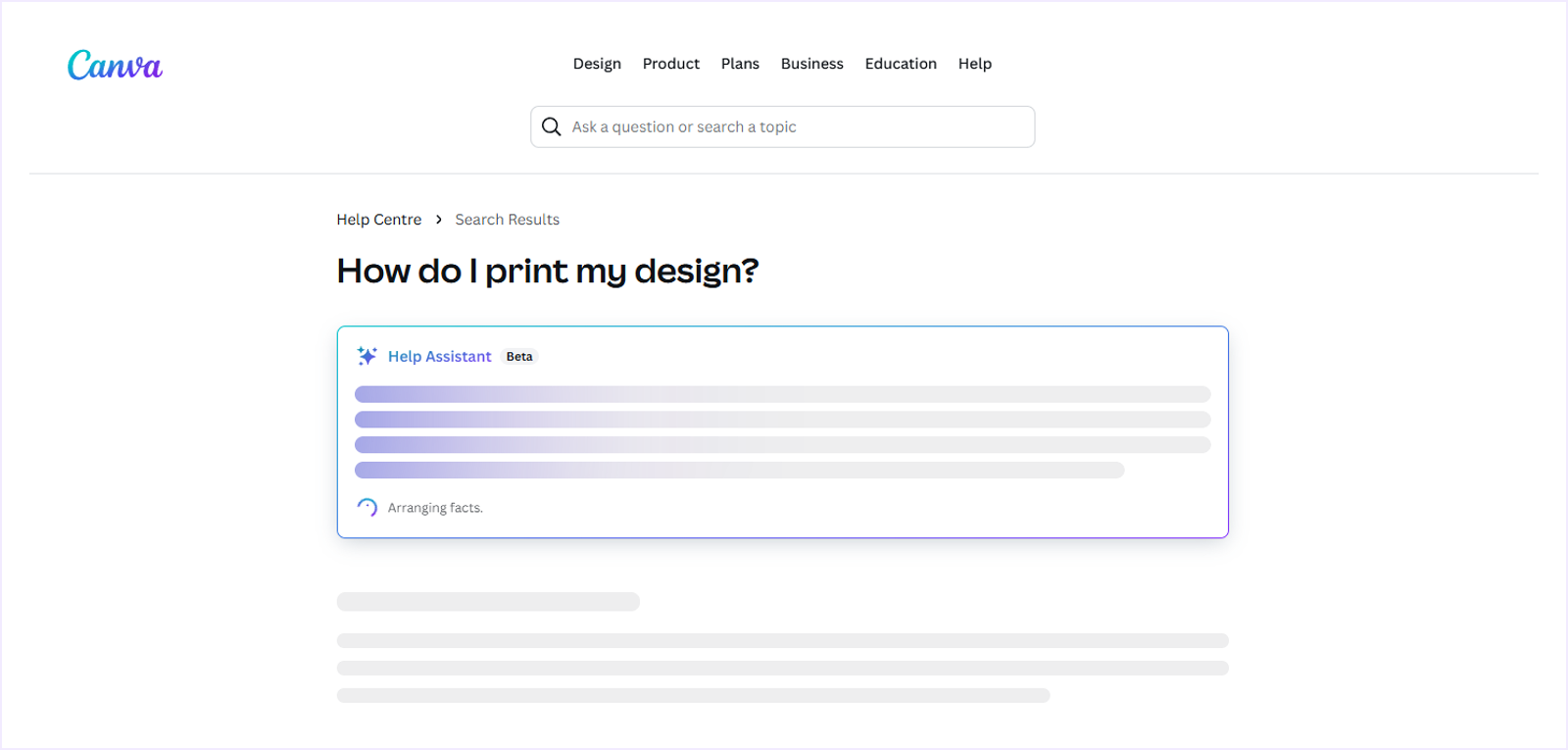
This is the newest and smartest form of FAQ, powered by AI or chatbots that deliver instant conversational answers to user questions.
Instead of browsing through pages, users can type or speak their queries, and the chatbot provides an immediate personalized response with its trained data from the company's website. It's a great way for companies that provide customer support with 24/7 availability.
Key Elements to Build an Effective FAQ Page
Building an FAQ page isn't just about listing questions and answers. To make it effective, you need to design it with clarity, usability, and SEO in mind.
Here are the key elements that make an FAQ page effective:
- Logical Categories: Organize related questions under clear headings and logical categories for easier navigation.
- Search Bar: Add a search bar so users can find answers instantly by using specific keywords.
- Conversational Answers: Write personalized, user-centric, and conversational responses to make them short, engaging, and easy to understand.
- Internal Linking: Answers connected with related pages, guides, or blog posts to provide deeper and further information.
- FAQ Schema: Implement FAQ schema markup in the backend so search engines like Google can better understand your content and feature it in the "People Also Ask" snippet.
- Interactive Design: A dynamic design with accordions, toggles, or tabs that avoids clutter and text-heavy pages and provides a better user experience.
- Mobile Responsiveness: Ensure your FAQ page looks great and loads fast on all devices, including desktop, tablets, and mobiles.
- Analytics and Tracking: Set analytics in the backend, like GA4 or heatmap, to track which questions are getting the most clicks and identify the unclear answers.
- Visuals: Add icons, screenshots, or short explainer videos to make complex answers easier to understand and visually appealing.
- User Feedback: A feature that gives users the ability to rate the answer to maintain the accuracy and user experience.
Best FAQ Page Examples for Any Website
We have gathered some of the best FAQ pages from around the internet so that you can take inspiration from them. Here are the best FAQ page examples:
1. Spotify
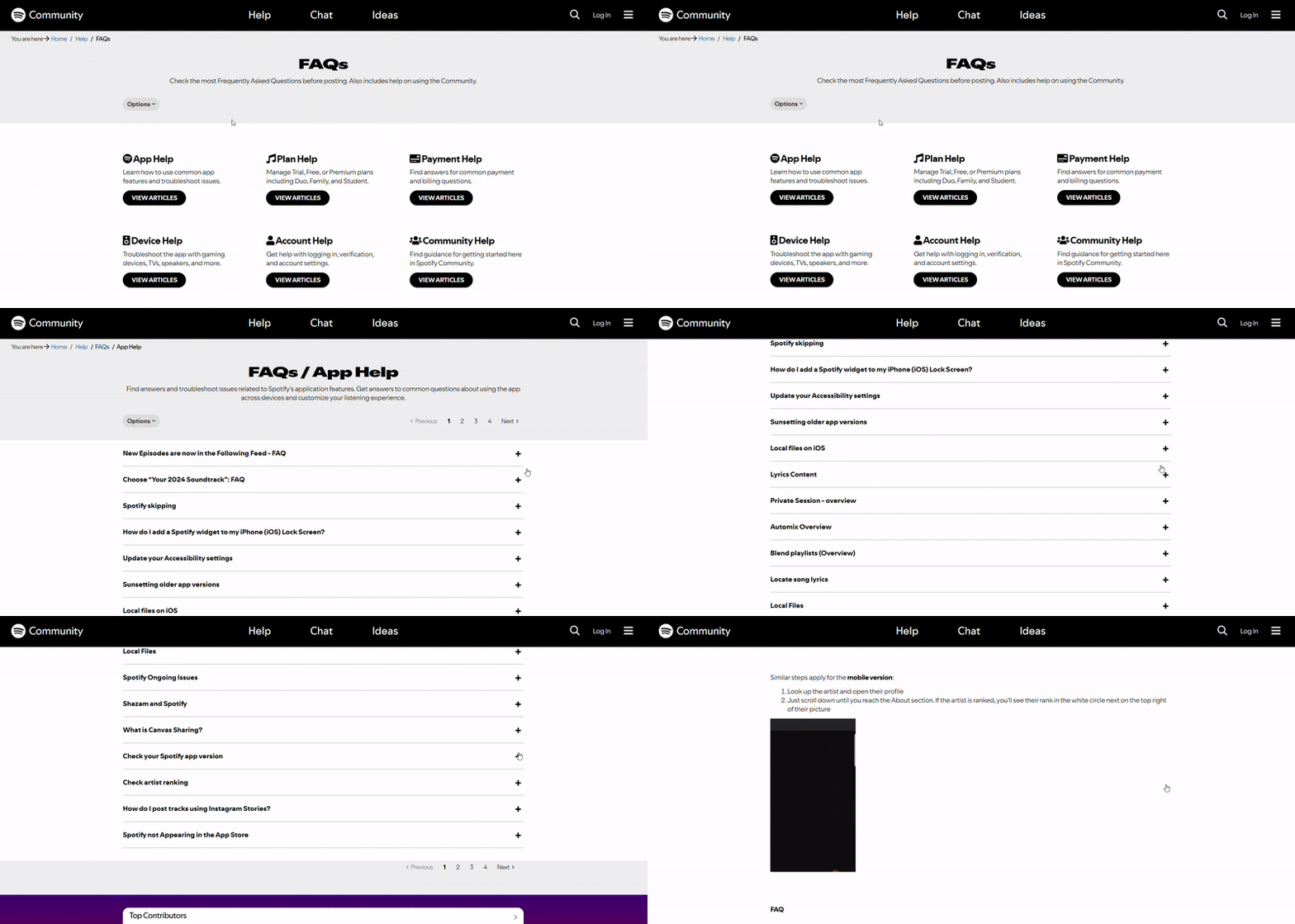
Spotify's FAQ page is part of its Community Help Center, featuring clean, categorized sections like App Help, Plan Help, Payment Help, Device Help, and more.
Each category leads to an accordion-style list of questions and answers on specific issues such as app troubleshooting, payment errors, and device compatibility.
With a simple, searchable layout, it helps users find relevant topics quickly without any visual clutter.
2. Netflix
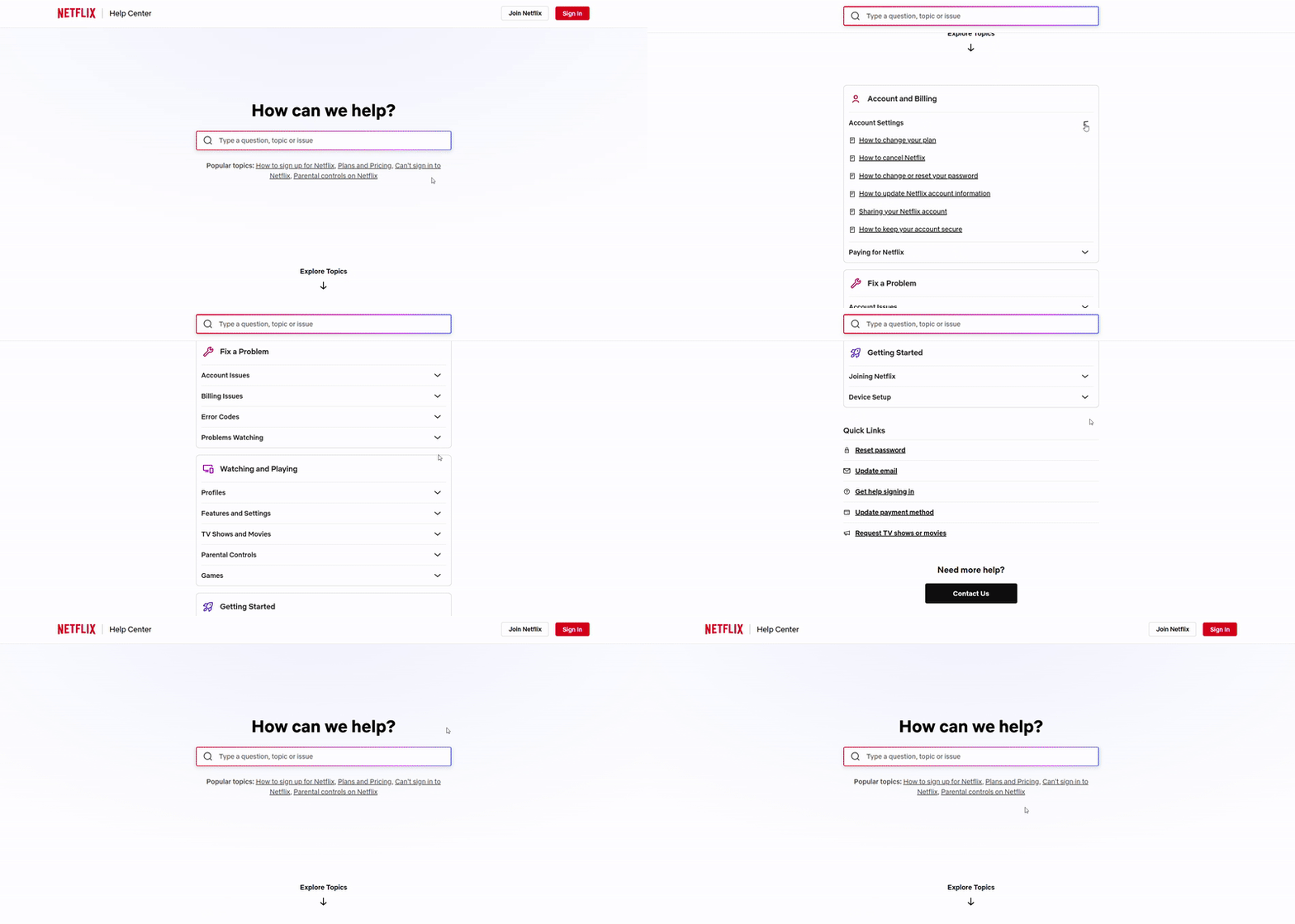
Netflix's FAQ page is a part of their Help Center, which features a searchable page that allows users to type any topic to find related questions and answers.
Users can also browse categorized topics like Account and Billing, Fix a Problem, Watching and Playing, and more.
Each category expands into detailed accordion-style questions and answers that include visuals, icons, and related links for deeper understanding.
Its clean and straightforward interface helps users find answers quickly and use it as a self-service option.
3. Reddit
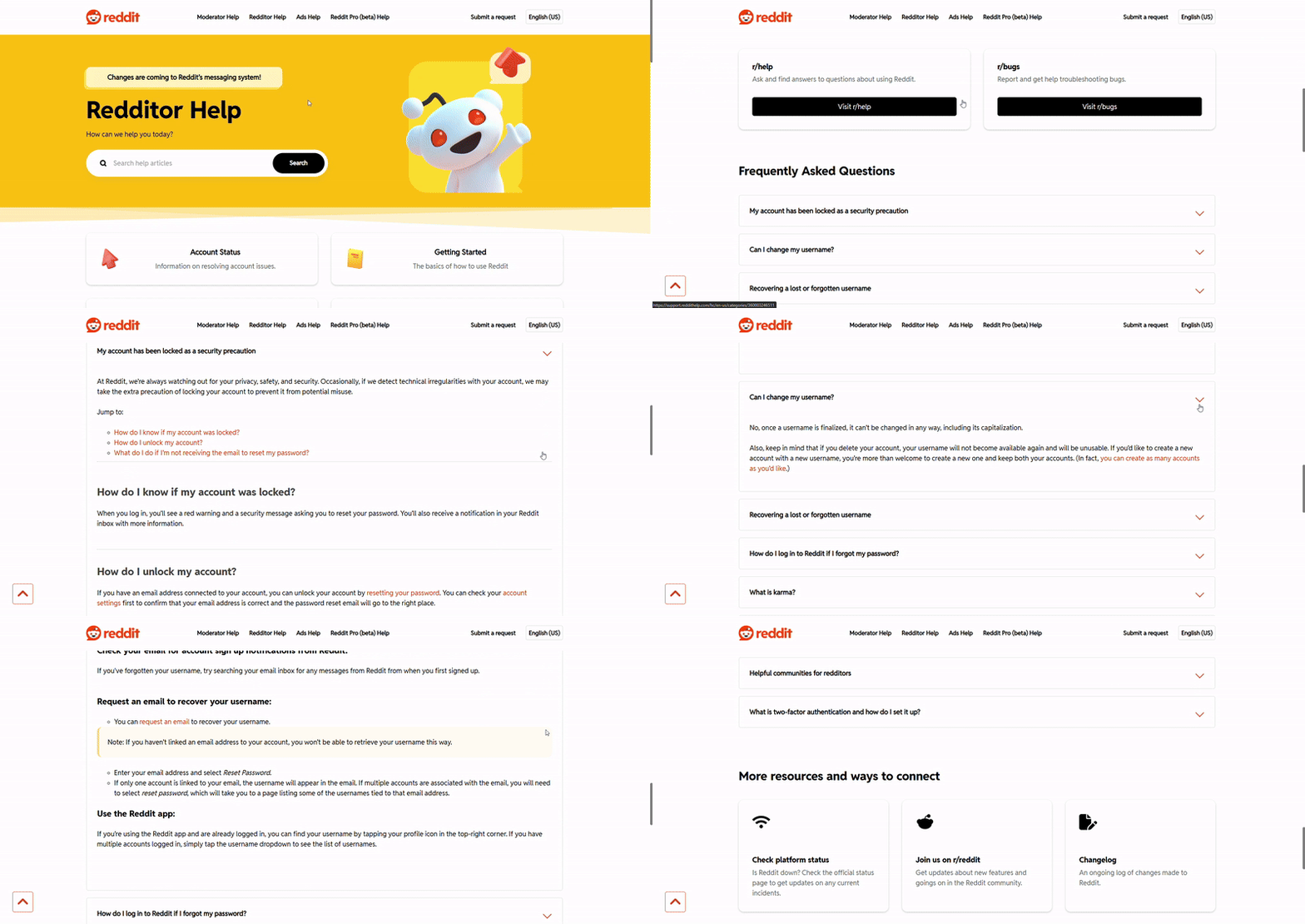
Reddit's Help Center, built for both Redditors and Moderators, delivers a clean, searchable, and structured FAQ experience focused on usability and clarity.
The layout features well-defined categories such as Account Status, Getting Started, Features & Experiences, and Rules & Reporting. It also highlights Reddit's helpful communities and common FAQs on the main page.
Each category expands into a detailed accordion layout with clear guidelines, step-by-step instructions, highlighted notes, and links for deeper learning.
It's a consistent, easy-to-navigate design that helps both Redditors and Moderators get quick help without waiting for a support ticket.
4. Microsoft
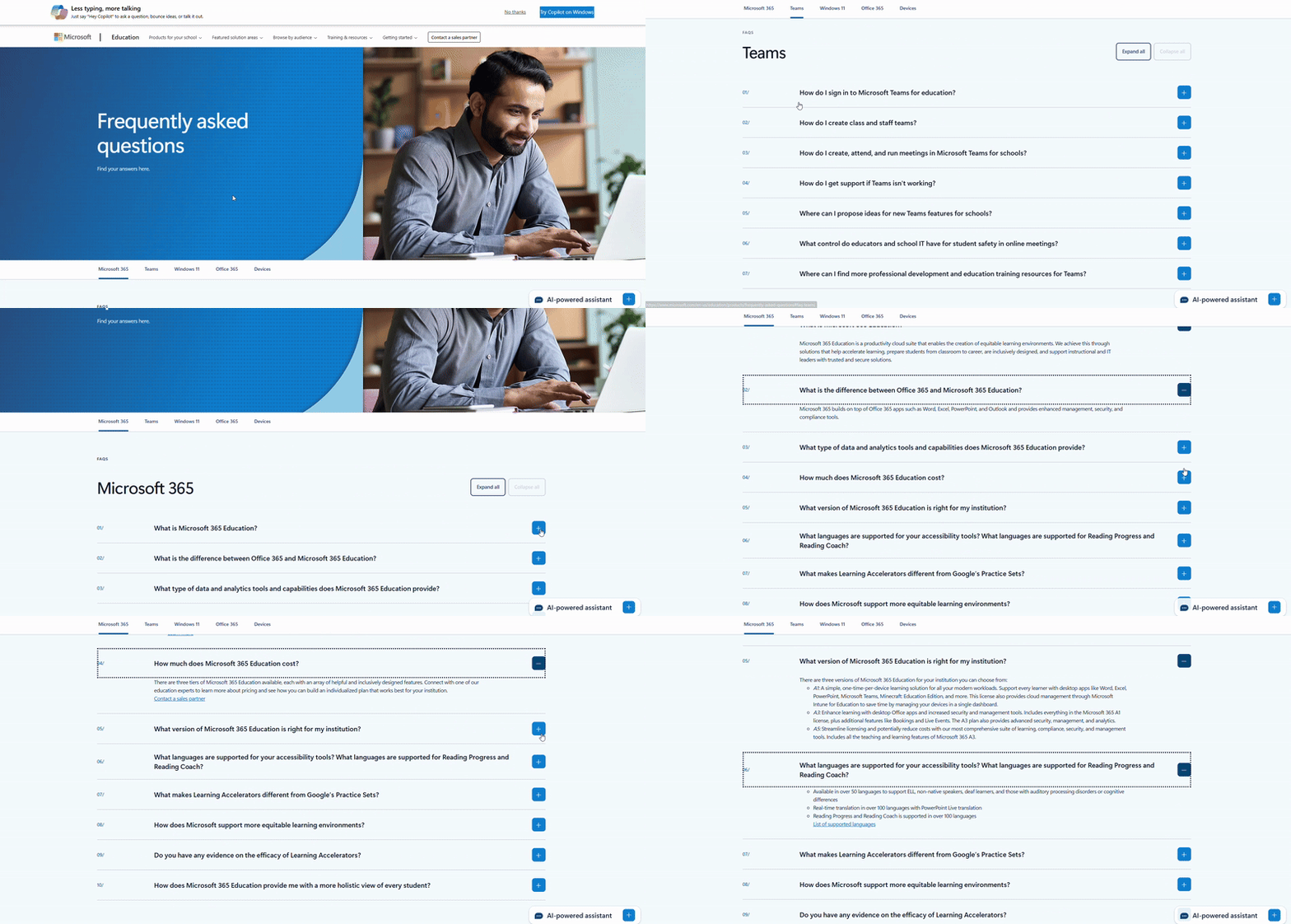
Microsoft's Education FAQ page is a well-organized knowledge base divided into key categories like Microsoft 365, Teams, Windows 11, Office 365, and Devices.
Each section uses a simple accordion layout with Expand All or Collapse All options, allowing users to browse multiple questions easily.
Answers are short, precise, and focused on practical topics like setup, product use, and troubleshooting, with helpful links for deeper knowledge.
Additionally, an AI-powered chat assistant at the bottom right helps users find the right FAQ or topic when they need quick answers.
5. WhatsApp
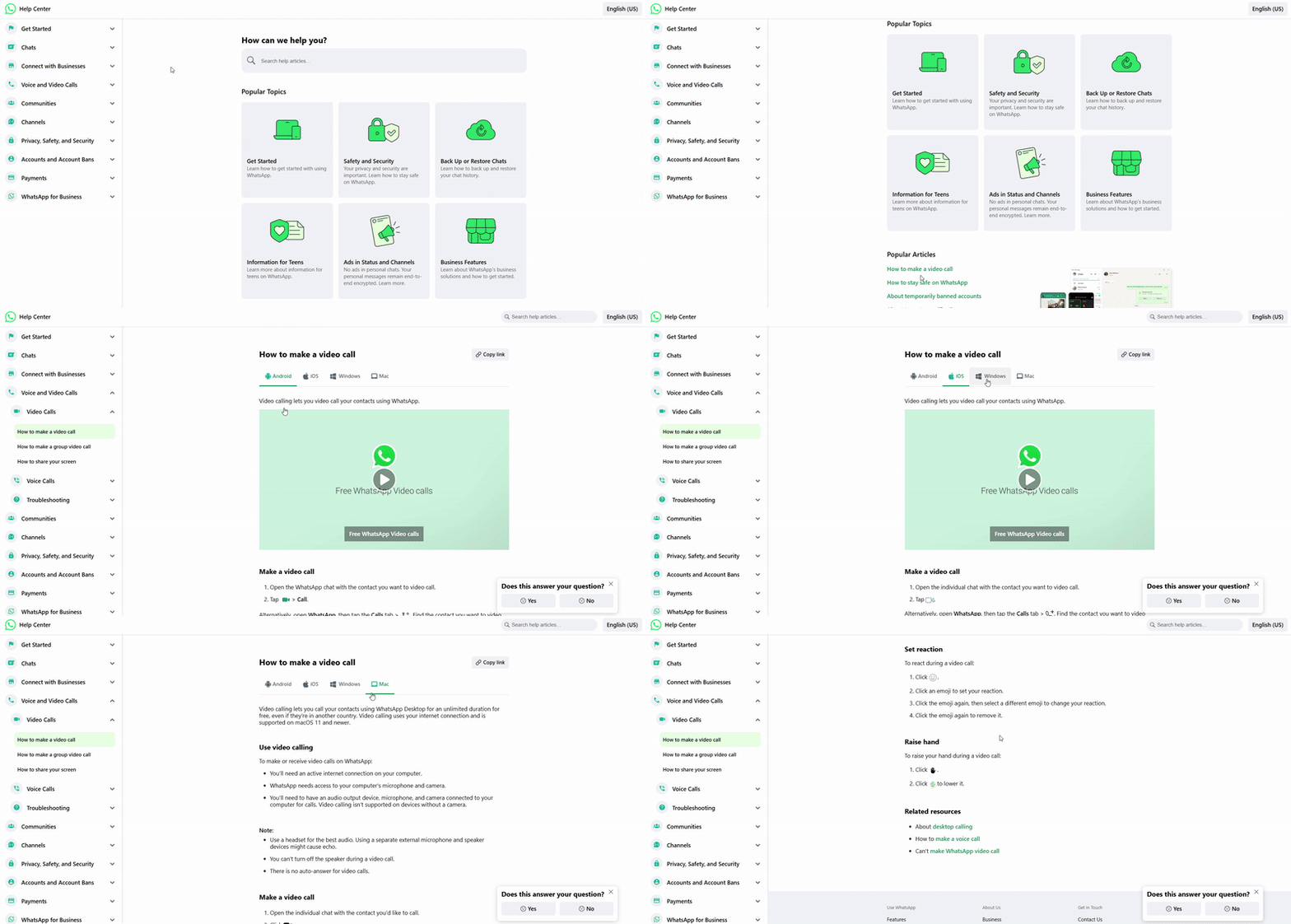
WhatsApp's FAQ page is designed as a clean, user-friendly Help Center with popular topics displayed in a grid layout and a left sidebar dropdown menu. A search bar on top helps users find topics effortlessly.
Each section expands into detailed articles with short, step-by-step answers and relevant links for deeper guidance.
It also includes a simple feedback option like "Does this answer your question?" that helps WhatsApp collect user input and improve the user experience and accuracy over time.
6. YouTube
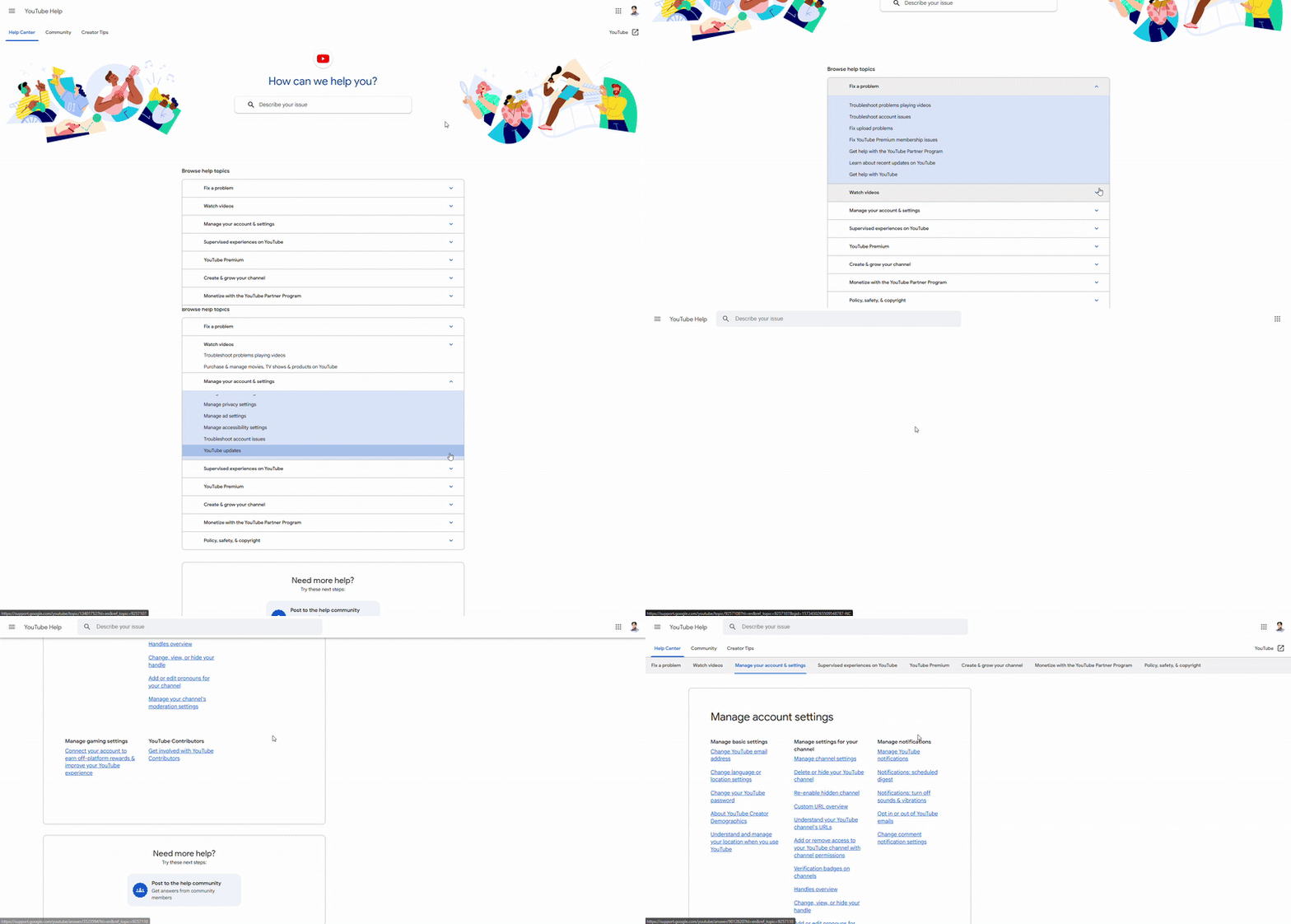
YouTube offers a browsing-style FAQ page with an integrated search bar. Users can describe their issue or explore topics through browsing.
Popular topics are featured in the header, and each section expands into topic-based dropdowns with clear explanations, screenshots, and step-by-step troubleshooting guides.
The FAQ page also connects users to the YouTube Community Forum, where they can ask questions and get peer-to-peer support.
7. Chewy
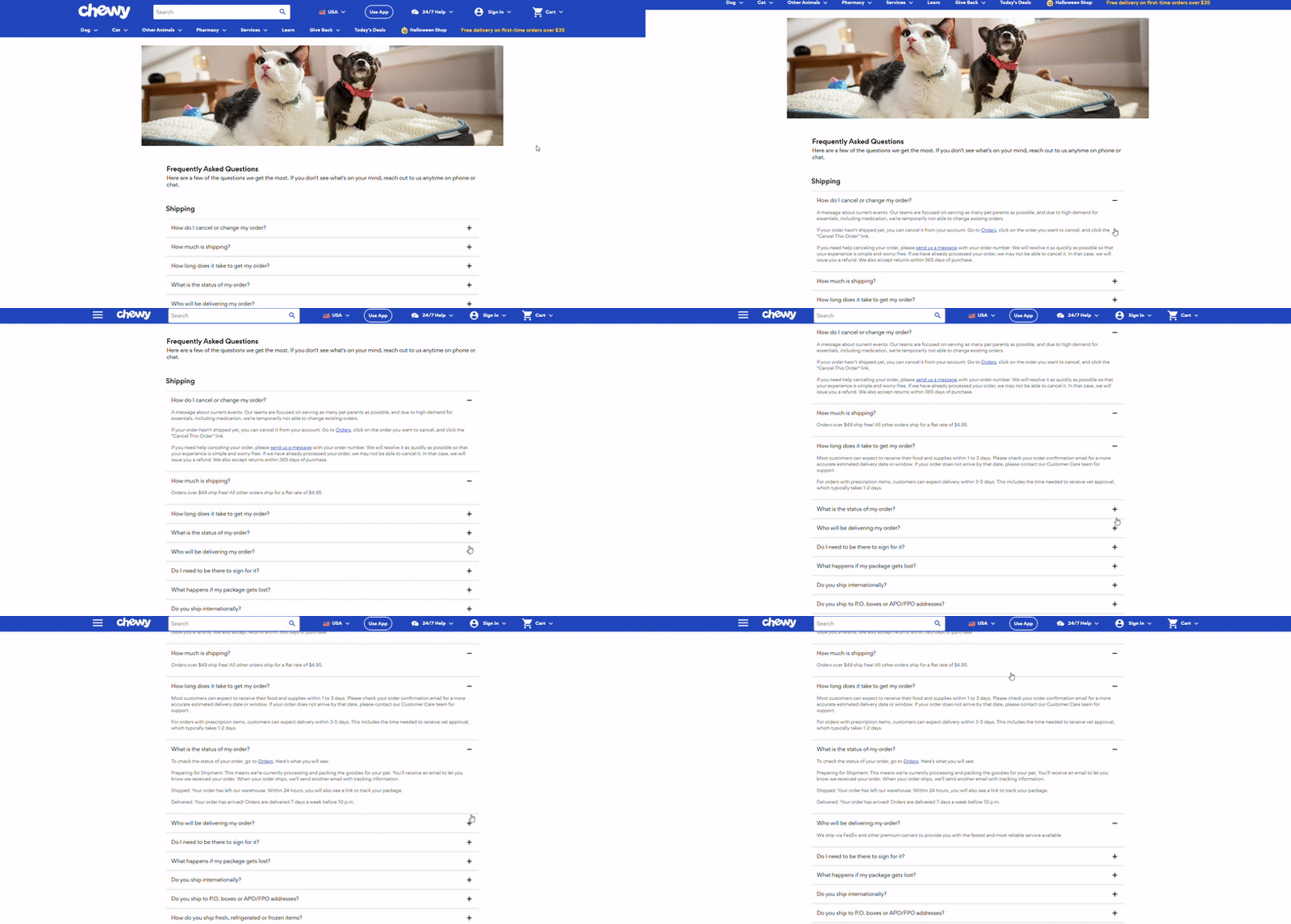
Chewy is a pet-focused eCommerce platform that provides a simple and well-organized FAQ page with categories like Shipping, Returns, Autoship, Prescription Items, Payment, Promotions, and Gift Cards.
Each question expands with concise, conversational answers that explain policies, delivery times, and other information in plain language.
The answers are also linked to important pages for users who need more details or want to take action right away.
8. Octopus Deploy
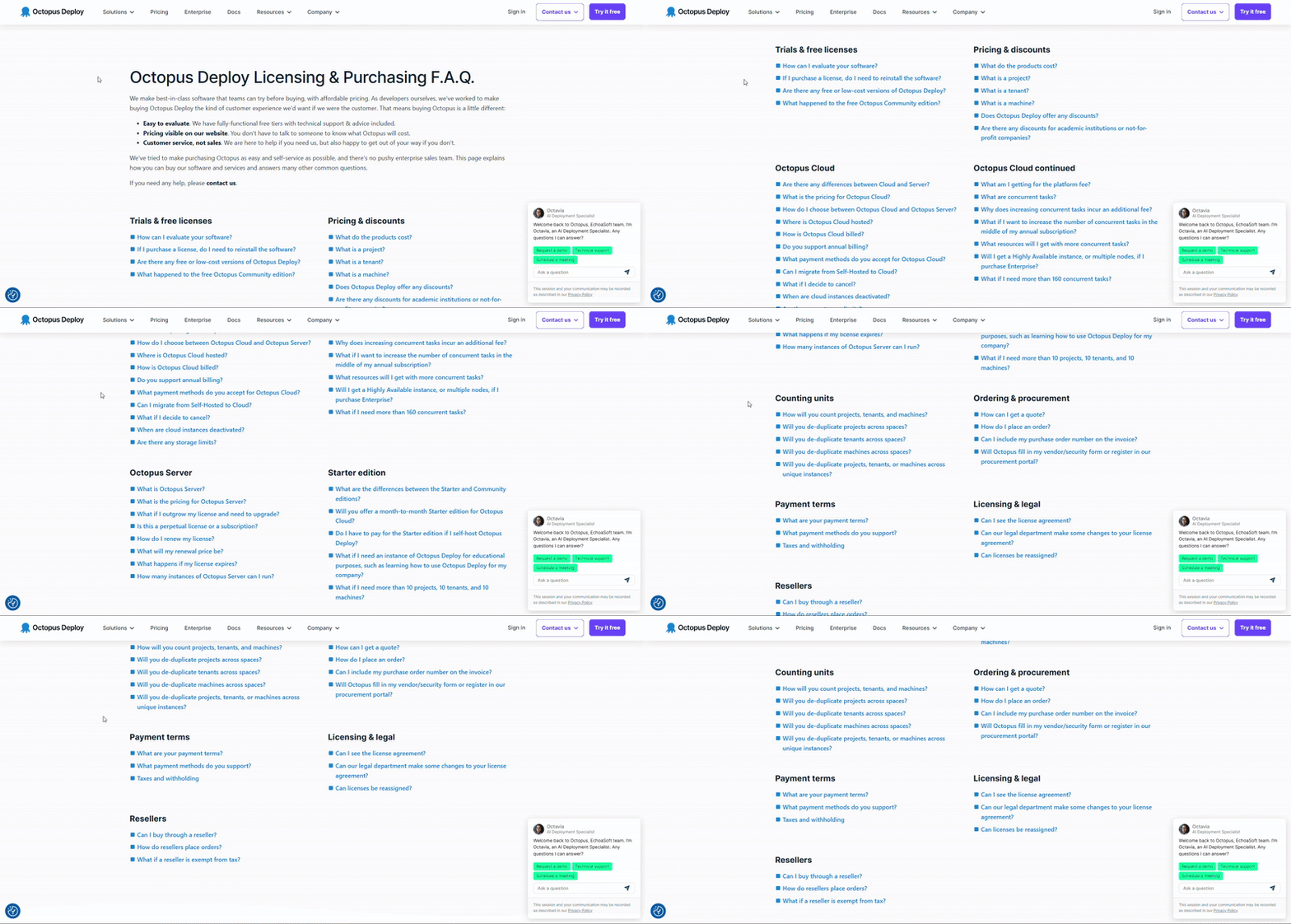
Octopus Deploy's FAQ page takes a unique approach by displaying all its FAQ questions in a two-column layout. Each questions are answered on the same page below, internally linked using "# anchors", which take users directly to the exact answers.
This approach reduces scrolling time and eliminates the need to load a new page for each answer, providing a much faster experience.
All questions are answered in detail and organized neatly on a single page, making it a great example of a fast-access, single-page FAQ layout.
9. Canva
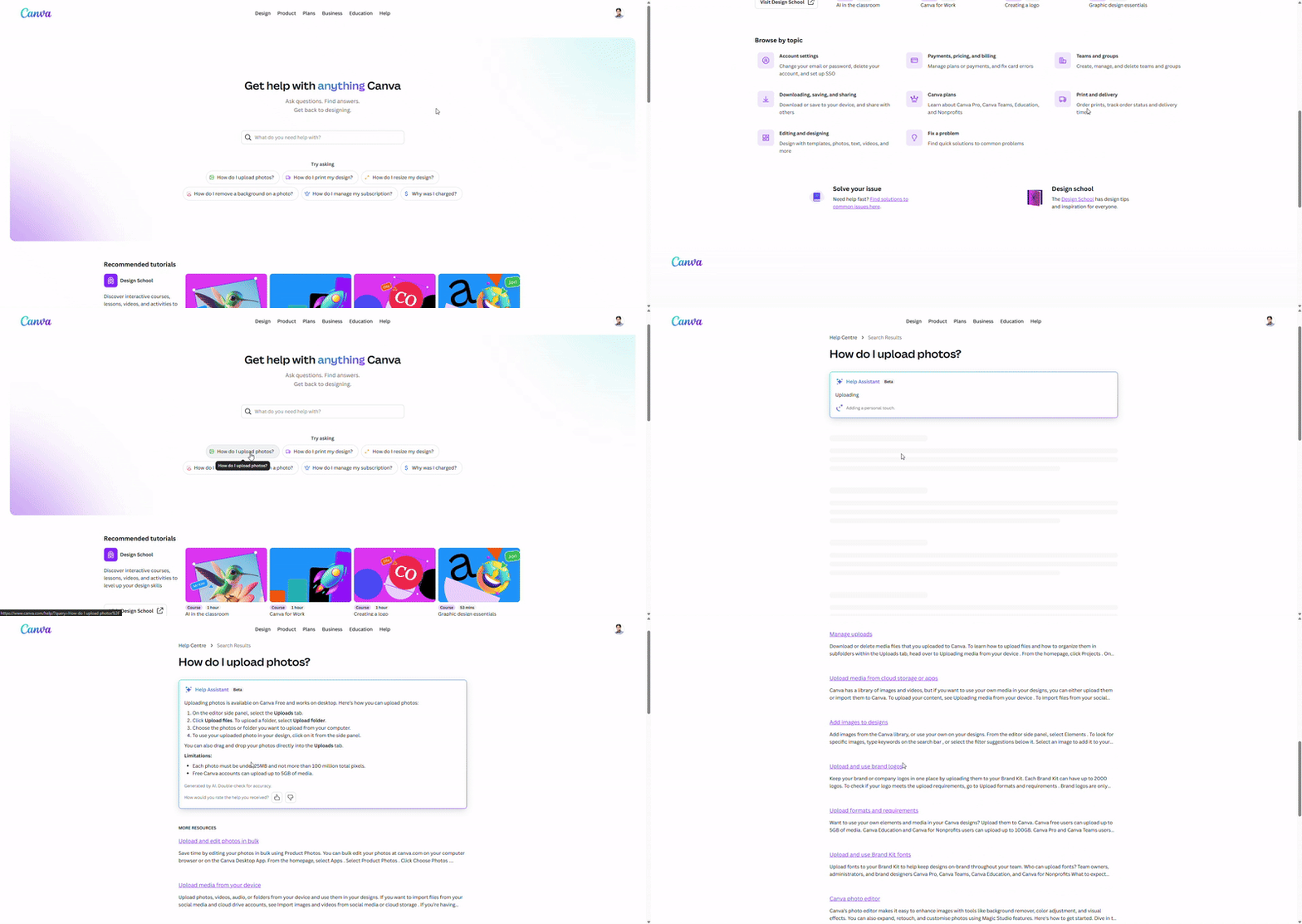
Canva Help Center serves as an advanced FAQ hub that starts with a search bar to help users find the answer by searching for a specific topic or question. Below, they also provide a categorized FAQ topic within a Grid format.
Each category opens detailed subcategories containing multiple FAQs, each linked to full-length articles with step-by-step answers.
They’ve also integrated AI-powered summaries that provide quick overviews of articles, along with tabbed layouts for Desktop, Mobile App, and Browser, offering device-specific guidance.
Additionally, users can rate each answer, helping Canva collect feedback and continuously improve accuracy and experience.
10. Notion
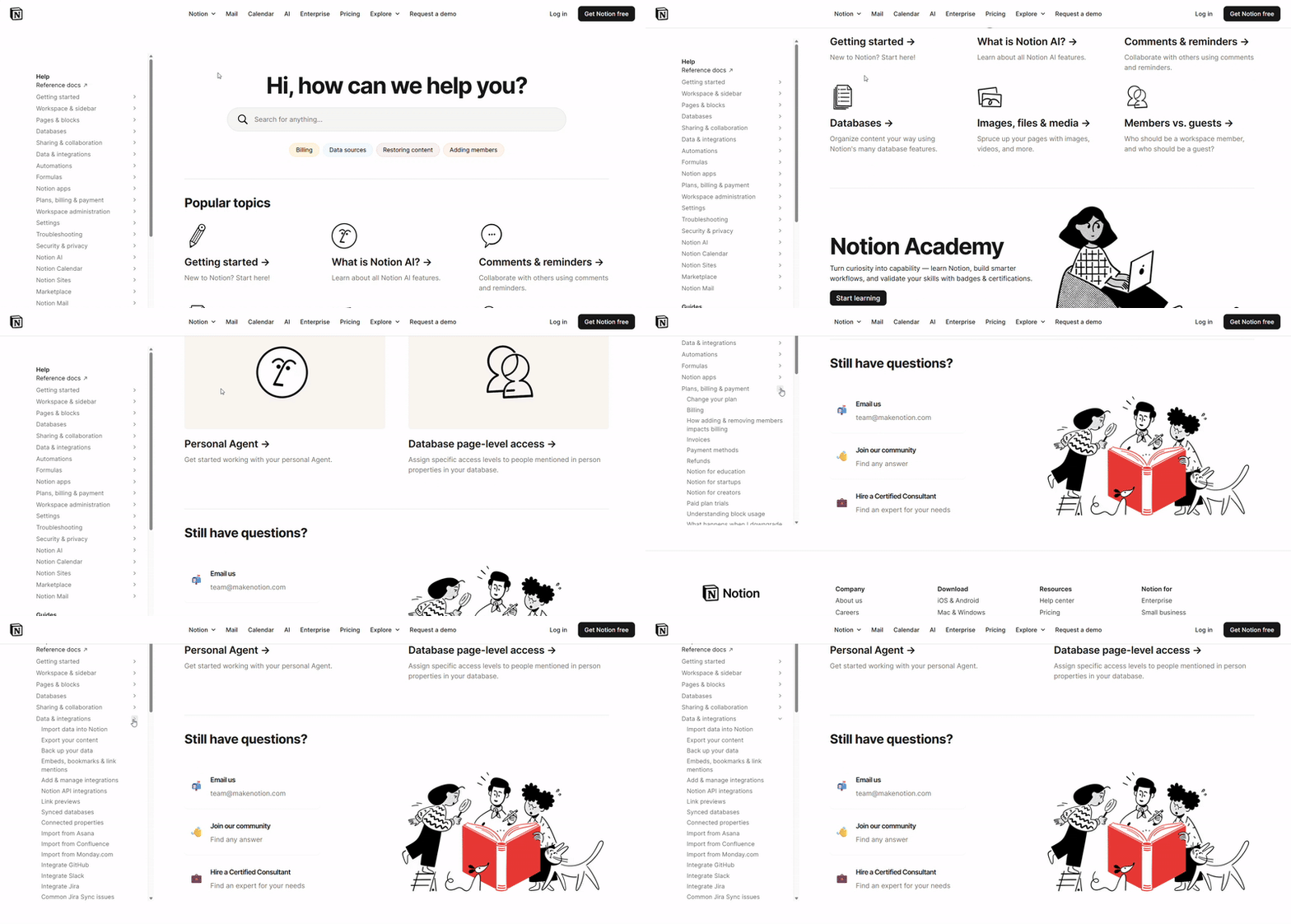
Notion features a clean, documentation-style FAQ with well-organized navigation. The layout begins with a search bar and filter chips for quick topic selection.
Popular topics are presented in a visual grid layout, while a detailed reference sidebar on the left gives direct access to in-depth documentation and guides.
Each article includes visuals, embedded videos, and practical tips. The answers are internally linked to related guides for smooth navigation.
A feedback option at the end of every article allows users to rate the resource, helping Notion maintain accuracy and enhance the overall experience.
Best FAQ Page Templates for WordPress Sites
Creating a well-designed and SEO-friendly FAQ page doesn’t have to be difficult. In today’s fast-moving digital era, many WordPress plugins make the process easier than ever.
With the right plugin, you can build FAQ sections from scratch or import any handcrafted, professionally designed FAQ layouts in just a few clicks.
If you’re using Divi as your WordPress theme, DiviFlash makes it simple to create and import ready-made FAQ templates that look great and perform well. If you are still confused about where to start, you can follow this step-by-step guide on how to create an FAQ section in Divi.
Let's take a look at the FAQ templates DiviFlash offers:
FAQ Template 1
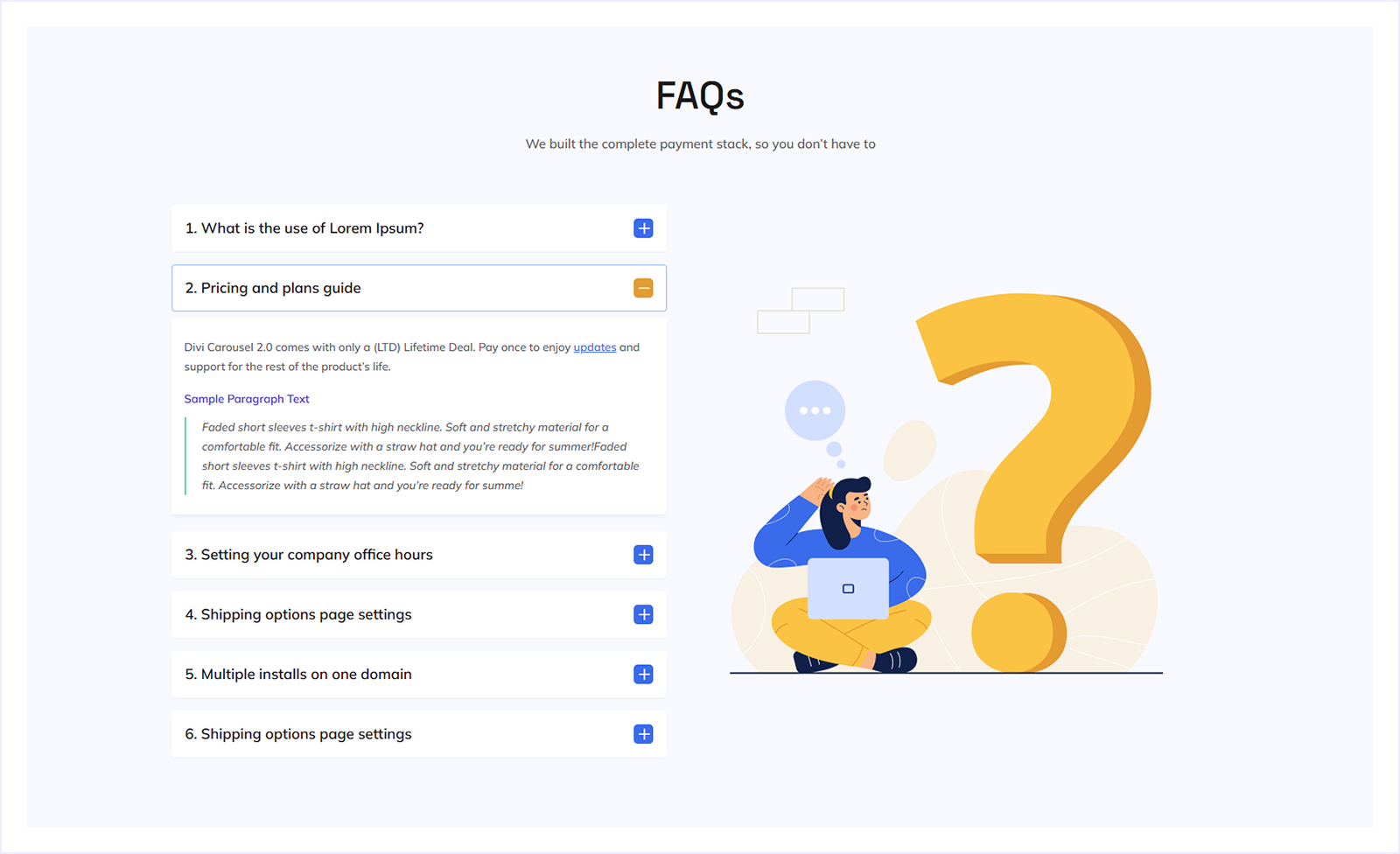
A clean, two-column FAQ layout with accordion questions and a supporting visual illustration. Ideal for product or SaaS websites that need to answer common questions clearly without overwhelming users.
FAQ Template 2
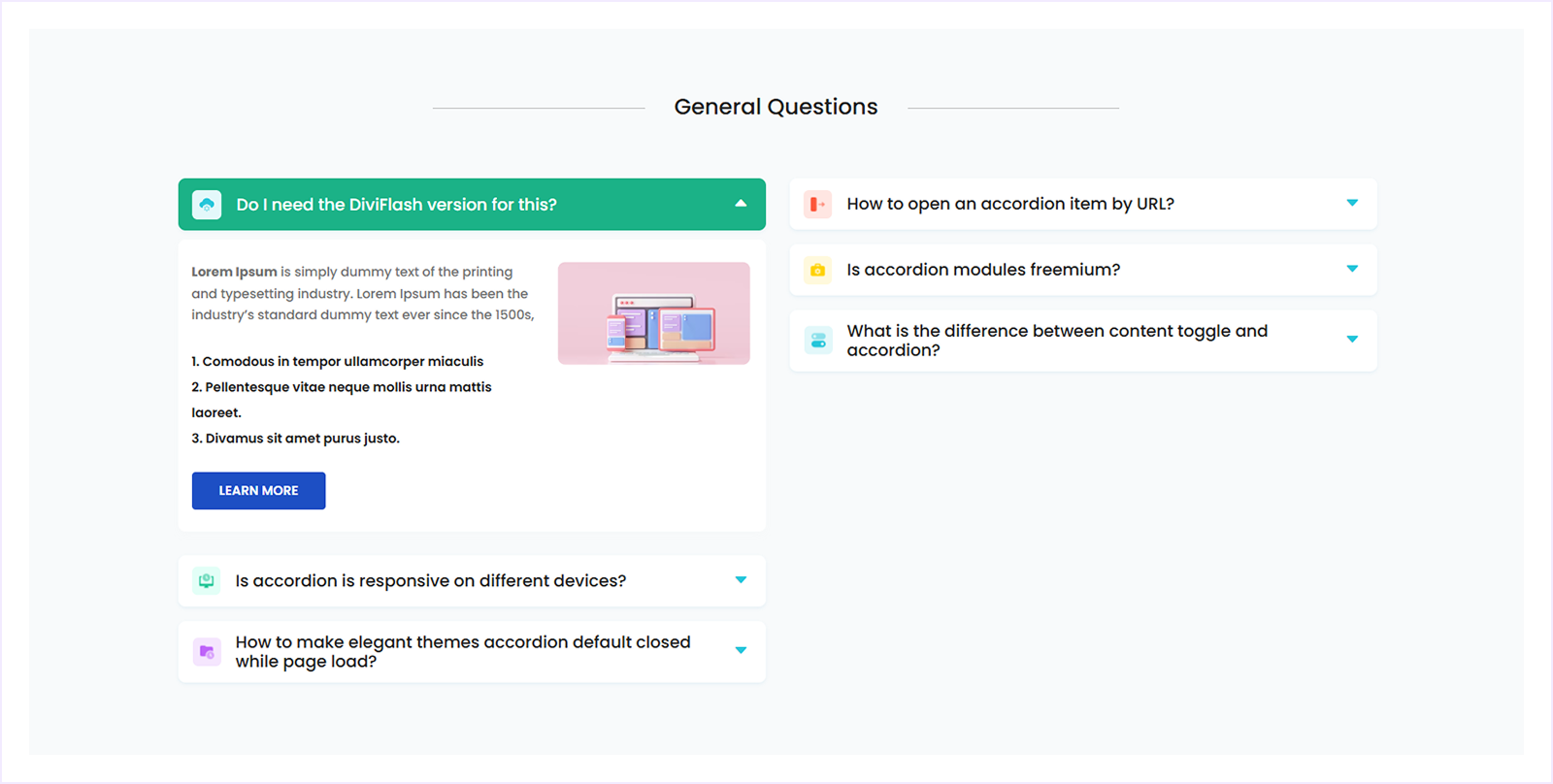
A structured FAQ layout with highlighted questions, icons, and supporting content blocks. Ideal for documentation, feature explanations, or technical FAQs that require more context while keeping the page clean and organized.
FAQ Template 3
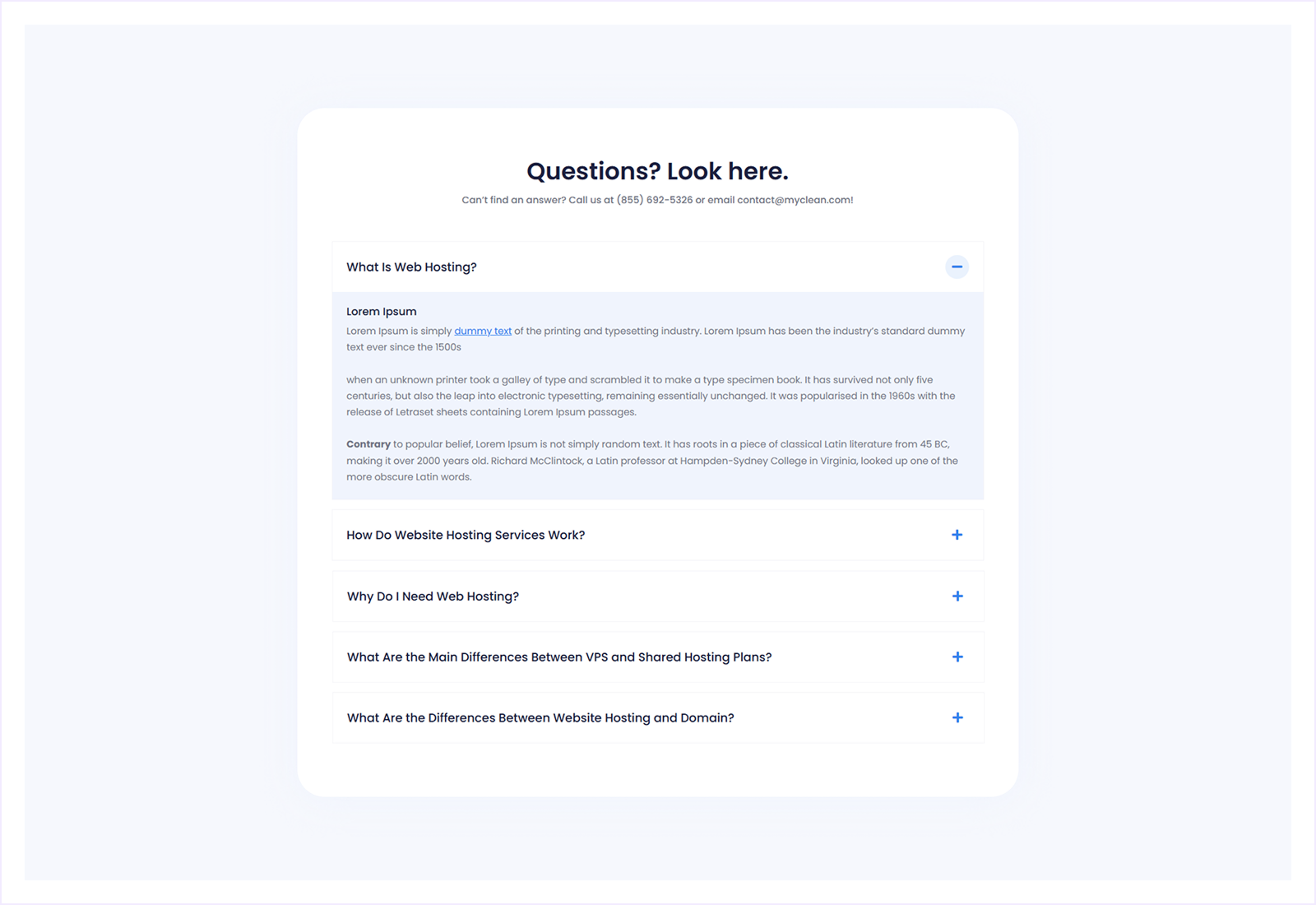
A centered FAQ layout with a focused accordion list and clear support context. Ideal for service websites or help pages that prioritize clarity, readability, and quick access to essential answers.
FAQ Template 4
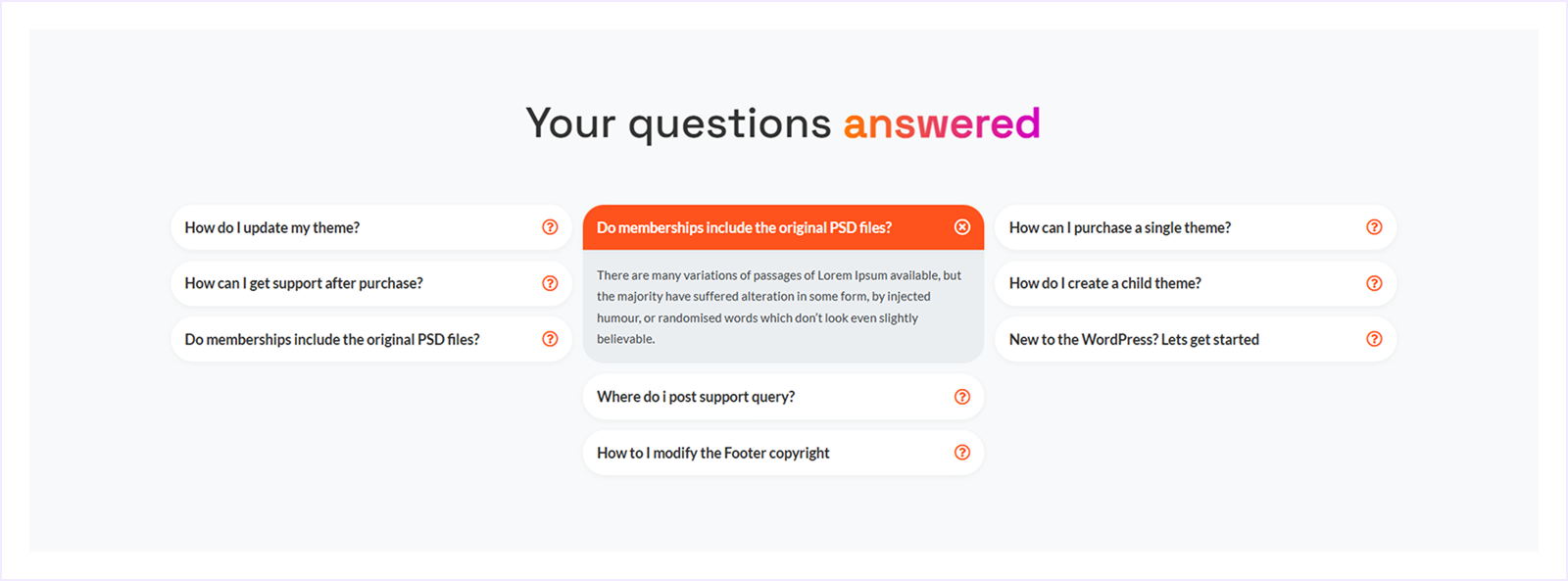
A multi-column FAQ layout with highlighted questions and a clear focus on key answers. Ideal for product support or membership sites that want to surface common questions quickly and guide users with minimal scrolling.
FAQ Template 5
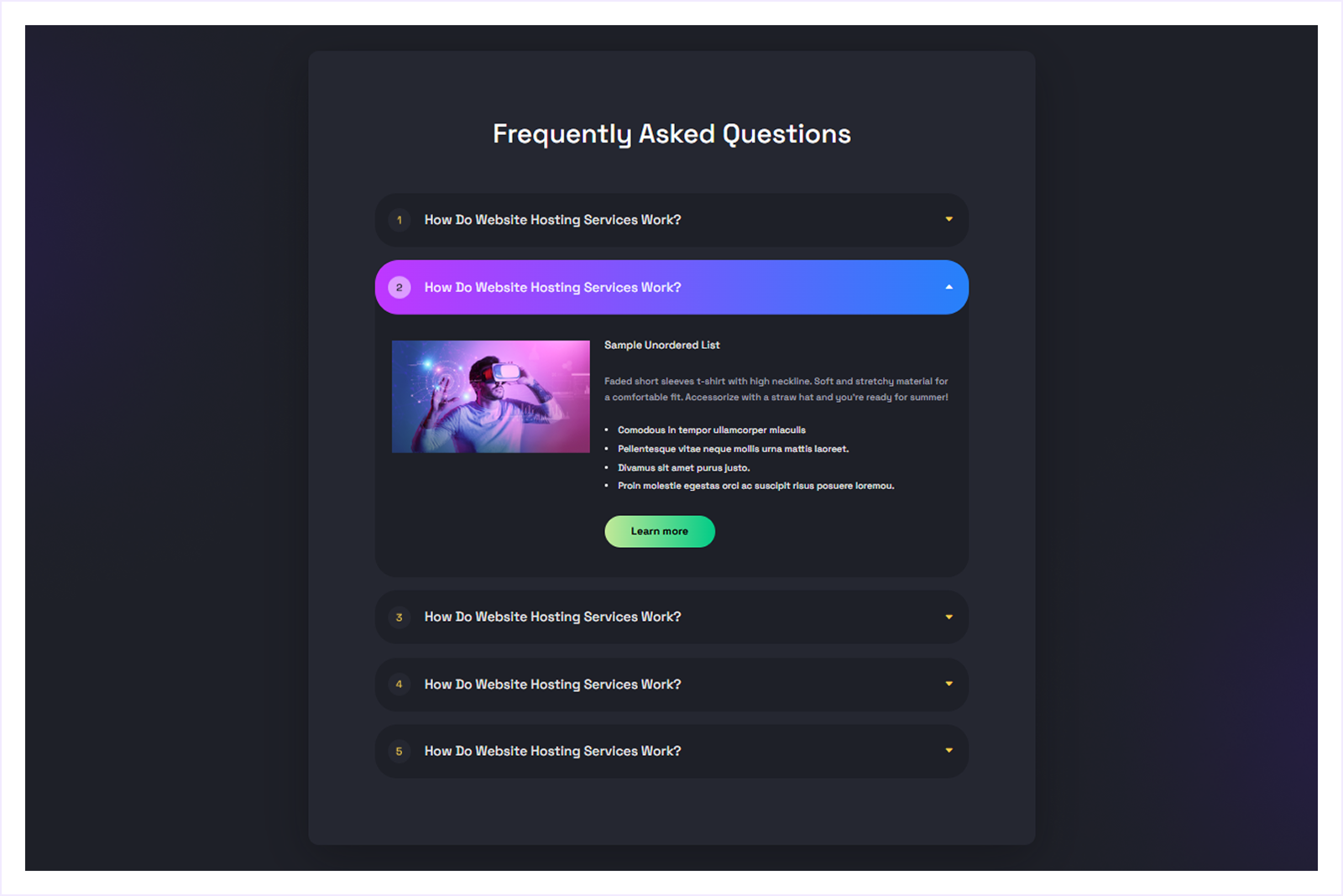
A dark-themed FAQ layout with expandable accordion items and rich content support. Ideal for tech, SaaS, or product websites that want to present detailed answers in a modern visual style.
FAQ Template 6
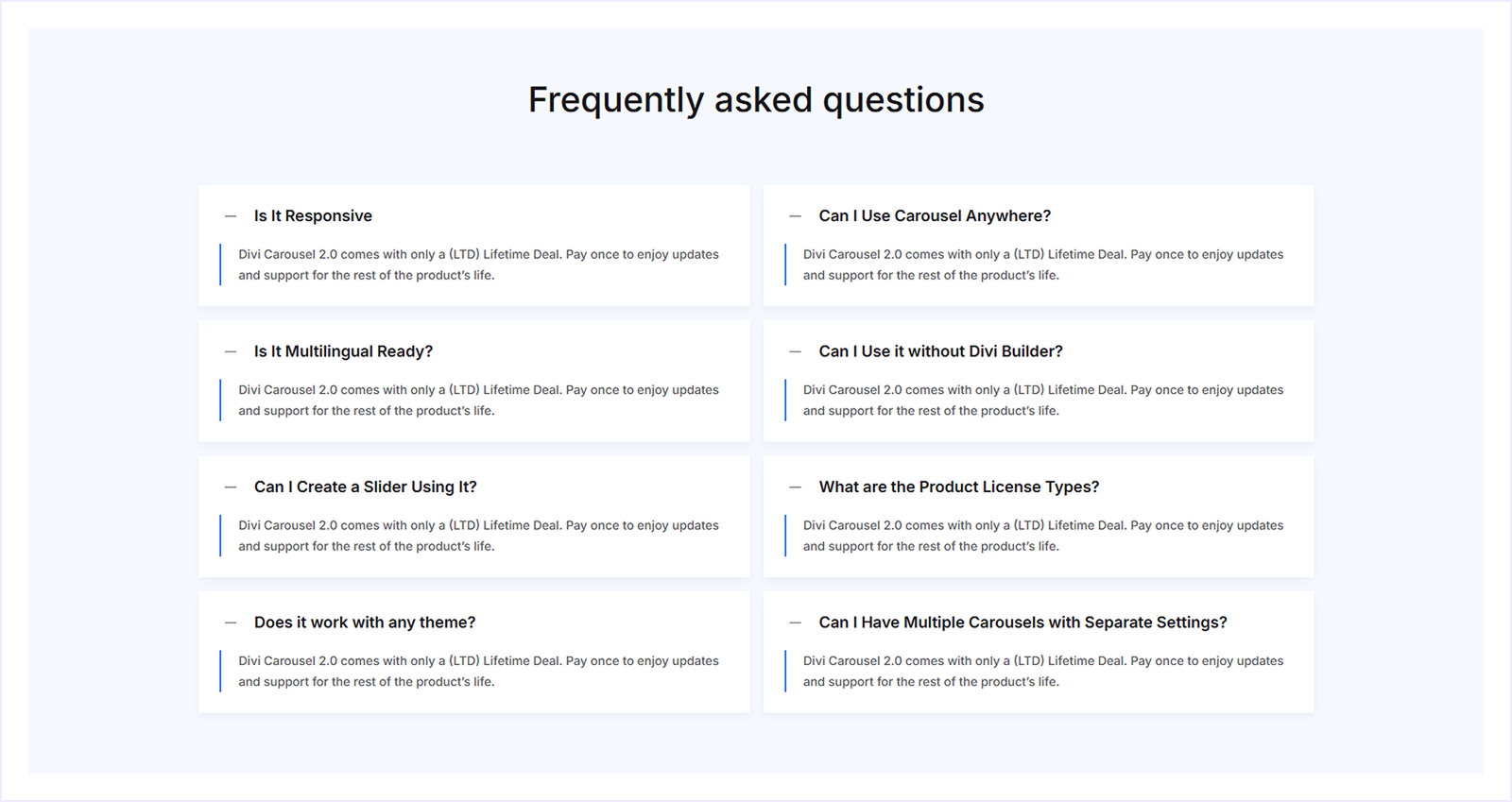
A clean, grid-style FAQ layout with open answers for quick scanning. Ideal for feature overviews or general product FAQs where users benefit from seeing multiple answers at once.
FAQ Template 7
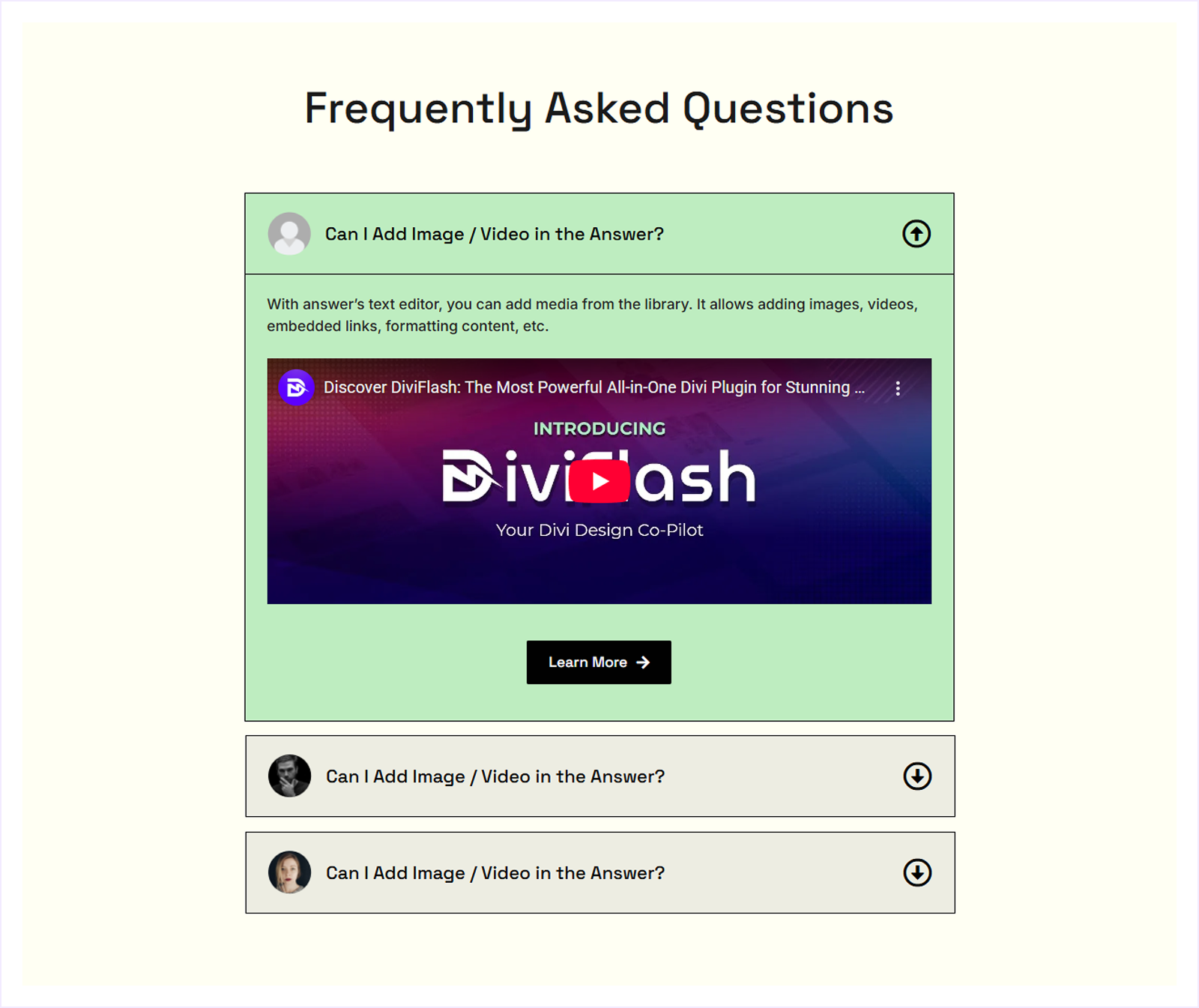
A content-rich FAQ layout that supports images, videos, and embedded media inside answers. Ideal for tutorials, product walkthroughs, or FAQs that rely on visual explanations.
FAQ Template 8
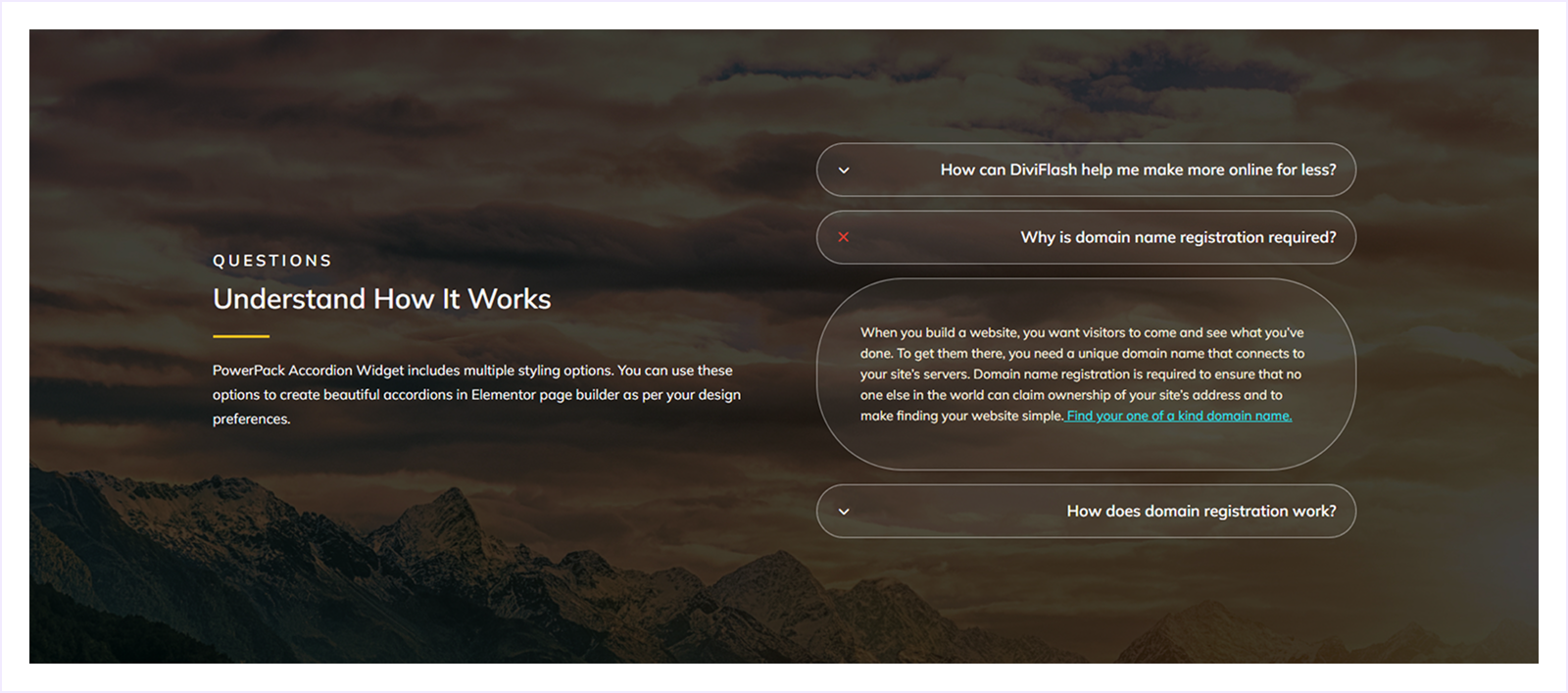
A visually immersive FAQ layout with layered accordion questions over a full-width background. Ideal for landing pages or marketing sites that want to explain processes while maintaining a strong visual appeal.
FAQ Template 9
A simple, centered FAQ layout with accordion questions and clear spacing. Ideal for general website FAQs that need a clean, distraction-free design focused on readability and ease of use.
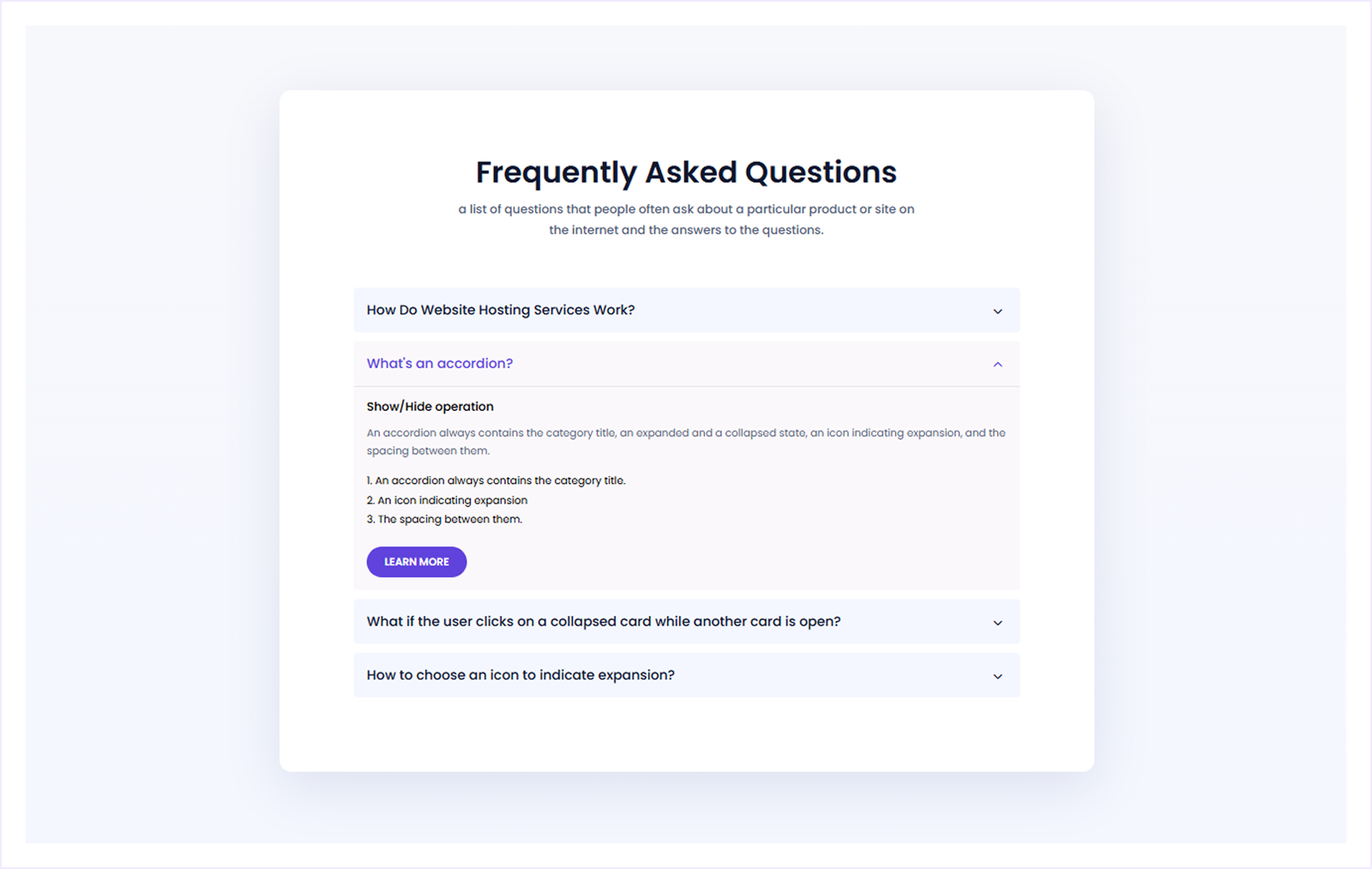
FAQ Template 10
A support-focused FAQ layout with expandable questions and quick links to related help resources. Ideal for websites that want to combine FAQs with a help center experience.
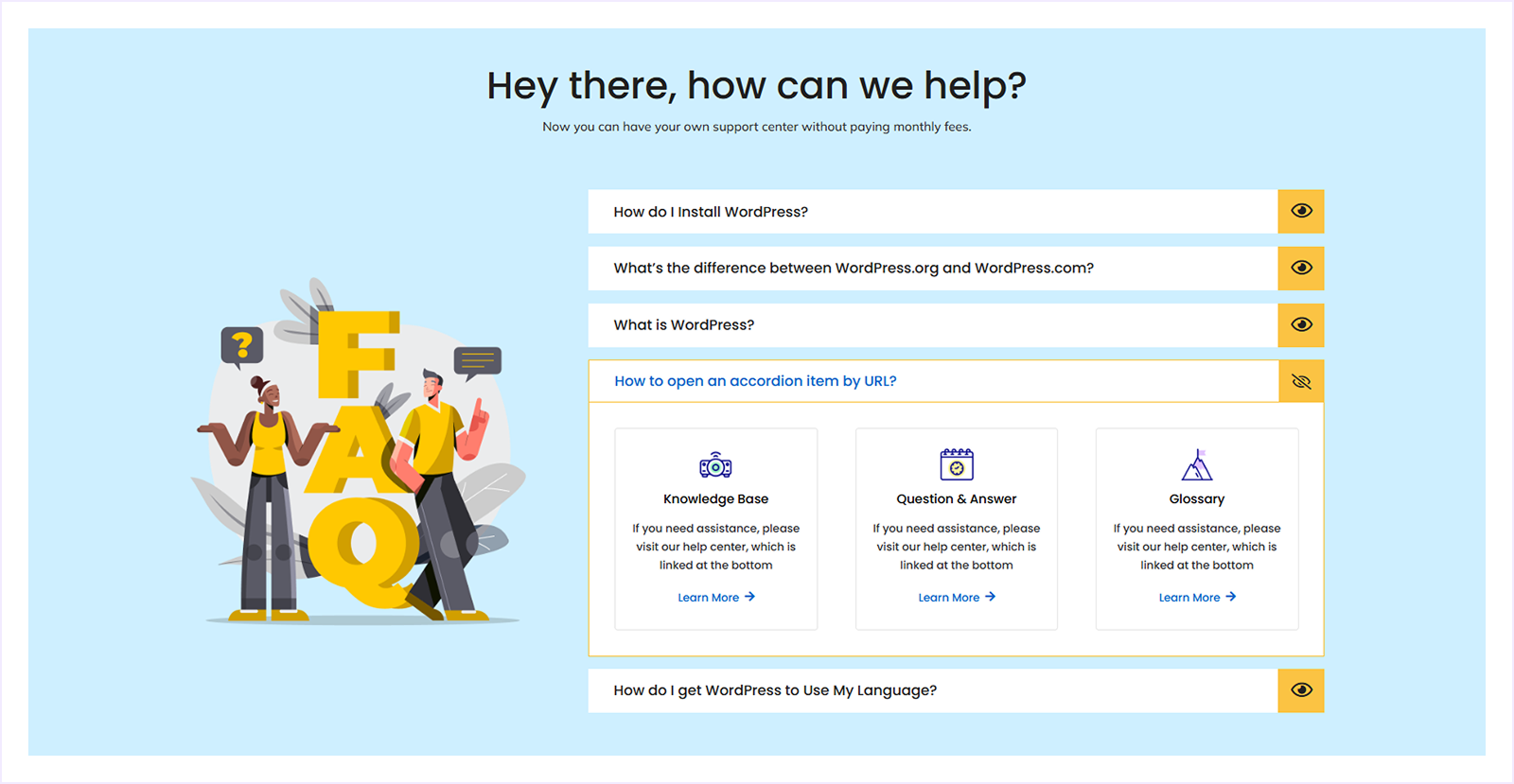
FAQ Template 11
A two-column FAQ layout with expandable questions and a friendly visual illustration. Ideal for service-based or informational websites that want to keep FAQs approachable and easy to browse.
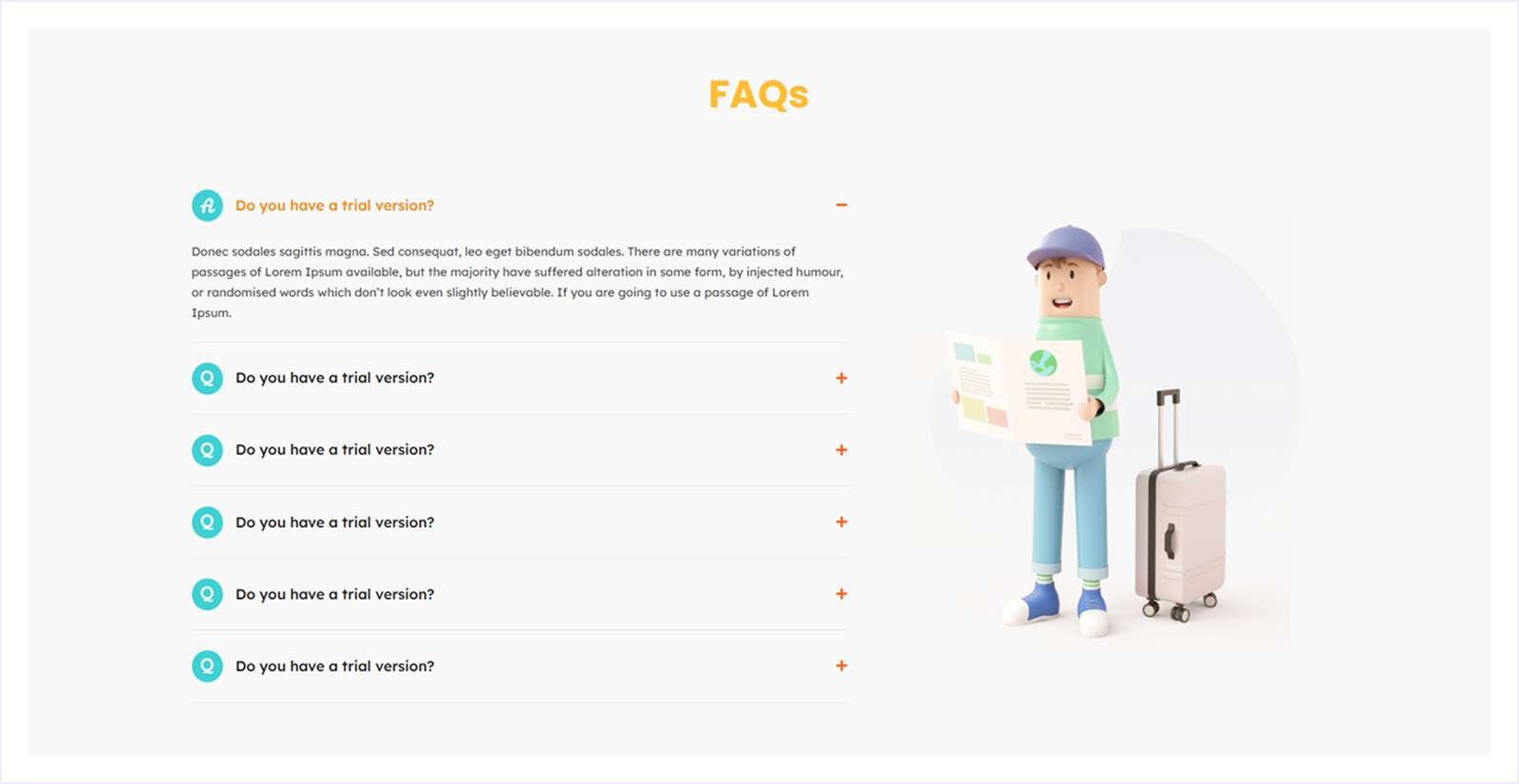
FAQ:
What makes a good FAQ page?
A good FAQ page is easy to navigate, answers common questions clearly, and helps users find what they're looking for without confusion. It should also link to other relevant pages for deeper information.
How many questions should I include on an FAQ page?
There's no fixed number, but try to include only the most relevant questions. Group them by category to keep your FAQ organized and easy to browse.
Should I use accordions or open text for FAQs?
Accordion-style FAQs work best for longer lists, as they keep the design clean and easy to scan. For short sections, open text can be fine.
Can I include videos or images in my FAQ page?
Yes. Adding visuals or short videos can make complex answers easier to understand and improve user engagement.
Conclusion
A well-planned FAQ page improves the user experience, reduces customer support costs, and increases conversions. Whether you're designing one from scratch or using templates, make sure it is simple, clear, and SEO-optimized. In the long run, a well-structured FAQ page builds audience trust and delivers lasting benefits to your website.
Have you found the design inspiration to build your FAQ page? We'd love to hear from you in the comments below.
If you found this article helpful, bookmark it for later and don't forget to share it with your friends who might be looking for inspiration to create their own FAQ page.


0 Comments