
DiviFlash Facebook Feed module (introduced in DiviFlash 5.1.0) lets you embed Facebook page content on your Divi website.
Important Note: Facebook Feed module is built for Divi 5 only. Also, it will be disabled by default and to use it, you must enable it manually. Refer to our guide for step-by-step instructions.
Let’s see the settings in brief and how to make better use of it —
Content Tab
This tab includes all the essential settings to configure your Facebook feed display.
General Settings
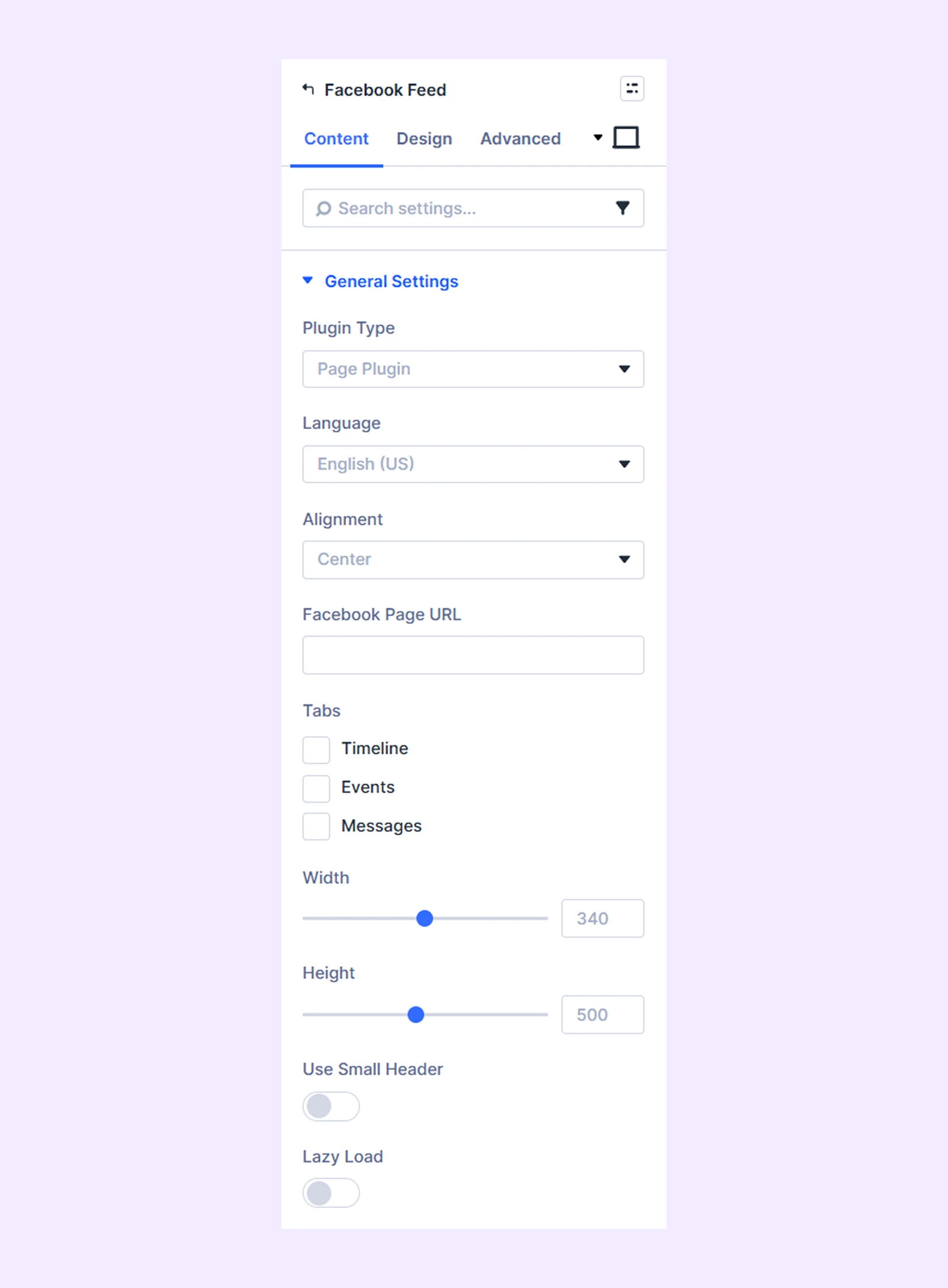
- Plugin Type: Choose what to display: Page Plugin (complete page), Share Button, Embedded Post, or Embedded Video.
- Language: Set the display language for the Facebook content.
- Alignment: Adjust how the content is aligned within the module.
- Facebook Page URL: Enter the URL of the Facebook page you want to display.
- Tabs: Choose which tabs (e.g., timeline, events and messages) to display. You can choose one of multiple tabs.
- Width and Height: Adjust the size of the feed.
- Use small Header: Enable this option to display a compact header for your Facebook feed.
- URL To Share: Add the link you want users to share. (Only available with Share Button)
- Layout: Choose how you want to display the share button from Box Count, Button Count, and Button. (Only available with Share Button)
- Size: Choose the button size from small and large. (Only available with Share Button)
- Post URL: Enter the URL of the specific Facebook post you want to display. (Only available with Embedded Post)
- Width: Set the width of embedded Facebook post. (Only available with Embedded Post)
- Show Full Text: Enable this to show the full text of the embedded post. (Only available with Embedded Post)
- Video URL: Add the Facebook video link.(Only available with Embedded Video)
- Width: Set the width of embedded Facebook video. (Only available with Embedded video)
- Show Text: Enable to display the text description of the video. (Only available with Embedded Video)
- Show Caption: Enable to show video captions. (Only available with Embedded Video)
- Allows Fullscreen: Allows videos to be viewed in full screen for a better viewing experience. (Only available with embedded video)
- Lazy Load: Improve performance by loading content only when it becomes visible.
Background: Add a background color, gradient, image, video, pattern, or mask to the module.
Element Label: Rename the module to organize it more easily in the Divi Builder. (Only you can see this label.)
Design Tab
Use this tab to customize the visual appearance of the Facebook Feed module.
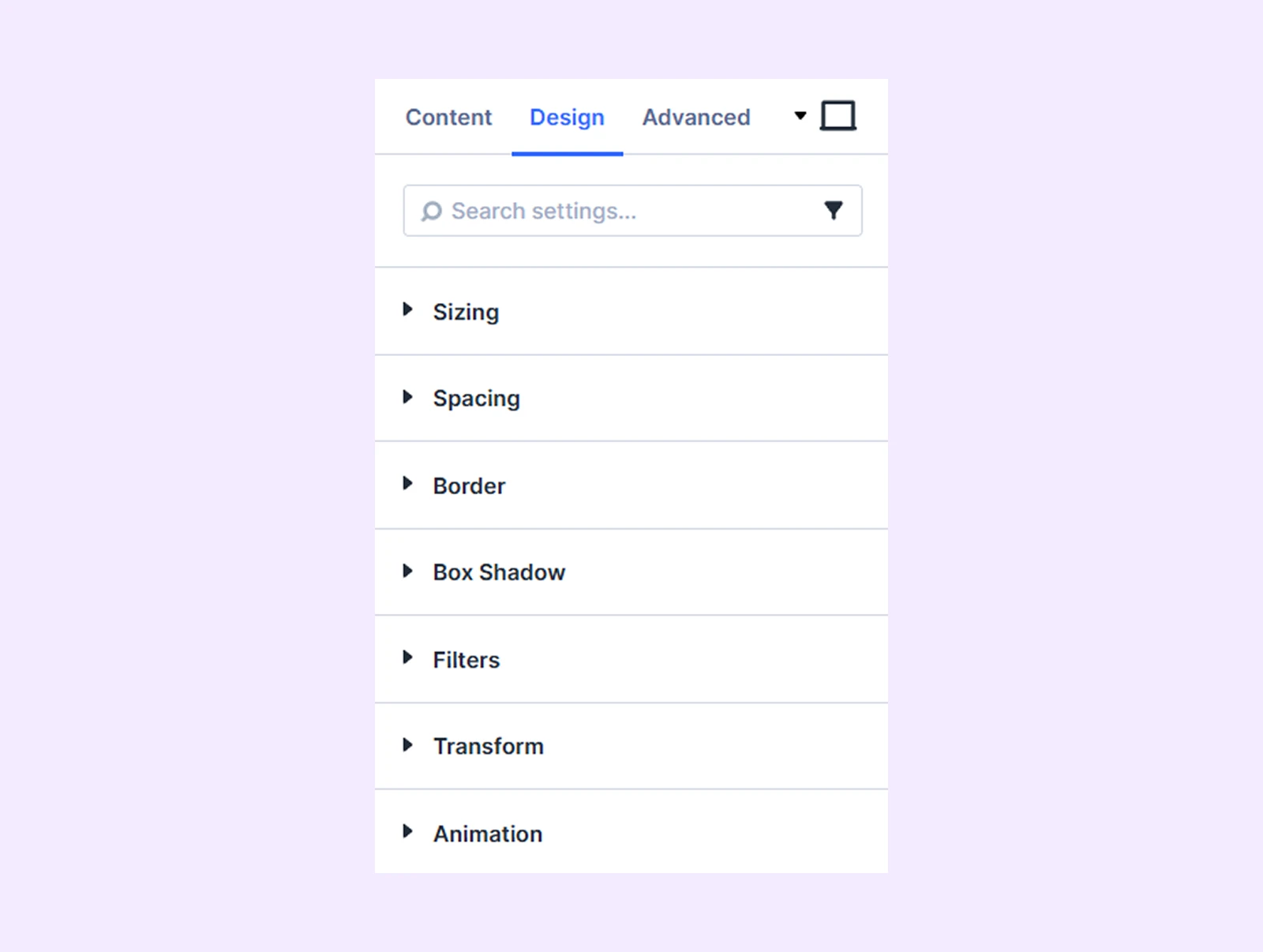
Sizing: Adjust the width, height, and alignment of the module.
Spacing: Add custom margin and padding to the module’s container.
Border: Customize the border style, width, and color. And style each border separately or apply the same style to all sides.
Box Shadow: Add shadow effects to the module.
Filters: Apply color filters to enhance the appearance.
Transform: Scale, rotate, move, or skew the module.
Animation: Apply reveal animation effects and customize delay, duration, repeat settings, and animation type.
Advanced Tab
This tab provides additional settings for advanced users who want greater control over the module with custom code, conditions, and more.
Need Help?
If you have any questions or need assistance, contact our support team: [email protected]