
The Inactive Tab Message extension lets you show a custom tab title and favicon when visitors leave your page. This will draw visitors' attention back to your website.
Important Notice: Inactive Tab Message is available in DiviFlash 5.5.0 or later. The effect is automatically disabled inside the Divi Visual Builder and Theme Builder while you are editing.
Here is a quick guide to enabling it and setting it up.
How to Enable It
Getting started takes just a few clicks:
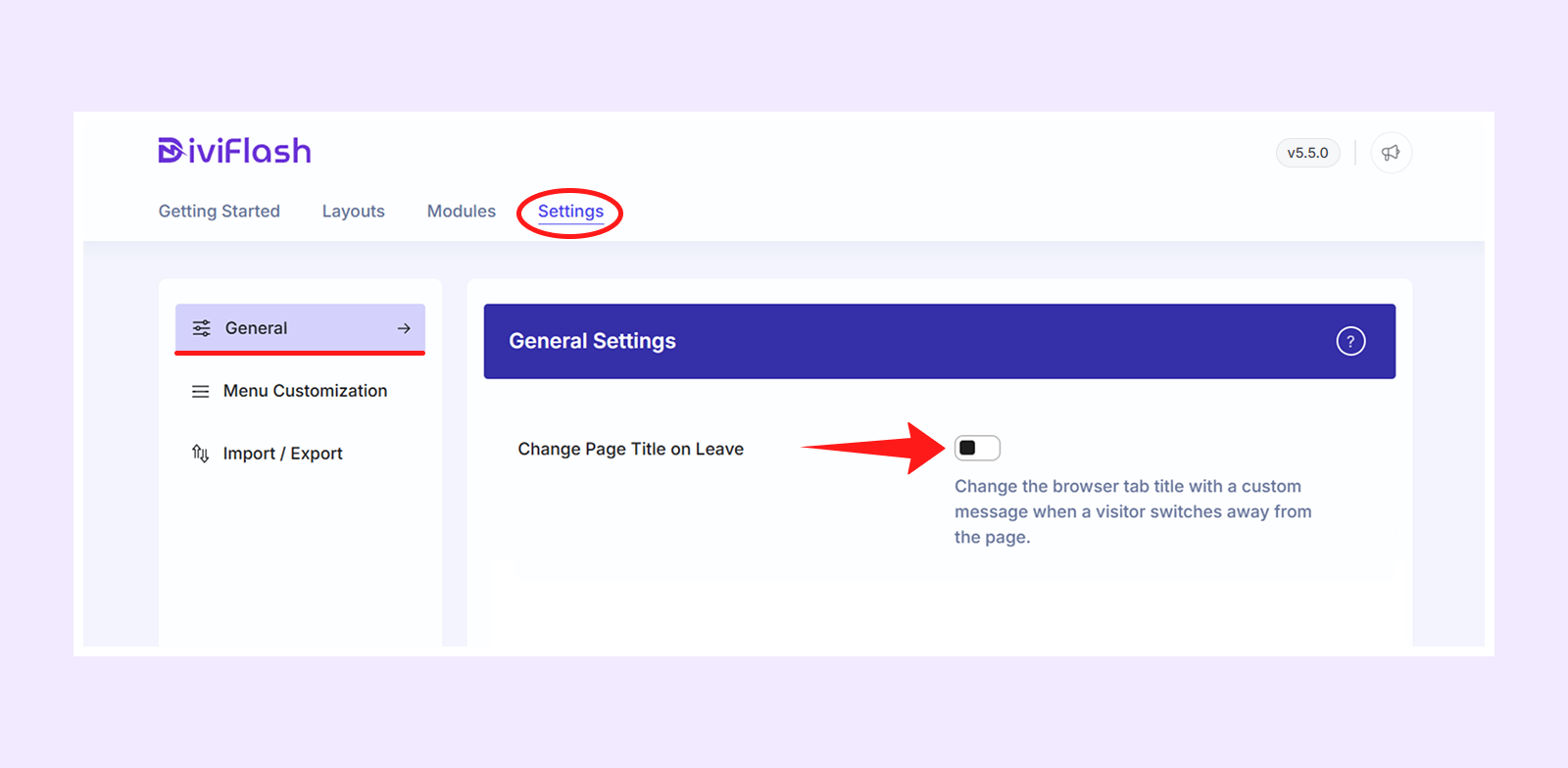
- Go to your WordPress Dashboard.
- Navigate to DiviFlash > Settings.
- Find out Inactive Tab Message
- Toggle it ON.
As soon as you enable it, a set of configuration options will appear right below, ready for you to customize.
Inactive Tab Message Settings
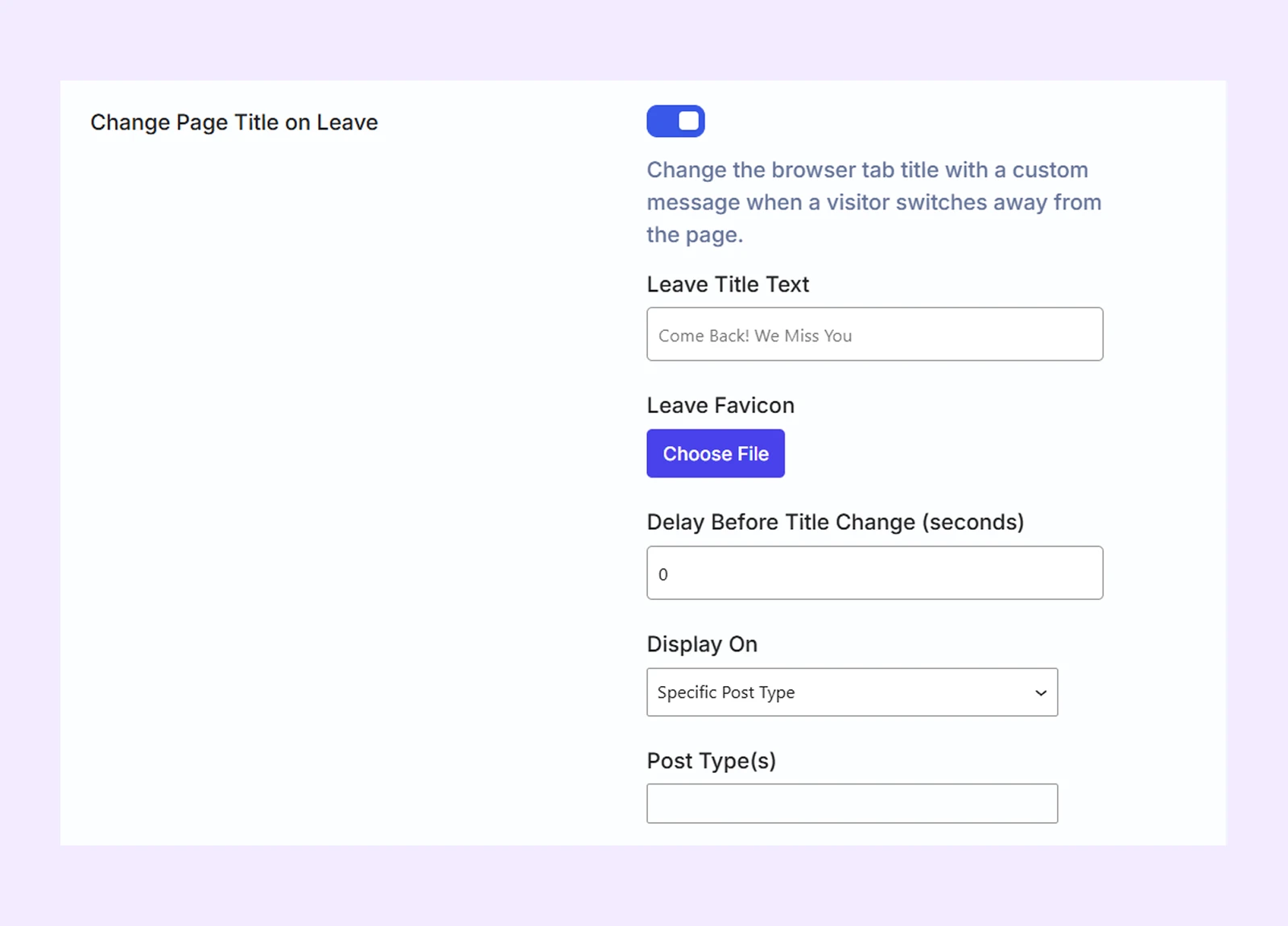
Leave Title Text
Enter the text you want to display in the browser tab when a visitor leaves your page. For example, you can use "Come Back! We Miss You". The original page title will automatically return when the visitor comes back.
Note: If you leave this field blank, the extension uses "Come Back! We Miss You" as the default message.
Leave Favicon
Set a custom favicon that appears in the browser tab when a visitor leaves your page. It supports PNG, ICO, JPEG, and SVG. The original favicon returns when they come back.
Delay Before Title Changes
Set how many seconds the extension waits before it changes the page title and favicon after a visitor leaves the tab.
Display On
Choose where you want to use the Inactive Tab Message extension:
- Entire Site: Apply the effect across your entire website.
- Specific Post Type: Apply the effect to selected post types, including their individual posts and post-type archive pages.
- Post Type(s): Select the post types where you want to enable the effect.
- Specific Page/Post: Apply the effect only to selected individual pages or posts.
- Page(s)/Post(s): Search for and select the individual pages or posts where you want to enable the effect.
This gives you full control over where visitors see the effect, instead of applying it site-wide by default.
Need Help?
Have questions or run into an issue? Our support team is ready to help at [email protected].